Plugin
Updated
Directorist Google reCAPTCHA
Directorist Google reCAPTCHA is a WordPress plugin add-on for directory sites built with Directorist. It places Google reCAPTCHA checks on your directory forms so automated bots and spam submissions get filtered out, while real visitors can still post listings, leave reviews, send messages and register.
- Version
- 2.2.1
- Released
- Jun 9, 2025
- Developer
- Directorist
- Type
- WordPress plugin
- Requires
- Directorist
- Licence
- GPL
- Included in
- Every plan, or $3.99 on its own
What’s new in Directorist Google reCAPTCHA 2.2.1
Version 2.2.1 · Jun 9, 2025
Latest
- FixedTranslate issue
What it does
Directory sites attract a lot of automated traffic. Bots submit fake listings, post junk reviews, fill contact forms with spam and create throwaway accounts, and someone has to clean all of that up. This add-on tackles the problem at the source by putting Google reCAPTCHA in front of the forms that Directorist uses, so submissions have to pass a bot check before they reach your site. It requires the Directorist plugin and works alongside it rather than as a standalone tool.
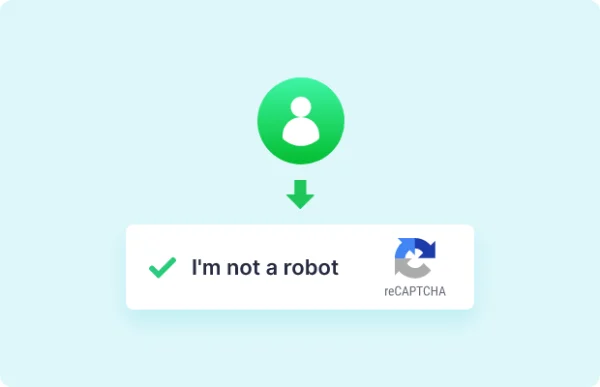
Coverage spans the main Directorist forms: listing submission, contact forms, review submissions and user registration. You can pick the reCAPTCHA style that fits your audience, from the familiar "I'm not a robot" checkbox of reCAPTCHA v2 to Invisible reCAPTCHA or reCAPTCHA v3, which ask less of visitors. Settings are handled through an options interface, so no coding is needed. The result is cleaner listing data and fewer fraudulent reviews for you to moderate.
Best for
- Directory websites built on the Directorist plugin
- Business listing sites dealing with spam listings or reviews
- Freelancers and agencies managing client directory sites
Features
Listing submission protection
Adds a reCAPTCHA check to the Directorist listing submission form, which helps keep fake and spam listings out of your directory.
Review form spam filtering
Puts reCAPTCHA on review submissions so bots have a harder time posting fraudulent or junk reviews against the businesses and entries in your directory.
Contact form coverage
Protects Directorist contact forms with Google reCAPTCHA, cutting down on automated spam messages sent through your listings and directory pages.
Registration form checks
Applies reCAPTCHA to user registration, which helps stop bots from creating fake accounts on your directory site.
Choice of reCAPTCHA types
Lets you choose between reCAPTCHA v2 with the "I'm not a robot" checkbox, Invisible reCAPTCHA or reCAPTCHA v3, depending on how much friction you want.
No-code configuration
Settings are managed through a user-friendly interface, so you can turn protection on and adjust options without writing or editing any code.
Questions about Directorist Google reCAPTCHA
Does this work without Directorist?
No. It is an add-on built for Directorist-powered WordPress directory sites, so the Directorist plugin needs to be in place. It adds reCAPTCHA protection to the forms Directorist provides.
Which forms does it protect?
It covers the main Directorist forms: listing submission, contact forms, review submissions and user registration. That means spam bots face a check on each of the common entry points for fake listings, junk reviews, spam messages and throwaway accounts.
Can I avoid showing visitors a checkbox challenge?
Yes. Along with reCAPTCHA v2 and its "I'm not a robot" checkbox, you can choose Invisible reCAPTCHA or reCAPTCHA v3. These options ask less of visitors, so genuine users can submit forms with minimal friction while bots are still screened.
Do I need coding skills to set it up?
No coding knowledge is required. Options are handled through a user-friendly settings interface where you choose your reCAPTCHA type and adjust how protection works on your directory forms.
Is Directorist Google reCAPTCHA free?
The code of Directorist Google reCAPTCHA is licensed under the GPL, so anyone may use, change and share it. GPL Feast is a paid service: a plan or a single purchase gives you the download and automatic updates. The developer's own support, licence key and online services are not included.
Which version of Directorist Google reCAPTCHA is this?
Version 2.2.1, released Jun 9, 2025. New versions appear here when the developer publishes them, and members get them as automatic updates.
How do I update Directorist Google reCAPTCHA?
Install the free GPL Feast Updater on your site and connect it with your API key. It installs new versions of Directorist Google reCAPTCHA automatically and keeps a backup, so you can roll back.
What does Directorist Google reCAPTCHA need?
Directorist Google reCAPTCHA needs Directorist installed and active.
More from Directorist