
Plugin
Updated
Notes by LearnDash
LearnDash Notes is a WordPress plugin by SnapOrbital that adds personal note taking to LearnDash LMS. Students write notes directly on lessons and quizzes, and every note stays stored inside the course site so learners can come back and review it later.
- Version
- 2.1.0
- Released
- May 11, 2026
- Developer
- LearnDash
- Type
- WordPress plugin
- Licence
- GPL
- Included in
- Every plan, or $7.99 a year on its own
What’s new in Notes by LearnDash 2.1.0
Version 2.1.0 · May 11, 2026
Latest
- ImprovedCompatibility - LearnDash LMS 5.1.0 is now the minimum supported version.
- RemovedDeprecated functions: `learndash_notes_check_auth_token`.
- FixedFixed the issue where if LearnDash Core were deactivated, a fatal error would occur.
What it does
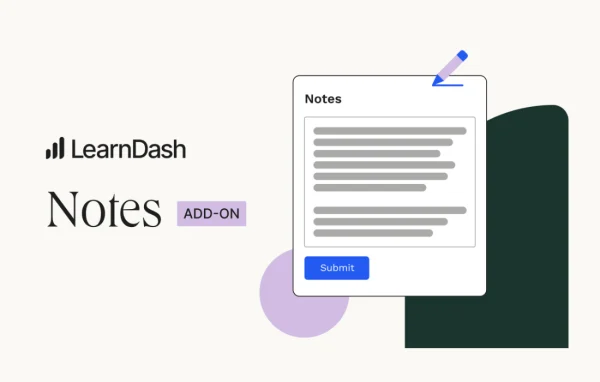
Online students often keep their notes in a separate app, a notebook or a scattered set of documents. That split makes revision harder, because the notes live far away from the lesson they came from. This add-on puts a simple note editor right inside the LearnDash course environment, so a learner can write down an idea, a reminder or a study point while reading a lesson or working through a quiz, without leaving the page.
Notes save in real time and are kept within the LMS, so students have one place to review everything before an exam. Each student's notes are private to them. The editor works on desktop and mobile devices, which suits learners who study on a phone. Educators can also look at note usage to get a sense of how students engage with the material, which can help when giving feedback or revising a course. It also works alongside other SnapOrbital products for LearnDash.
Best for
- LearnDash course sites with reading-heavy lessons
- Online schools preparing students for exams
- Instructors who want insight into student engagement
Features
Notes on lessons and quizzes
Students add personal notes directly on lesson and quiz pages, so they can capture thoughts while studying without switching to another app or tab.
Central note storage
All notes are stored inside the LMS, giving each learner a single place to find and review what they wrote across their courses.
Simple note editor
A plain, distraction-free editor keeps note taking quick, which makes it easier for students to build a regular habit of writing things down.
Real-time saving
Notes save as students write them, which helps prevent lost work and means an idea is recorded the moment it is typed.
Works on mobile
The note feature is responsive and functions on both desktop and mobile devices, so learners can take notes on whatever screen they study with.
Private to each student
Every student's notes are private to them, giving learners a personal space to record questions, reminders and reflections.
Teacher view of note usage
Educators can see engagement patterns through note usage, which can guide targeted feedback and point to lessons that may need improvement.
Fits the SnapOrbital lineup
The add-on works within other SnapOrbital products for LearnDash and needs minimal setup to add note taking to existing courses.
Notes by LearnDash older versions
- 2.0.1Nov 24, 20255 improvements, 11 fixes
- 2.0.0Jun 22, 20257 improvements, 4 fixes
- 1.7.4Apr 18, 2023
Members and buyers of this product can download older versions.
Questions about Notes by LearnDash
Can students take notes while doing a quiz?
Yes. Students can add personal notes on quizzes as well as on lessons. The notes are written within the course environment, so learners do not need to leave the quiz page or open a separate note app.
Can other students see my notes?
No. Notes are private to each student. Educators can view note usage to understand engagement patterns, but each learner's notes stay in their own personal space for study and review.
Does it work on phones and tablets?
The plugin uses a responsive design that works on desktop and mobile devices. Students can write and review notes from a phone, which is helpful for learners who study on the go.
Do I need LearnDash for this to work?
Yes. This is an add-on built specifically for LearnDash LMS. It adds note taking to LearnDash lessons and quizzes, so the LearnDash plugin needs to be active on your site.
Is Notes by LearnDash free?
The code of Notes by LearnDash is licensed under the GPL, so anyone may use, change and share it. GPL Feast is a paid service: a plan or a single purchase gives you the download and automatic updates. The developer's own support, licence key and online services are not included.
Which version of Notes by LearnDash is this?
Version 2.1.0, released May 11, 2026. New versions appear here when the developer publishes them, and members get them as automatic updates.
How do I update Notes by LearnDash?
Install the free GPL Feast Updater on your site and connect it with your API key. It installs new versions of Notes by LearnDash automatically and keeps a backup, so you can roll back.
More from LearnDash