Theme
Updated
Archinic
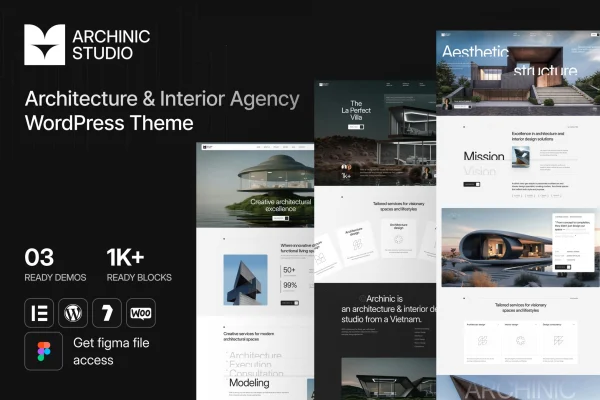
Archinic is a WordPress theme built for architects, design firms and creative professionals. It gives you a clean, minimalist base for presenting residential, commercial or conceptual projects, with several portfolio styles, a blog and a customization panel that works without code.
- Version
- 1.0.0
- Released
- Feb 11, 2025
- Developer
- Case-Themes
- Type
- WordPress theme
- Licence
- GPL
- Included in
- Every plan, or $3.99 on its own
What’s new in Archinic 1.0.0
Version 1.0.0 · Feb 11, 2025
Latest
What it does
Architecture firms need a website that puts the work first. Photos of buildings and interiors carry the message, so the layout should stay out of the way. Archinic uses a modern, minimalist design that keeps attention on your portfolio, with clear navigation so visitors can move between projects, services and articles. The layout is responsive, so pages adapt to desktops, tablets and phones, and it is built to display consistently across major browsers.
Getting started is quick thanks to one-click demo import, which loads pre-built content you can then replace with your own projects. From the customization panel you can change colors, fonts and layouts without touching code. A built-in blog lets you publish project updates and industry thoughts. If you want to sell architectural plans, design services or merchandise, the theme is compatible with WooCommerce, so a shop can sit alongside your portfolio.
Best for
- Architects building an online portfolio
- Architecture and interior design firms
- Designers selling plans or services online
Features
Minimalist architecture design
A modern, clean look that focuses attention on your architectural projects and keeps the layout from competing with your images.
Multiple portfolio styles
Choose from several portfolio and gallery layouts to present residential, commercial or conceptual work in the format that suits each project.
No-code customization panel
Adjust colors, fonts and layouts from a user-friendly panel, so you can match your firm's branding without writing any code.
Responsive layout
Pages adapt to different screen sizes, so your portfolio stays readable and well arranged on desktops, tablets and smartphones.
Integrated blog
Publish project updates, insights and industry news from a built-in blog that keeps clients informed about your practice.
WooCommerce compatible
Add an online store with WooCommerce to sell architectural plans, design services or branded merchandise directly from your site.
One-click demo import
Load the pre-built demo content in one step, then swap in your own text and images instead of building pages from scratch.
Cross-browser compatibility
Built to look and work consistently across all major browsers, so visitors see the same layout whichever browser they use.
Questions about Archinic
Can I change the colors and fonts without coding?
Yes. Archinic includes a customization panel where you can personalize colors, fonts and layouts. It is designed for both beginners and experienced developers, so you can adjust the look of your site to fit your brand without editing code.
Can I sell architectural plans or services with this theme?
Yes. The theme is compatible with WooCommerce, so you can add an online store to your site. That lets you sell items such as architectural plans, design services or merchandise next to your project portfolio.
How do I get my site looking like the demo?
The theme offers one-click demo import, which sets up pre-built demo content for you. You can then replace the sample projects, text and images with your own work, which saves time during the initial design phase.
Will my portfolio look right on phones?
The theme uses a responsive layout that adapts to different devices, from desktop screens to smartphones. It is also built for compatibility with major browsers, so your projects display consistently for visitors.
Is Archinic free?
The code of Archinic is licensed under the GPL, so anyone may use, change and share it. GPL Feast is a paid service: a plan or a single purchase gives you the download and automatic updates. The developer's own support, licence key and online services are not included.
Which version of Archinic is this?
Version 1.0.0, released Feb 11, 2025. New versions appear here when the developer publishes them, and members get them as automatic updates.
How do I update Archinic?
Install the free GPL Feast Updater on your site and connect it with your API key. It installs new versions of Archinic automatically and keeps a backup, so you can roll back.