Theme
Updated
ArcHub
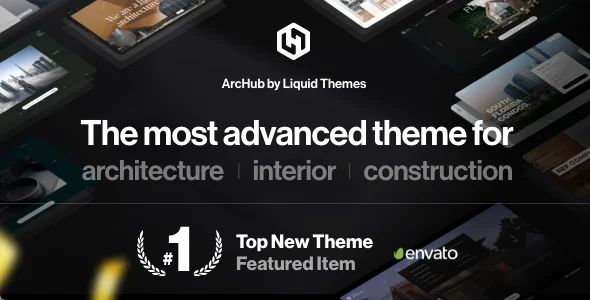
ArcHub is a WordPress theme built for architects, interior designers and creative agencies. It gives you portfolio layouts, image galleries and a theme options panel so you can present projects and company details on a clean, modern site without writing code.
- Version
- 1.2.14
- Released
- Mar 18, 2026
- Type
- WordPress theme
- Licence
- GPL
- Included in
- Every plan, or $3.99 on its own
What’s new in ArcHub 1.2.14
Version 1.2.14 · Mar 18, 2026
Latest
What it does
Architecture and interior design work is judged on visuals, so a studio website needs to put project photos front and center. This theme is designed around that need. Its clean, modern look keeps attention on your images, and it includes multiple gallery styles for showing finished spaces in detail. You can build individual project pages or a fuller company profile with layouts suited to a design practice, and the responsive design adapts pages to desktops, tablets and phones.
Setup starts with a one-click demo import, which loads ready-made demo content you can then adjust. From there, the theme options panel controls colors, fonts and other design elements, and drag-and-drop page builder support lets you arrange pages visually. Portfolios can be shown in grid, masonry or carousel layouts. Built-in contact forms give prospective clients a way to reach you, and compatibility with the WPML plugin makes it possible to run the site in more than one language.
Best for
- Architecture firms presenting completed buildings and projects
- Interior designers building an online portfolio
- Creative agencies needing a multilingual company website
Features
Multiple portfolio layouts
Present projects in grid, masonry or carousel layouts, so you can pick the arrangement that suits the number and type of images you have.
Image gallery styles
Choose from multiple gallery styles to display architectural and interior photography in detail on project pages.
Theme options panel
Adjust colors, fonts and other design elements from a central control panel to match your studio's brand identity.
One-click demo import
Load ready-made demo content in one step, then replace the text and images with your own projects and company information.
Page builder support
Build and rearrange pages with drag-and-drop visual editors instead of editing code, using customizable layouts for different page structures.
Responsive design
Pages adapt to screens of different sizes, from desktop monitors to smartphones, so visitors can browse your portfolio on any device.
Built-in contact forms
Add contact forms to your pages so prospective clients can send inquiries about projects directly from the site.
WPML compatibility
Works with the WPML plugin, letting you translate your content and offer the site in several languages.
ArcHub older versions
- 1.2.13Sep 22, 2025
- 1.2.12Mar 3, 2025
- 1.2.11Jan 16, 2025
- 1.2.10Dec 6, 2024
- 1.2.9Nov 26, 2024
- 1.2.8Nov 6, 2024
- 1.2.7Jul 23, 2024
- 1.2.6Jul 22, 2024
- 1.2.5Feb 19, 2024
- 1.2.4Nov 9, 2023
Members and buyers of this product can download older versions.
12 older versions in all. If you need one that is not listed, ask support.
Questions about ArcHub
Can I show my projects in different portfolio layouts?
Yes. ArcHub includes grid, masonry and carousel portfolio styles, along with multiple gallery styles for individual projects. You can choose the layout that fits your images, whether you have a few large hero shots or many detailed interior photos.
Do I need coding skills to customize the design?
No. The theme supports drag-and-drop page builders for arranging pages visually, and a theme options panel handles colors, fonts and other design elements. Customizable layouts let you adjust page structures without editing code.
Can I start from a ready-made design?
Yes. A one-click demo import loads ready-made demo content onto your site. You can then swap in your own project photos, text and branding using the theme options and page builder.
Will the theme work for a multilingual site?
The theme is compatible with the WPML plugin, so you can translate your pages and present your portfolio to clients in more than one language.
Is ArcHub free?
The code of ArcHub is licensed under the GPL, so anyone may use, change and share it. GPL Feast is a paid service: a plan or a single purchase gives you the download and automatic updates. The developer's own support, licence key and online services are not included.
Which version of ArcHub is this?
Version 1.2.14, released Mar 18, 2026. New versions appear here when the developer publishes them, and members get them as automatic updates.
How do I update ArcHub?
Install the free GPL Feast Updater on your site and connect it with your API key. It installs new versions of ArcHub automatically and keeps a backup, so you can roll back.
You might also like