Theme
Updated
Atoms
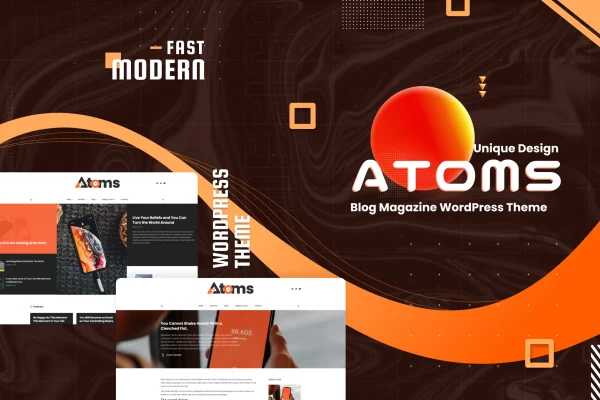
Atoms is a WordPress theme built for news and magazine sites. It gives bloggers, content creators and digital publishers a clean, modern layout plus a drag-and-drop page builder, so you can arrange a busy homepage full of stories without writing code.
- Version
- 2.1
- Released
- Aug 13, 2026
- Developer
- designuptodate
- Type
- WordPress theme
- Licence
- GPL
- Included in
- Every plan, or $3.99 on its own
What’s new in Atoms 2.1
Version 2.1 · Aug 13, 2026
Latest
What it does
Running a news or magazine site means presenting a lot of content at once: breaking stories, reviews, trend pieces and category sections all competing for space. Atoms is designed for that kind of publishing, with a focus on topics like technology, news, lifestyle and product reviews. Its clean design keeps articles at the center, and the layout adapts to desktops, tablets and phones so readers can follow along on any screen.
Page building runs through the BKNinja Composer plugin, which lets you pick modules and drag them into place to create custom homepage layouts. If you would rather start from something ready-made, you can import one of the demo templates in a single click and adjust it from there. Mega menus display posts inside category menus, Ajax loading brings in more posts without a page reload, and the theme works with the Gutenberg block editor for writing articles. Documentation is included to guide setup and customization.
Best for
- Online magazines covering technology, lifestyle or trends
- News blogs publishing frequent stories across many categories
- Product review sites that need organized category navigation
Features
Drag-and-drop homepage builder
The BKNinja Composer plugin lets you select, drag and drop modules to build custom homepage layouts that fit your publication's sections and content.
One-click demo import
Import one of several pre-designed demo templates in a single click, then launch as is or customize the layout and content as you go.
Mega menus with posts
Mega menu support displays posts directly inside category menus, helping readers find articles from each section right from the site navigation.
Ajax post loading
Visitors can load additional posts without reloading the page, which keeps them browsing your archive and category listings in place.
Responsive layout
The theme adjusts to desktops, tablets and smartphones so articles, menus and homepage modules display properly on every screen size.
Gutenberg editor support
Atoms works with the WordPress block editor, so writing, formatting and updating articles uses the familiar Gutenberg workflow.
Included documentation
Detailed guides walk you through setting up the theme and customizing it, from importing a demo to arranging your pages.
Questions about Atoms
Do I need to know how to code to build my homepage?
No. The theme uses the BKNinja Composer plugin, which works through drag and drop. You choose modules, place them where you want them and build a custom homepage layout without editing code.
Can I start from a ready-made design?
Yes. Several pre-designed demo templates can be imported with a single click. You can launch your site with a demo as it is, or use it as a starting point and customize the layout and content over time.
Does it work with the block editor?
Yes, the theme is compatible with Gutenberg, the WordPress block editor. You write and edit articles in the standard block editor while the theme and BKNinja Composer handle the homepage and overall layout.
What kind of navigation options does it offer?
The theme supports mega menus that display posts within category menus, so readers can preview articles from a section straight from the menu. Ajax loading also lets visitors load more posts without a page reload.
Is Atoms free?
The code of Atoms is licensed under the GPL, so anyone may use, change and share it. GPL Feast is a paid service: a plan or a single purchase gives you the download and automatic updates. The developer's own support, licence key and online services are not included.
Which version of Atoms is this?
Version 2.1, released Aug 13, 2026. New versions appear here when the developer publishes them, and members get them as automatic updates.
How do I update Atoms?
Install the free GPL Feast Updater on your site and connect it with your API key. It installs new versions of Atoms automatically and keeps a backup, so you can roll back.
You might also like






