Theme
Updated
Avocate
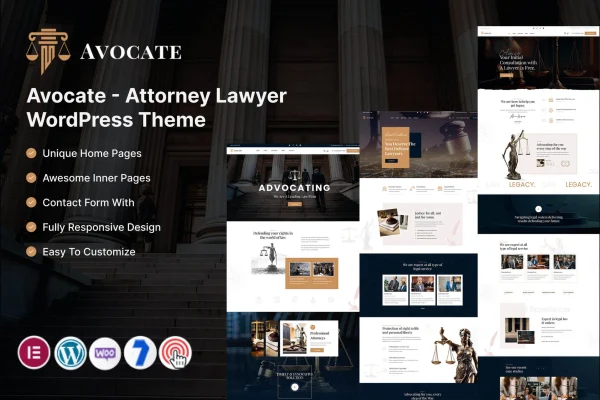
Avocate is a WordPress theme by KodeSolution built for attorneys, law firms and legal consultants. It gives a legal practice a professional, modern website with sections for services, case studies, team profiles and appointment booking, all managed through a theme options panel.
- Version
- 6.0
- Released
- Mar 1, 2026
- Developer
- KodeSolution
- Type
- WordPress theme
- Licence
- GPL
- Included in
- Every plan, or $3.99 on its own
What’s new in Avocate 6.0
Version 6.0 · Mar 1, 2026
Latest
- ImprovedCore & Theme Plugins.
What it does
A law firm website has a few jobs to do: explain the services on offer, show the people behind the practice, point to past results and make it simple for a prospective client to get in touch. This theme is designed around those needs. It includes a case studies section for writing up past matters in detail, individual profile pages for attorneys and staff, and appointment booking so visitors can request a consultation directly through the site.
Layouts are customizable, so you can adjust page structures to fit your firm's branding and content. Changes are handled through a theme options panel, with no coding required. The design is responsive and adapts to phones and tablets, and it works with popular translation plugins if you serve clients in more than one language. An integrated blog lets you publish legal insights and firm updates. It suits solo practitioners as well as larger firms with several attorneys.
Best for
- Solo attorneys building a professional practice website
- Law firms that want team profiles and case studies
- Legal consultants offering online consultation booking
Features
Appointment booking
Clients can book consultations directly through your website, giving visitors a clear way to schedule time with your practice without a separate phone call or email.
Case studies section
Present past legal cases with detailed narratives, so prospective clients can read about the kinds of matters your firm has handled.
Team profile pages
Give each attorney and staff member an individual profile page that highlights their qualifications and experience.
Customizable layouts
Adapt page structures to suit your brand and arrange your content the way that works best for your firm.
Theme options panel
Customize and manage the site through an options panel, with no coding required for everyday changes to the theme.
Responsive design
Pages adapt to different screen sizes, so the site remains readable for clients browsing on phones, tablets and desktops.
Translation plugin support
The theme is multilingual ready and compatible with popular translation plugins, so you can offer your site in more than one language.
Integrated blog
Publish legal insights, news and firm updates through the built-in blog to give visitors useful reading material.
Questions about Avocate
Can clients book a consultation through a site built with this theme?
Yes. The theme includes appointment booking, which lets clients book consultations directly through your website. This gives visitors a straightforward way to schedule time with your practice from the pages they are already browsing.
Does it work for a firm with several attorneys?
It does. Team profiles give each attorney and staff member their own page with qualifications and experience. The theme is described as suitable for both solo practitioners and larger firms, and the customizable layouts let you organize content around your team.
Do I need to know how to code to customize Avocate?
No coding is required. Customization and site management happen through the theme options panel, and the layouts can be adjusted to fit your branding and the content you want to present.
Can I run the site in more than one language?
Yes. Avocate is multilingual ready and compatible with popular translation plugins, so you can translate your pages and reach clients who prefer a language other than English.
Is Avocate free?
The code of Avocate is licensed under the GPL, so anyone may use, change and share it. GPL Feast is a paid service: a plan or a single purchase gives you the download and automatic updates. The developer's own support, licence key and online services are not included.
Which version of Avocate is this?
Version 6.0, released Mar 1, 2026. New versions appear here when the developer publishes them, and members get them as automatic updates.
How do I update Avocate?
Install the free GPL Feast Updater on your site and connect it with your API key. It installs new versions of Avocate automatically and keeps a backup, so you can roll back.
More from KodeSolution