Theme
Updated
Avvocato
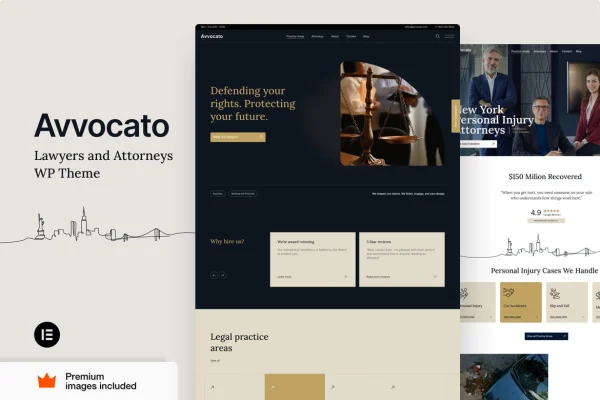
Avvocato is a WordPress theme by Vamtam built for law firms, attorneys and other legal professionals. It gives you pre-designed templates and a clean, professional look for presenting your practice areas, your team and what past clients say about your work.
- Version
- 42
- Released
- Oct 4, 2026
- Developer
- Vamtam
- Type
- WordPress theme
- Requires
- Elementor
- Licence
- GPL
- Included in
- Every plan, or $3.99 on its own
What’s new in Avvocato 42
Version 42 · Oct 4, 2026
Latest
What it does
A law firm website has to cover a lot of ground: practice areas, attorney profiles, client feedback and an easy way to get in touch. Avvocato gives you ready-made layouts designed around legal services, so you start from pages that already fit how a firm presents itself. The design is clean and responsive, which means visitors can read about your services and reach you from a phone, tablet or desktop.
The theme works with Elementor, and the Vamtam builder lets you change page elements, colors and typography without writing code. It suits a solo lawyer who needs a simple, credible site as well as a full-service firm with several practice areas and case studies to present. Sections for testimonials, service listings and contact forms are part of the theme, and it is translation ready and compatible with WPML for firms that serve clients in more than one language.
Best for
- Solo attorneys who need a professional practice website
- Full-service law firms with several practice areas
- Legal consultancies serving multilingual client bases
Features
Pre-designed legal templates
A set of ready-made layouts created for legal services gives you a starting point for each page, so you can build out your firm's site without designing from a blank page.
Responsive layout
The design adjusts to different screen sizes, so clients can browse your services and contact details comfortably on phones, tablets and desktop computers.
Customization with Vamtam builder
Change page elements, color schemes, fonts and layouts through the Vamtam builder, with no coding knowledge needed to match the site to your firm's brand.
Client testimonials section
A dedicated section lets you display feedback from past clients, giving prospective clients a clearer sense of your track record and how you work.
Service listings and case studies
Present each practice area with a detailed description and support it with real-world case examples, so visitors understand the kinds of matters you handle.
Integrated contact forms
Built-in contact forms let visitors reach out to your firm and request a consultation directly from the website.
Translation ready and WPML compatible
The theme can be translated and works with WPML, which helps firms build a multilingual site for clients who speak different languages.
Avvocato older versions
- 40Sep 9
- 38Aug 28
- 36Aug 19
- 31Mar 6
- 30Feb 12
- 27Jan 6
- 26Oct 30, 2025
- 25Oct 13, 2025
- 8.7Feb 22, 2025
Members and buyers of this product can download older versions.
Questions about Avvocato
Does Avvocato work with Elementor?
Yes. The theme requires Elementor, and it also includes the Vamtam builder for adjusting page elements, colors and typography. Both let you edit your pages visually without touching code.
Can I list my practice areas and past cases?
Yes. The theme includes service listings where you can describe each area of expertise in detail, along with case studies for sharing real-world examples of the matters your firm has handled.
Can I run my law firm site in more than one language?
The theme is translation ready and compatible with WPML. That means you can translate its text and build a multilingual version of your site for clients who prefer a language other than English.
Will the site look right on mobile devices?
Avvocato uses a responsive design, so its layouts adapt to phones, tablets and desktop screens. Visitors can read about your services and use the contact forms on whatever device they have.
Is Avvocato free?
The code of Avvocato is licensed under the GPL, so anyone may use, change and share it. GPL Feast is a paid service: a plan or a single purchase gives you the download and automatic updates. The developer's own support, licence key and online services are not included.
Which version of Avvocato is this?
Version 42, released Oct 4, 2026. New versions appear here when the developer publishes them, and members get them as automatic updates.
How do I update Avvocato?
Install the free GPL Feast Updater on your site and connect it with your API key. It installs new versions of Avvocato automatically and keeps a backup, so you can roll back.
What does Avvocato need?
Avvocato needs Elementor installed and active.
More from Vamtam