Theme
Updated
Bayone
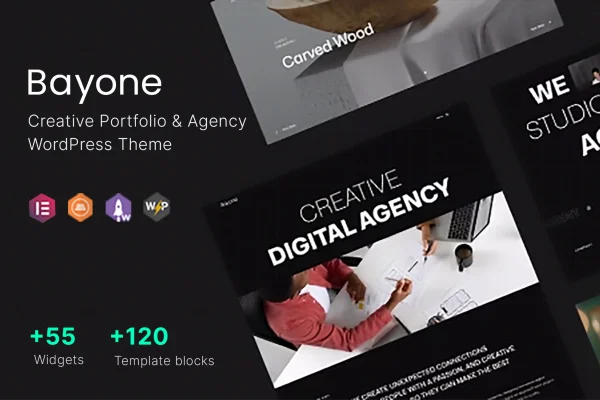
Bayone is a WordPress theme by ThemesCamp built for creative agencies, freelancers and portfolio-driven professionals. It gives you portfolio layouts, service and testimonial sections, and customizable headers and footers so you can present your work and attract client inquiries.
- Version
- 1.0.3
- Released
- Apr 19, 2024
- Developer
- ThemesCamp
- Type
- WordPress theme
- Licence
- GPL
- Included in
- Every plan, or $3.99 on its own
What’s new in Bayone 1.0.3
Version 1.0.3 · Apr 19, 2024
Latest
What it does
Creative studios and freelancers need a site that puts their projects front and center while still explaining what they offer. This theme is set up for that job. You can highlight past work with grid and masonry portfolio layouts, outline your services, and share client testimonials, all within a design that adapts to phones, tablets and desktops. Smooth navigation and a clear menu structure help visitors move through your projects and find the information they came for.
Getting started is quicker with the one-click demo import, which loads ready-made content you can then replace with your own text and images. Page layouts can be built and adjusted through drag-and-drop page builder integration, so you don't need to write code. Header and footer areas are customizable to match your brand, and typography settings include access to Google Fonts. If you also want to sell products or services, the theme is compatible with WooCommerce.
Best for
- Creative agencies presenting projects and services
- Freelance designers and photographers building portfolios
- Studios that want to sell products alongside their work
Features
Grid and masonry portfolios
Display your projects in a variety of customizable grid and masonry portfolio layouts, so you can pick an arrangement that suits the kind of work you produce.
Responsive design
The layout adapts to different screen sizes, so your portfolio, services and testimonials display properly for visitors on phones, tablets and desktop computers.
One-click demo import
Import ready-made demo content in one step, then personalize the pages with your own projects, copy and images instead of building every page from scratch.
Drag-and-drop page building
Page builder integration lets you create and modify page layouts by dragging and dropping elements, with no coding knowledge needed to rearrange sections.
Custom header and footer
Tailor the header and footer areas of your site so they match your brand identity and give every page a consistent look.
Typography with Google Fonts
Choose from a wide range of Google Fonts and adjust typography settings to set the tone of your headings and body text.
WooCommerce compatibility
Add an online store with WooCommerce to sell products or services directly from the same site that presents your portfolio.
Questions about Bayone
What kinds of portfolio layouts does Bayone include?
The theme offers a variety of customizable grid and masonry portfolio layouts. You can use them to present past projects in a style that fits your work, whether you want an even grid or a staggered masonry arrangement.
Can I build pages without knowing how to code?
Yes. The theme integrates with a drag-and-drop page builder, so you can create and modify page layouts visually. You can also start from the demo content and edit it rather than designing every page yourself.
Can I run an online shop with this theme?
The theme is compatible with WooCommerce, so you can add a store and sell products or services directly through your website alongside your portfolio and service pages.
How much can I change the look of the site?
You can customize the header and footer to match your brand, choose from a wide range of Google Fonts, and adjust typography settings. Page layouts can be changed through the page builder integration.
Is Bayone free?
The code of Bayone is licensed under the GPL, so anyone may use, change and share it. GPL Feast is a paid service: a plan or a single purchase gives you the download and automatic updates. The developer's own support, licence key and online services are not included.
Which version of Bayone is this?
Version 1.0.3, released Apr 19, 2024. New versions appear here when the developer publishes them, and members get them as automatic updates.
How do I update Bayone?
Install the free GPL Feast Updater on your site and connect it with your API key. It installs new versions of Bayone automatically and keeps a backup, so you can roll back.