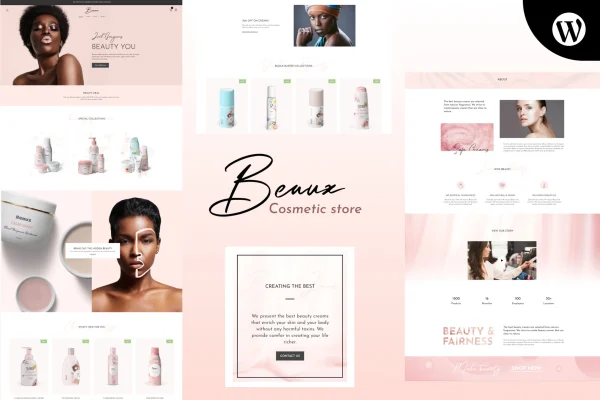
Theme
Updated
Beaux
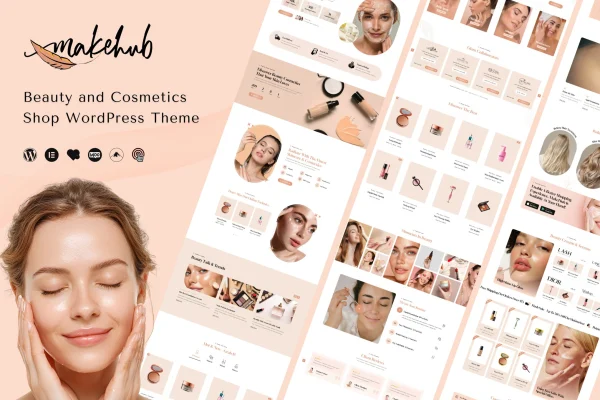
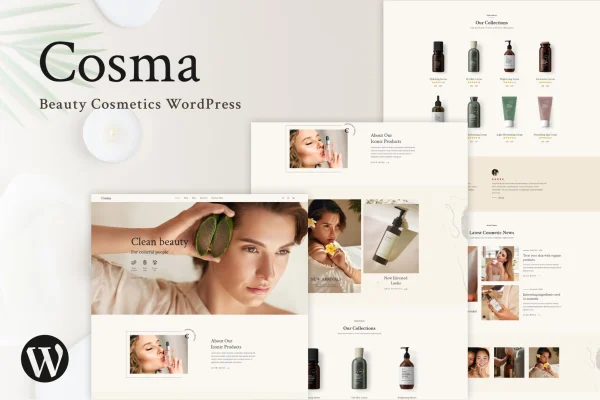
Beaux is a WordPress theme built for cosmetics shops and beauty retailers. It gives your store a modern, elegant look and works with WooCommerce for product listings, payments and orders, so shoppers can browse and buy your products on any device.
- Version
- 3.4
- Released
- Apr 2, 2026
- Developer
- designthemes
- Type
- WordPress theme
- Licence
- GPL
- Included in
- Every plan, or $3.99 on its own
What’s new in Beaux 3.4
Version 3.4 · Apr 2, 2026
Latest
- SecurityPortfolio security updated
- ImprovedCompatible with latest WordPress Version
- FixedWooCommerce Outdated Templates
What it does
Beauty brands depend on presentation, and a generic store theme rarely suits products like skincare, makeup or fragrance. This theme is designed around that niche, with a clean, elegant layout that puts product collections front and center. It suits a new beauty brand opening its first online store as well as an existing shop that wants a more polished look. The layout is responsive, so pages adjust to desktops, tablets and phones without separate work.
Under the hood, the theme connects with WooCommerce to handle product listings, payments and order management. Product galleries, sliders and quick view options help visitors look at items without leaving the page they are on. Ready-to-use pages such as About, Shop, Blog and Contact give you a starting structure, and customization settings let you adjust colors, fonts and layouts to match your brand without writing code. Google Fonts and social media links round out the setup.
Best for
- Online cosmetics and makeup shops
- Skincare and beauty brands launching a WooCommerce store
- Freelancers building websites for beauty retailers
Features
WooCommerce store support
Works with WooCommerce to manage product listings, payments and order handling, giving your cosmetics shop a full online store setup.
Product galleries and sliders
Display products in styled galleries and sliders so featured items and collections get prominent placement on your pages.
Quick view for products
Shoppers can open a quick view of a product to see its details without leaving the page they are browsing.
Ready-made pages
Includes pre-built About, Shop, Blog and Contact pages, so you have a working site structure to edit instead of starting from blank pages.
No-code customization
Change colors, fonts, layouts and other design settings to fit your brand identity without editing any code.
Google Fonts typography
Choose from a range of Google Fonts to set the tone of headings and body text and keep content easy to read.
Responsive layout
Pages adapt to desktops, tablets and smartphones, so the shop stays usable for visitors on any screen size.
Social media links
Connect your site with your social platforms so visitors can find and follow your beauty brand elsewhere.
Questions about Beaux
Does Beaux work with WooCommerce?
Yes. The theme integrates with WooCommerce, which handles product listings, payments and order management. Its product galleries, sliders and quick view options are designed to present your store items within that setup.
Can I change the design to match my brand without coding?
Yes. The theme includes customization options for colors, fonts, layouts and more, and you can make these changes without writing code. Typography settings also let you pick from a variety of Google Fonts.
Which pages come ready to use?
The theme ships with pre-built pages including About, Shop, Blog and Contact. You can edit these with your own content and branding, which saves time compared with building each page from scratch.
Will my shop look right on phones and tablets?
The theme uses a fully responsive layout, so pages adjust to desktops, tablets and smartphones. Shoppers can browse products and use the store on smaller screens without a separate mobile design.
Is Beaux free?
The code of Beaux is licensed under the GPL, so anyone may use, change and share it. GPL Feast is a paid service: a plan or a single purchase gives you the download and automatic updates. The developer's own support, licence key and online services are not included.
Which version of Beaux is this?
Version 3.4, released Apr 2, 2026. New versions appear here when the developer publishes them, and members get them as automatic updates.
How do I update Beaux?
Install the free GPL Feast Updater on your site and connect it with your API key. It installs new versions of Beaux automatically and keeps a backup, so you can roll back.