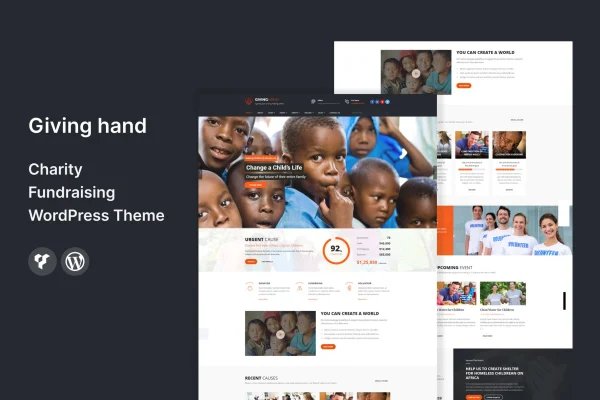
Theme
Updated
BUILDER
BUILDER is a WordPress theme made for business websites, from new startups to established companies. It pairs a drag-and-drop page builder with pre-built layouts, so you can put together a professional site without writing code.
- Version
- 2.3
- Released
- Feb 11, 2025
- Developer
- template_path
- Type
- WordPress theme
- Licence
- GPL
- Included in
- Every plan, or $3.99 on its own
What’s new in BUILDER 2.3
Version 2.3 · Feb 11, 2025
Latest
What it does
Many business owners need a site that looks polished and matches their brand, but they lack the time or coding skills to build one from scratch. BUILDER addresses this with an interface built around drag-and-drop page building and a set of pre-built layouts and templates aimed at different business niches. You pick a starting point, swap in your own content, and adjust the pieces until the site fits your company.
Beyond layouts, the theme gives you control over headers and footers, color palettes and typography, which helps keep your branding consistent from page to page. The design is responsive, so pages adapt to phones, tablets and desktops. Built-in WooCommerce support lets you add a store to sell products or services, and the theme is translation-ready and works with popular multilingual plugins for sites serving more than one language.
Best for
- Small businesses and startups building their first website
- Established companies wanting a branded, professional site
- Businesses adding an online store with WooCommerce
Features
Drag-and-drop page building
Integration with a drag-and-drop page builder lets you arrange and customize page content visually, without touching any code.
Pre-built business layouts
Multiple ready-made layouts and templates are tailored to various business niches, giving you a professional starting point for your pages.
Responsive design
Layouts adjust to smartphones, tablets and desktops, so visitors get a usable, well-formatted site on whatever device they use.
Custom headers and footers
Header and footer options let you build a consistent, branded frame that appears across every page of your website.
Color and typography controls
A wide range of color palettes and typography settings helps you match fonts and colors to your existing brand identity.
WooCommerce support
Built-in support for WooCommerce means you can set up an online store and sell products or services directly from your business site.
Translation and multilingual ready
The theme is translation-ready and compatible with popular multilingual plugins, so you can offer your site in more than one language.
Questions about BUILDER
Do I need coding skills to build a site with this theme?
No. The theme integrates with a drag-and-drop page builder and includes pre-built layouts, so you can create and customize pages visually. Header, footer, color and typography options are also adjustable without code.
Can I sell products with this theme?
Yes. The theme has built-in support for WooCommerce, which lets you set up an online store and sell products or services directly from your business website alongside your regular pages.
Will my site work on phones and tablets?
Yes. The design is fully responsive and mobile-optimized, so layouts adapt to smartphones, tablets and desktop screens without you needing to build separate versions of your pages.
Can I run my site in multiple languages?
The theme is translation-ready and compatible with popular multilingual plugins. That lets you translate theme text and offer your content to visitors in more than one language.
Is BUILDER free?
The code of BUILDER is licensed under the GPL, so anyone may use, change and share it. GPL Feast is a paid service: a plan or a single purchase gives you the download and automatic updates. The developer's own support, licence key and online services are not included.
Which version of BUILDER is this?
Version 2.3, released Feb 11, 2025. New versions appear here when the developer publishes them, and members get them as automatic updates.
How do I update BUILDER?
Install the free GPL Feast Updater on your site and connect it with your API key. It installs new versions of BUILDER automatically and keeps a backup, so you can roll back.
More from template_path