Theme
Updated
Diego
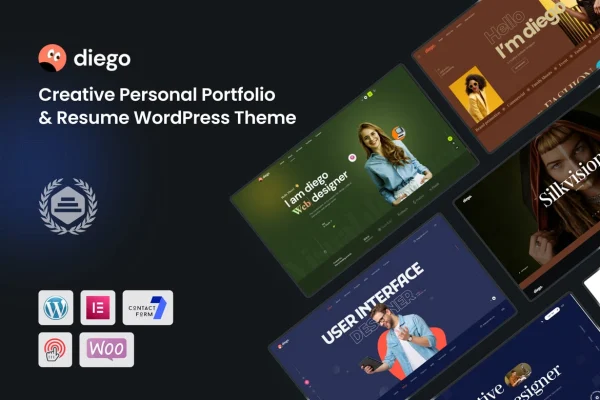
Diego is a creative portfolio WordPress theme built for artists, designers, photographers and other creative professionals. It gives you a clean, modern, responsive layout with several ways to present projects, plus a drag-and-drop builder and style options for shaping the site without code.
- Version
- 1.1.8
- Released
- Sep 17, 2026
- Developer
- Theme_Pure
- Type
- WordPress theme
- Licence
- GPL
- Included in
- Every plan, or $3.99 on its own
What’s new in Diego 1.1.8
Version 1.1.8 · Sep 17, 2026
Latest
What it does
Creative work needs a site that puts the projects first and stays out of the way. This theme handles that with a clean, modern design and portfolio layouts in grid, masonry, slider and fullscreen formats, so you can pick the presentation that suits each body of work. The layout is responsive and retina ready, so images stay sharp on high-resolution displays and pages adapt to phones, tablets and desktops.
Setup starts with a one-click demo import that loads sample content you can replace with your own. From there, a drag-and-drop builder lets you create and adjust pages without writing code, and typography and color settings let you match fonts and colors to your personal brand. A built-in blog layout covers project updates or notes on your process, and the theme works with plugins such as WooCommerce, Contact Form 7 and WPML if you want to sell work, add forms or run a multilingual site.
Best for
- Designers and illustrators building an online portfolio
- Photographers who want image-led project layouts
- Freelance creatives who also want a blog or shop
Features
Multiple portfolio layouts
Present projects in grid, masonry, slider or fullscreen formats, choosing the style that fits each collection of work you want visitors to see.
Responsive and retina ready
Pages adjust to different screen sizes, and the theme supports high-resolution displays so your images and graphics stay crisp on modern devices.
Drag-and-drop page building
Build and rearrange pages and layouts with a drag-and-drop builder, so you can create custom pages without touching any code.
Typography and color controls
Adjust fonts, colors and styles across the site so the design reflects your own brand identity and creative direction.
One-click demo import
Load the demo content in one step to get a working starting point, then swap in your own projects, text and images.
Built-in blog layout
Publish project updates, insights or behind-the-scenes posts about your creative process using a blog layout that is easy to manage.
Plugin compatibility
Works with WooCommerce, Contact Form 7 and WPML, letting you add a shop, contact forms or multilingual content to your portfolio.
Diego older versions
- 1.1.6Aug 14
- 1.1.2May 5, 2025
Members and buyers of this product can download older versions.
Questions about Diego
What portfolio layouts does Diego include?
Diego offers grid, masonry, slider and fullscreen layouts for presenting projects. You can use the one that fits your work best, for example masonry for mixed image sizes or fullscreen for large photography pieces.
Do I need coding skills to customize this theme?
No. The theme includes a drag-and-drop builder for creating pages and layouts, along with typography and color options for styling. You can start from the imported demo content and edit it visually.
Can I sell my work or run a multilingual site with it?
The theme is compatible with WooCommerce for selling products and WPML for multilingual content. It also works with Contact Form 7, so you can add contact or inquiry forms for potential clients.
Will my portfolio look good on phones and high-resolution screens?
Yes. The layout is fully responsive, so it adapts to different screen sizes, and it is retina ready, which keeps images and graphics sharp on high-resolution displays.
Is Diego free?
The code of Diego is licensed under the GPL, so anyone may use, change and share it. GPL Feast is a paid service: a plan or a single purchase gives you the download and automatic updates. The developer's own support, licence key and online services are not included.
Which version of Diego is this?
Version 1.1.8, released Sep 17, 2026. New versions appear here when the developer publishes them, and members get them as automatic updates.
How do I update Diego?
Install the free GPL Feast Updater on your site and connect it with your API key. It installs new versions of Diego automatically and keeps a backup, so you can roll back.
More from Theme_Pure