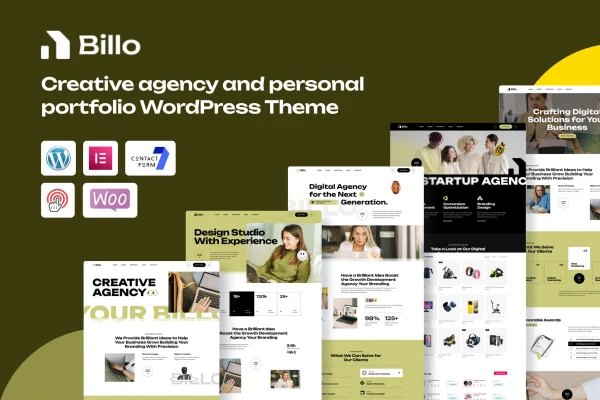

Theme
Updated
Digee
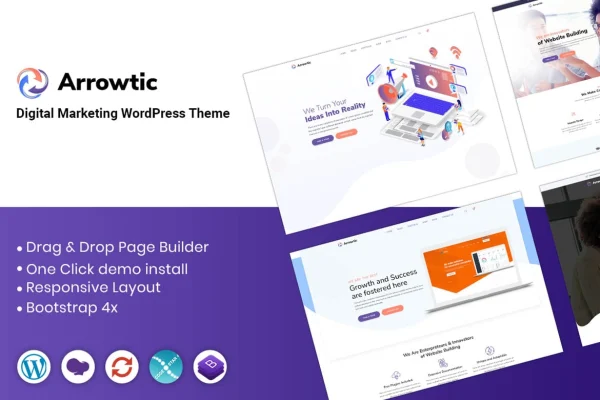
Digee is a WordPress theme built for digital marketing agencies. It gives you pre-built homepage and inner page layouts, a responsive design and a theme options panel, so you can put together a professional agency site that presents your services and expertise without writing code.
- Version
- 2.0.9
- Released
- Aug 7, 2026
- Developer
- johanspond
- Type
- WordPress theme
- Licence
- GPL
- Included in
- Every plan, or $3.99 on its own
What’s new in Digee 2.0.9
Version 2.0.9 · Aug 7, 2026
Latest
What it does
Agencies need a website that explains their services, shares client success stories and makes it easy for prospects to get in touch. Building that from a blank theme takes time. This theme starts you off with multiple pre-built homepage and inner page layouts designed around agency content, so you can pick a starting point and adjust it to match your brand instead of designing every page from scratch.
Customization happens in a few places. The theme works with drag-and-drop page builders for editing layouts visually, and its theme options panel controls colors, fonts and layouts. Header and footer options let you shape the site's frame. Contact forms and lead generation tools help visitors reach you, and compatibility with WooCommerce, WPML and slider plugins covers selling, multilingual content and sliders when you need them.
Best for
- Digital marketing agencies building a client-facing website
- Freelance marketers presenting services and past results
- Agencies needing a multilingual site through WPML
Features
Pre-built page layouts
Multiple homepage and inner page layouts give you a quick starting point that you can then tailor to match your agency's brand identity.
Responsive design
The modern layout adapts to different screen sizes, so your agency site displays properly for visitors on phones, tablets and desktops.
Page builder compatibility
Works with drag-and-drop page builders, letting you create and rearrange custom page layouts visually without any coding knowledge.
Theme options panel
A central options panel gives you control over the site's colors, fonts and layouts, so you can set your brand styling in one place.
Custom headers and footers
Header and footer options let you build a consistent, professional frame around your pages that fits your agency's look.
Contact forms and lead tools
Integrated contact forms and lead generation tools give prospective clients a clear way to reach out and ask about your services.
Plugin compatibility
Supports popular plugins including WooCommerce for selling, WPML for multilingual content and slider plugins for adding sliders to your pages.
Digee older versions
- 2.0.5Dec 30, 2024
Members and buyers of this product can download older versions.
Questions about Digee
Can I customize the design without coding?
Yes. The theme is compatible with drag-and-drop page builders for editing layouts visually, and its theme options panel lets you change colors, fonts and layouts. Header and footer options add further control over the look of your site.
Does it come with ready-made pages?
It includes multiple pre-built homepage and inner page layouts aimed at digital marketing agencies. You can use one as a starting point and then adjust the content and styling to match your brand.
Can I build a multilingual or shop-enabled site with it?
The theme supports WPML for multilingual content and WooCommerce for selling products or services. It also works with slider plugins if you want to add sliders to your pages.
Can visitors contact my agency through the site?
Yes. Digee includes integrated contact forms and lead generation tools, giving prospective clients a straightforward way to get in touch and ask about your services.
Is Digee free?
The code of Digee is licensed under the GPL, so anyone may use, change and share it. GPL Feast is a paid service: a plan or a single purchase gives you the download and automatic updates. The developer's own support, licence key and online services are not included.
Which version of Digee is this?
Version 2.0.9, released Aug 7, 2026. New versions appear here when the developer publishes them, and members get them as automatic updates.
How do I update Digee?
Install the free GPL Feast Updater on your site and connect it with your API key. It installs new versions of Digee automatically and keeps a backup, so you can roll back.
More from johanspond