Theme
Updated
Digihub
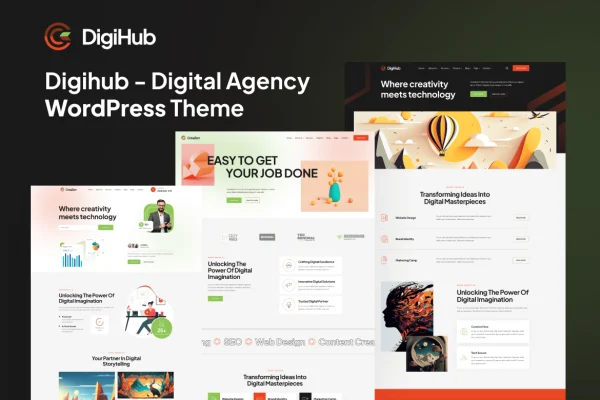
Digihub is a WordPress theme by bracketweb built for digital agencies, business consultants, startups and creative professionals. It gives you ready-made home layouts, one-page designs and inner pages for presenting services, team members and projects, all editable with Elementor.
- Version
- 1.0
- Released
- May 12, 2015
- Developer
- bracketweb
- Type
- WordPress theme
- Licence
- GPL
- Included in
- Every plan, or $3.99 on its own
What’s new in Digihub 1.0
Version 1.0 · May 12, 2015
Latest
- NewInitial release
What it does
Agency and consulting sites tend to need the same set of pages: a strong homepage, service descriptions, a portfolio, team profiles, an about page and a blog. This theme ships with those pieces already designed. You get 3 home versions, 3 one-page versions and more than 20 inner pages, so you can pick a starting layout that fits your style and fill it with your own content. Demo content import lets you bring in the sample site and then replace text and images.
Editing happens through Elementor with a live customizer, so you can adjust layouts by dragging and dropping and see changes as you make them. A header and footer builder and megamenu styles handle navigation. The theme is built on the Bootstrap 5 framework, uses responsive layouts for phones, tablets and desktops, supports SVG icons and includes Swiper and OwlCarousel sliders. Mailchimp integration lets you collect subscribers, and a child theme is included for safe code changes.
Best for
- Digital agencies presenting services, team and portfolio
- Business consultants and financial advisors
- Startups and creative professionals needing a company site
Features
Multiple homepage layouts
Choose from 3 home versions and 3 one-page versions to match different agency styles or ways of presenting your work to clients.
More than 20 inner pages
Includes over 20 inner pages covering portfolios, services, about, team and blog content, giving you a full site structure to start from.
Elementor live customizing
Edit pages in real time with Elementor's drag-and-drop interface through the live customizer, without needing to write code for layout changes.
Header and footer builder
Design your own headers and footers, and use the included megamenu styles to organize larger navigation menus into clear sections.
Demo content import
Import the demo content to recreate the sample site, then swap in your own text, images and projects instead of building from a blank page.
Sliders and SVG icons
Build carousels and sliders with Swiper and OwlCarousel support, and use SVG icons that stay sharp at any size.
Mailchimp integration
Collect subscriber information directly from your site through the built-in Mailchimp integration to grow your email list.
Bootstrap 5 and child theme
Built on the Bootstrap 5 framework with responsive, W3C validated HTML5 and CSS3 code, plus an included child theme for custom changes.
Questions about Digihub
Do I need Elementor to customize this theme?
Yes, the theme's editing is built around Elementor. The live customizer works with Elementor's drag-and-drop interface, so you can rearrange sections and adjust page layouts visually and see the results in real time.
Can I build a one-page website with Digihub?
Yes. Along with 3 multi-page home versions, the theme includes 3 one-page versions. These suit agencies or consultants who want all their services, team and contact details presented on a single scrolling page.
What kinds of pages are included besides the homepage?
There are more than 20 inner pages, covering portfolios, services, about, team, blog and more. Combined with the home layouts, they give you a full site structure that you can edit to fit your business.
Will the site work well on phones and tablets?
The theme uses a fully responsive design built on the Bootstrap 5 framework, so layouts adapt to desktops, tablets and smartphones. It is also W3C validated and built for cross-browser compatibility.
Is Digihub free?
The code of Digihub is licensed under the GPL, so anyone may use, change and share it. GPL Feast is a paid service: a plan or a single purchase gives you the download and automatic updates. The developer's own support, licence key and online services are not included.
Which version of Digihub is this?
Version 1.0, released May 12, 2015. New versions appear here when the developer publishes them, and members get them as automatic updates.
How do I update Digihub?
Install the free GPL Feast Updater on your site and connect it with your API key. It installs new versions of Digihub automatically and keeps a backup, so you can roll back.