Theme
Updated
Farvis
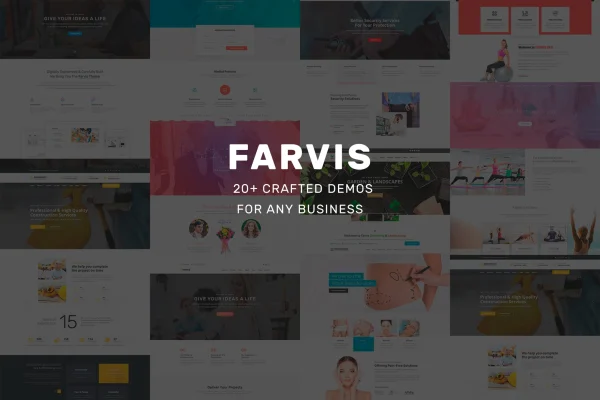
Farvis is a multipurpose WordPress theme by Templines, built for business and service websites across many niches. It pairs a modern, clean design with a drag-and-drop page builder and modular content blocks, so you can shape headers, footers and page layouts without writing code.
- Version
- 1.4.0
- Developer
- Templines
- Type
- WordPress theme
- Licence
- GPL
- Included in
- Every plan, or $3.99 on its own
What’s new in Farvis 1.4.0
Version 1.4.0
Latest
What it does
Many small businesses need a site that clearly lists their services, pricing and policies, yet each industry looks a little different. Farvis handles this with one flexible design that suits a long list of niches, including yoga studios, consulting firms, cryptocurrency projects, security companies, medical practices, wedding planners, garden centers, phone repair shops and water delivery services. The layout is simple and easy to navigate, which helps visitors find the information they came for.
Pages are built from pre-designed information blocks that you mix and match to fit your messaging. The page builder, including compatibility with WPBakery Page Builder, lets you edit headers, footers and sections with drag and drop. The theme is responsive and retina ready, so it adapts to phones, tablets and desktops. It works with WooCommerce if you want to sell products or services, and with WPML if you need a multilingual site.
Best for
- Local service businesses such as repair shops and delivery services
- Consultants, security firms and medical practices
- Agencies building sites for clients in varied niches
Features
Multipurpose niche design
One clean, modern design that adapts to business, yoga, consulting, cryptocurrency, medical, security, wedding, garden center and repair shop websites.
Drag-and-drop page building
Modify headers, footers and page sections with drag and drop, working with WPBakery Page Builder to build custom layouts without coding.
Modular information blocks
Combine pre-designed content blocks to assemble pages that present your services, pricing and policies in the order that suits your business.
Responsive and retina ready
Layouts adjust to desktops, tablets and smartphones, and graphics stay sharp on high-resolution retina screens.
WooCommerce compatibility
Add a storefront with WooCommerce so you can sell products or services online from the same site.
Multilingual sites with WPML
Works with WPML, letting you publish your content in more than one language for audiences in different regions.
Simple visitor navigation
A straightforward interface helps visitors move around the site and quickly find services, pricing and policy details.
Questions about Farvis
Which kinds of businesses does this theme suit?
It is designed for a wide range of industries, including general business, yoga studios, consulting, cryptocurrency, security firms, medical practices, wedding planners, garden centers, phone repair shops and water delivery services. The block-based layouts let you adapt it to similar service businesses as well.
Can I customize the header and footer without coding?
Yes. The theme uses a page builder with drag-and-drop editing and modular blocks, so you can change headers, footers and page sections visually. It is compatible with WPBakery Page Builder for this kind of layout work.
Can I run an online store with Farvis?
Farvis is compatible with WooCommerce, so you can add a storefront and sell products or services online alongside your regular business pages.
Does it support multilingual websites?
Yes, the theme is compatible with WPML, which lets you create a multilingual version of your site and reach visitors who speak different languages.
Is Farvis free?
The code of Farvis is licensed under the GPL, so anyone may use, change and share it. GPL Feast is a paid service: a plan or a single purchase gives you the download and automatic updates. The developer's own support, licence key and online services are not included.
Which version of Farvis is this?
Version 1.4.0. New versions appear here when the developer publishes them, and members get them as automatic updates.
How do I update Farvis?
Install the free GPL Feast Updater on your site and connect it with your API key. It installs new versions of Farvis automatically and keeps a backup, so you can roll back.
More from Templines