Theme
Updated
Foodio
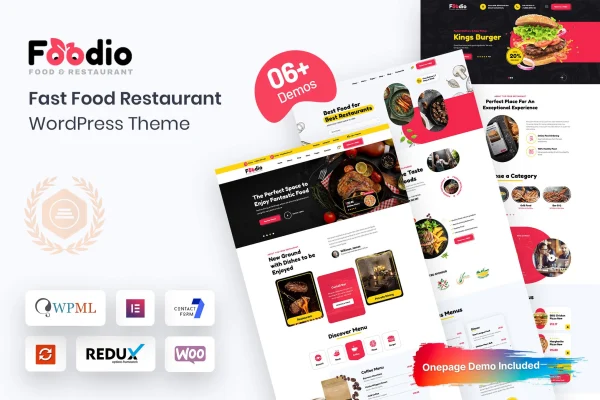
Foodio is a WordPress theme by Bravis-Themes built for fast food restaurants. It gives burger joints, pizza parlors and quick-service eateries a modern, colorful site with menu layouts, promotional banners and support for online ordering and table reservations.
- Version
- 1.0.1
- Released
- Aug 8, 2026
- Developer
- Bravis-Themes
- Type
- WordPress theme
- Licence
- GPL
- Included in
- Every plan, or $3.99 on its own
What’s new in Foodio 1.0.1
Version 1.0.1 · Aug 8, 2026
Latest
What it does
A fast food restaurant needs a website that shows the menu clearly, points people to current deals and makes it easy to order or book a table. This theme is designed around those jobs. Food items can be displayed with images, descriptions and prices, and promotional banners let you call out special offers or new menu items. The layout is responsive, so the site adapts to desktops, tablets and smartphones, which matters when many customers look up a menu on their phone.
Getting started is quicker with the one-click demo import, which loads pre-designed demo content you can then edit with your own dishes, photos and text. Color scheme options help you match the site to your branding. The theme works with ordering plugins and reservation systems, and it is compatible with WooCommerce if you want to sell products online beyond food orders. It suits single-location restaurants and small chains that want a ready-made fast food look.
Best for
- Burger joints and pizza parlors
- Quick-service eateries taking online orders
- Fast food restaurants that accept table reservations
Features
Menu display layouts
Present your food items in organized layouts that include images, descriptions and prices, so visitors can browse what you serve before they order or visit.
Promotional banners
Add banners to highlight special offers, discounts or new menu items, giving current deals a visible spot on your pages.
Online ordering support
The theme includes built-in support for ordering plugins, so you can add an online ordering flow to your restaurant site.
Reservation system compatibility
Connect a reservation system to handle table bookings, making it simpler for customers to reserve and for staff to manage bookings.
Customizable color schemes
Choose from a range of color options and customization settings to bring the site in line with your restaurant's branding.
Responsive design
Pages adjust to desktops, tablets and smartphones, so your menu and offers stay readable on whatever device a customer uses.
One-click demo import
Import the pre-designed demo content in a single step, then replace the sample text and images with your own restaurant details.
WooCommerce compatibility
The theme is compatible with WooCommerce, letting you sell merchandise or other products online alongside your food ordering.
Foodio older versions
- 1.0.0Oct 10, 2024
Members and buyers of this product can download older versions.
Questions about Foodio
Can I show prices and photos for each menu item?
Yes. The menu layouts are built to display food items with images, descriptions and prices, so customers can see what each dish looks like and what it costs while browsing your menu.
Does Foodio work with online ordering and table bookings?
The theme has built-in support for ordering plugins and is compatible with reservation systems. That lets you add online ordering and table booking to your restaurant site using those tools.
Can I sell products with WooCommerce?
Yes. The theme is compatible with WooCommerce, so you can use it to sell items online beyond food orders, such as merchandise or gift products, within the same site design.
Will the colors match my restaurant's branding?
The theme offers a variety of color options and customization settings. You can adjust the color scheme so the site reflects your restaurant's brand colors and overall style.
Is Foodio free?
The code of Foodio is licensed under the GPL, so anyone may use, change and share it. GPL Feast is a paid service: a plan or a single purchase gives you the download and automatic updates. The developer's own support, licence key and online services are not included.
Which version of Foodio is this?
Version 1.0.1, released Aug 8, 2026. New versions appear here when the developer publishes them, and members get them as automatic updates.
How do I update Foodio?
Install the free GPL Feast Updater on your site and connect it with your API key. It installs new versions of Foodio automatically and keeps a backup, so you can roll back.