Theme
Updated
Fortified
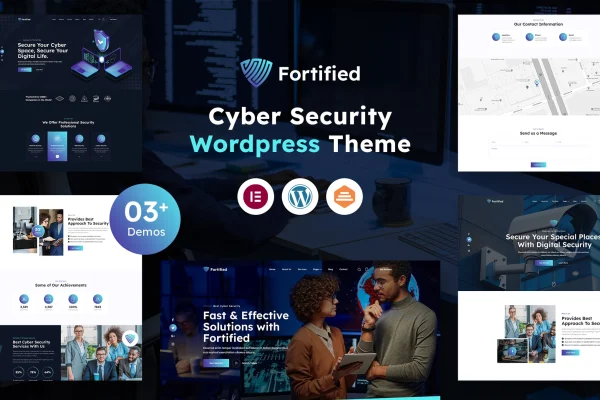
Fortified is a WordPress theme built for IT and cyber security businesses. It gives consultants, security firms and technology service providers a ready structure for presenting their services, client feedback and industry articles on a responsive website.
- Version
- 1.0
- Released
- Mar 31, 2023
- Developer
- designingmedia
- Type
- WordPress theme
- Licence
- GPL
- Included in
- Every plan, or $3.99 on its own
What’s new in Fortified 1.0
Version 1.0 · Mar 31, 2023
Latest
- NewInitial release.
What it does
Security and IT companies need a website that explains technical services clearly and looks professional to potential clients. This theme gives you homepage and inner page templates designed around that need, with sections for services, testimonials and a blog. You can adjust layouts, colors and content without writing code, and the demo import lets you start from a finished design and replace the placeholder content with your own.
The theme works with drag and drop page builders such as Elementor and WPBakery, so you can edit pages visually. The design adapts to desktops, tablets and phones. It is translation ready and supports right-to-left languages, which helps if you serve clients in more than one language. It also supports popular security plugins, a sensible fit for a business that sells security expertise.
Best for
- Cyber security firms presenting their services
- Independent IT consultants building a professional site
- Technology service providers and managed IT companies
Features
Homepage and inner page templates
Choose from multiple homepage and inner page templates, then adjust them to match your brand and put your main services front and center.
Service sections
Dedicated sections let you lay out your IT and cyber security services so visitors can quickly see what you offer and where your expertise lies.
Testimonial blocks
Pre-designed testimonial blocks display client feedback and success stories, giving prospective clients a sense of the results you have delivered for others.
Page builder compatibility
Build and edit pages without coding using drag and drop builders such as Elementor and WPBakery, depending on which tool you prefer.
One-click demo import
Import ready-made demo content to set up the site structure and design quickly, then swap in your own text, images and services.
Blog and news section
Publish articles and news about IT trends and security topics through a built-in blog section that keeps your audience informed.
Responsive layout
Pages adjust to desktops, tablets and smartphones, so visitors get a readable, usable site on whatever device they use.
Translation and RTL support
The theme is translation ready and supports right-to-left text, making it suitable for multilingual sites and audiences reading languages like Arabic or Hebrew.
Questions about Fortified
Can I edit pages with Elementor?
Yes. The theme is compatible with drag and drop page builders, and Elementor and WPBakery are both named. You can create and customize pages visually without touching code, using whichever of these builders you prefer.
Do I have to build the site from scratch?
No. A one-click demo import sets up ready-made demo content, giving you the design and page structure right away. From there you replace the sample text and images with your own services, testimonials and branding.
Will the theme work for a site in another language?
It is translation ready, so you can translate the theme text into your language. It also includes right-to-left support, which makes it usable for languages such as Arabic or Hebrew and for sites serving international clients.
Can I show client reviews on my site?
Yes. The theme includes pre-designed testimonial blocks for displaying client feedback and success stories. They work alongside the service sections, so visitors can read about what you offer and what past clients have said.
Is Fortified free?
The code of Fortified is licensed under the GPL, so anyone may use, change and share it. GPL Feast is a paid service: a plan or a single purchase gives you the download and automatic updates. The developer's own support, licence key and online services are not included.
Which version of Fortified is this?
Version 1.0, released Mar 31, 2023. New versions appear here when the developer publishes them, and members get them as automatic updates.
How do I update Fortified?
Install the free GPL Feast Updater on your site and connect it with your API key. It installs new versions of Fortified automatically and keeps a backup, so you can roll back.