Theme
Updated
Freshen
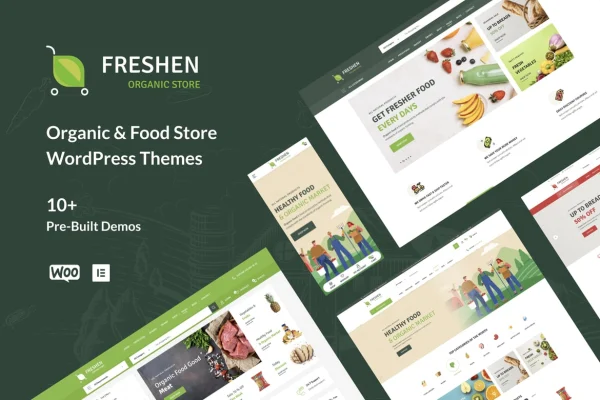
Freshen by ApusTheme is a WordPress theme built for online stores that sell organic food, vegetables, makeup products and similar niche goods. It pairs a clean, responsive design with WooCommerce support so you can set up a storefront and sell products online.
- Version
- 1.0.37
- Released
- Jun 29, 2026
- Developer
- ApusTheme
- Type
- WordPress theme
- Licence
- GPL
- Included in
- Every plan, or $3.99 on its own
What’s new in Freshen 1.0.37
Version 1.0.37 · Jun 29, 2026
Latest
- ImprovedUpdated WooCommerce
What it does
Running a small organic shop online means you need a store that looks tidy and trustworthy, plus the tools to list products and take orders. This theme is designed around that job. It works with WooCommerce for product management, checkout and payments, and it gives you more than 10 homepage layouts to start from, so you can pick a look that fits your brand and product range instead of building a design from scratch.
Customization happens through a theme options panel, where you can change Google fonts and layout settings without writing code. A header and footer builder offers 10 styles for each area, and the theme is compatible with Elementor and Elementor Pro for drag and drop page building. It is built on the Bootstrap framework, has a responsive and retina ready design, includes a sticky menu, and supports WPML if you want to run your store in more than one language.
Best for
- Online organic food and vegetable stores
- Shops selling natural makeup or health products
- Small grocers building a WooCommerce storefront
Features
More than 10 homepage styles
Choose from over 10 homepage layouts made for organic and natural product stores, then adjust the one that best matches your brand and catalog.
Header and footer builder
Build your site's navigation and footer areas with a builder that includes 10 header styles and 10 footer styles to pick from.
WooCommerce integration
The theme works with WooCommerce, so you can manage products, run checkout and process payments through the familiar store plugin.
Elementor and Elementor Pro compatible
Edit and create pages with drag and drop building in Elementor or Elementor Pro, without needing to touch theme code.
Responsive and retina ready
Layouts adapt to desktops, tablets and smartphones, and the design is retina ready for sharp display on high resolution screens.
Google fonts and theme options
A theme options panel lets you change Google fonts and layout settings from one place, with no coding required.
Sticky menu
The main menu stays visible as visitors scroll, so shoppers can move between categories and pages without scrolling back to the top.
Multilingual support with WPML
Compatibility with WPML lets you translate your store into multiple languages for customers who shop in different languages.
Freshen older versions
- 1.0.32Sep 4, 20251 improvement
- 1.0.17Feb 10, 20241 improvement
- 1.0.12May 23, 20231 improvement
Members and buyers of this product can download older versions.
Questions about Freshen
Does this theme work with WooCommerce?
Yes. The theme is built as a WooCommerce theme and is listed as ready for WooCommerce 5 and up. You handle products, checkout and payment processing through WooCommerce, while the theme provides the store layouts and design.
Can I build pages with Elementor?
Yes. Freshen is compatible with both Elementor and Elementor Pro, so you can create and edit pages using drag and drop building. Global settings like fonts and layouts are managed in the theme options panel.
Is it only for food stores?
It is designed mainly for organic food and vegetable shops, but the theme description also mentions makeup products and similar niche markets. Any store with a clean, natural product focus could use its layouts.
Can I run my store in more than one language?
Yes. The theme supports WPML, which lets you translate your website into multiple languages. This is useful if you sell to customers in different regions or want to offer your catalog in more than one language.
Is Freshen free?
The code of Freshen is licensed under the GPL, so anyone may use, change and share it. GPL Feast is a paid service: a plan or a single purchase gives you the download and automatic updates. The developer's own support, licence key and online services are not included.
Which version of Freshen is this?
Version 1.0.37, released Jun 29, 2026. New versions appear here when the developer publishes them, and members get them as automatic updates.
How do I update Freshen?
Install the free GPL Feast Updater on your site and connect it with your API key. It installs new versions of Freshen automatically and keeps a backup, so you can roll back.