
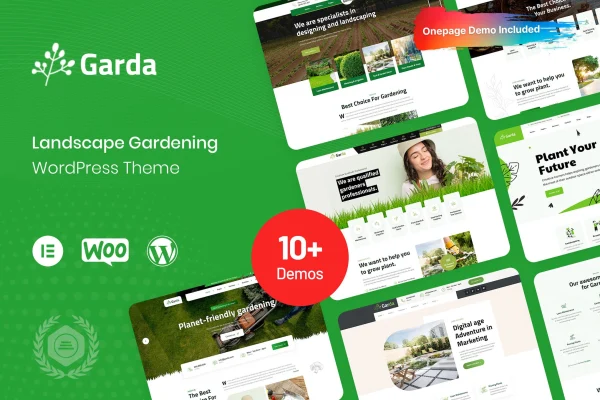
Theme
Updated
Garda
Garda is a WordPress theme built for gardening and outdoor businesses. It gives landscapers, plant nurseries and garden maintenance services a ready design for presenting their work, describing their services and, with WooCommerce, selling plants or tools online.
- Version
- 1.0.5
- Released
- Jan 27, 2026
- Developer
- Case-Themes
- Type
- WordPress theme
- Licence
- GPL
- Included in
- Every plan, or $3.99 on its own
What’s new in Garda 1.0.5
Version 1.0.5 · Jan 27, 2026
Latest
What it does
Garden and landscaping businesses depend on photos of their work, yet many general themes treat images as an afterthought. This theme starts from that need. Its layouts are built around project photos, plant collections and service descriptions, so a landscaper or nursery owner can present finished gardens and offerings without designing pages from a blank screen. A portfolio and gallery are built in for project work, and multiple blog layouts give you a place to publish gardening tips and guides.
Customization happens through drag-and-drop tools, where you can change colors, fonts, layouts and content without writing code. The design is responsive, so pages adapt to desktops, tablets and phones. Because the theme is compatible with WooCommerce, you can add a store for plants, gardening tools or bookable services alongside your regular pages. Social media integration lets you connect your profiles and gives visitors a simple way to share your content. Documentation is included to guide you through setting up the site.
Best for
- Landscaping and garden design companies
- Plant nurseries and garden centers selling online
- Garden maintenance services and gardening bloggers
Features
Garden-focused visual design
Layouts are built around large, high-quality images, suited to presenting gardens, plants and finished landscaping projects to visitors.
Drag-and-drop customization
Change colors, fonts, layouts and content with drag-and-drop tools, so you can match the site to your brand without coding.
Responsive layouts
Pages adjust to different screen sizes, from desktop monitors down to smartphones, so visitors can browse comfortably on any device.
Built-in portfolio and gallery
Customizable portfolio and gallery options let you display gardening projects and plant collections in an organized, professional way.
WooCommerce compatibility
Set up an online store with WooCommerce to sell plants, gardening tools or services directly from your website.
Multiple blog layouts
Choose from several styled blog templates for publishing gardening tips, how-to guides and industry news.
Social media integration
Connect your social profiles to the site and make it easy for visitors to share your content and follow your accounts.
Garda older versions
- 1.0.4Oct 15, 2024
Members and buyers of this product can download older versions.
Questions about Garda
Can I sell plants and gardening tools with this theme?
Yes. The theme is compatible with WooCommerce, so you can set up an online store for plants, gardening tools or services and run it from the same website that presents your business and projects.
Do I need coding skills to customize the design?
No. Colors, fonts, layouts and content can be adjusted with drag-and-drop tools. That makes it practical for business owners who want to personalize the site to match their brand without editing code.
Is there a way to display my past landscaping projects?
Yes. Garda includes a built-in portfolio and gallery with customizable options, which work well for presenting completed gardens, landscaping jobs and plant collections to potential clients.
Will the site work on phones?
The theme uses a responsive design, so layouts adjust across devices from desktops to smartphones. Visitors browsing on mobile get pages that fit their screen.
Is Garda free?
The code of Garda is licensed under the GPL, so anyone may use, change and share it. GPL Feast is a paid service: a plan or a single purchase gives you the download and automatic updates. The developer's own support, licence key and online services are not included.
Which version of Garda is this?
Version 1.0.5, released Jan 27, 2026. New versions appear here when the developer publishes them, and members get them as automatic updates.
How do I update Garda?
Install the free GPL Feast Updater on your site and connect it with your API key. It installs new versions of Garda automatically and keeps a backup, so you can roll back.