Theme
Updated
Garlon
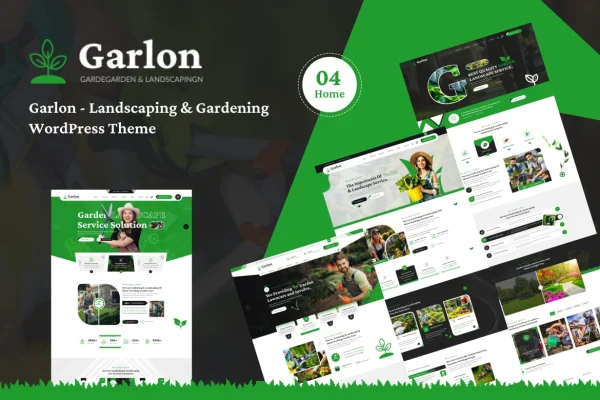
Garlon is a WordPress theme built for gardening and landscaping businesses. It gives florists, landscapers and garden designers a responsive site with pre-built layouts, portfolio galleries, service sections, a blog and contact and booking forms.
- Version
- 1.0.0
- Released
- Feb 11, 2025
- Developer
- bracketweb
- Type
- WordPress theme
- Licence
- GPL
- Included in
- Every plan, or $3.99 on its own
What’s new in Garlon 1.0
Version 1.0 · May 12, 2015
Latest
- NewInitial release.
What it does
Green industry businesses need a website that shows their past work, explains what they offer and makes it easy for new clients to get in touch. This theme is designed around those needs. It includes dedicated service sections for presenting your specializations, gallery and portfolio options for past garden and landscape projects, and forms that let visitors send an inquiry or book a consultation. Client testimonials can also be displayed to give prospects a sense of your track record.
Building pages is handled through multiple pre-built templates and drag-and-drop page builders, so people with little technical background can adjust layouts to fit their business. The responsive design adapts pages to desktops, tablets and phones. An integrated blog gives you a place to share gardening tips and landscaping ideas. If you also sell plants, tools or landscaping packages, WooCommerce support lets you add a shop, and the theme is translation ready for use with multilingual plugins.
Best for
- Landscaping and lawn care companies
- Florists and garden designers
- Garden centers selling plants and tools online
Features
Responsive layouts
Pages adjust to desktops, tablets and smartphones, so visitors can browse your services and project photos comfortably on whatever device they use.
Pre-built templates
Multiple ready-made templates work with drag-and-drop page builders, letting you rearrange and customize pages without writing code.
Portfolio and gallery options
Gallery and portfolio layouts give you a place to display photos of past landscaping and gardening projects for prospective clients.
Service highlight sections
Dedicated sections let you lay out each service and specialization clearly, such as garden design, planting or ongoing landscape care.
Contact and booking forms
Forms let potential clients send questions or request a consultation directly from your site, keeping new inquiries in one place.
Integrated blog
A built-in blog lets you publish gardening tips, landscaping ideas and industry news alongside your business pages.
WooCommerce support
The theme works with WooCommerce, so you can sell products like plants, garden tools or landscaping packages from your own site.
Translation ready
The theme is compatible with multilingual plugins, which helps you offer your site to clients in more than one language.
Questions about Garlon
Can I show photos of my past landscaping projects?
Yes. The theme includes gallery and portfolio options designed for displaying past gardening and landscaping work, so prospective clients can see examples of your projects before they reach out.
Can clients book a consultation through the site?
The theme includes contact and booking forms that let potential clients send an inquiry or request a consultation. This gives visitors a direct way to start a conversation with your business from any page where the forms are placed.
Can I sell plants or garden tools with this theme?
Yes. Garlon supports WooCommerce, so you can add a shop for products such as plants, tools or landscaping packages alongside your service pages, portfolio and blog.
Do I need coding skills to customize it?
No coding should be needed for typical changes. The theme comes with multiple pre-built templates and works with drag-and-drop page builders, which lets you adjust layouts and content visually.
Is Garlon free?
The code of Garlon is licensed under the GPL, so anyone may use, change and share it. GPL Feast is a paid service: a plan or a single purchase gives you the download and automatic updates. The developer's own support, licence key and online services are not included.
Which version of Garlon is this?
Version 1.0.0, released Feb 11, 2025. New versions appear here when the developer publishes them, and members get them as automatic updates.
How do I update Garlon?
Install the free GPL Feast Updater on your site and connect it with your API key. It installs new versions of Garlon automatically and keeps a backup, so you can roll back.