Theme
Updated
Glozin
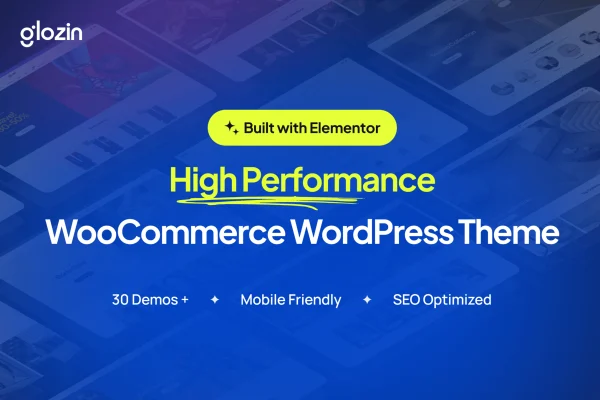
Glozin is a multipurpose WooCommerce theme for WordPress, made by uixthemes. It gives online stores a flexible, responsive design with pre-built demos, customizable layouts and shopping tools such as product filters, so you can set up a shop without writing code.
- Version
- 2.0.1
- Released
- Feb 11, 2025
- Developer
- uixthemes
- Type
- WordPress theme
- Licence
- GPL
- Included in
- Every plan, or $3.99 on its own
What’s new in Glozin 2.0.1
Version 2.0.1 · Feb 11, 2025
Latest
What it does
Setting up an online store means getting product pages, carts and checkout to look right and work well together. This theme builds on WooCommerce to handle those store pages, and it adds a set of pre-built demo templates designed for different product categories and industries. You can start from a demo that fits your shop, whether that is a boutique, an electronics shop, a fashion store or a specialty marketplace, then adjust it to match your brand.
Customization happens through drag-and-drop page builders and a choice of header and footer options, so beginners and experienced developers can both shape the layout. The design is responsive across desktops, tablets and phones. Shoppers can narrow results with filters for price, size, color and other attributes, and the theme supports right-to-left languages and popular translation plugins for stores that serve several languages. Blog layouts are included for stores that publish content alongside their products.
Best for
- Fashion, boutique and electronics stores built on WooCommerce
- Store owners who want to customize layouts without coding
- Shops selling to multilingual or right-to-left language audiences
Features
Pre-built demo templates
Start from one of several professionally designed demos made for a range of product categories and industries, then adapt it to your own store.
Customizable layouts
Tailor pages with drag-and-drop page builders and pick from multiple header and footer options to match the look of your brand.
WooCommerce store pages
Works with WooCommerce to run product pages, shopping carts, checkout and payment gateways as part of your themed store.
Advanced product filters
Let customers narrow products by price, size, color and other attributes so they can find what they want in larger catalogs.
Responsive design
Layouts adjust to desktops, tablets and smartphones, so your store pages display properly on whatever device a shopper uses.
RTL and multilingual support
Supports right-to-left languages and works with popular translation plugins, which helps stores that sell to audiences in different languages.
Schema markup and clean code
Built with clean code and schema markup to give search engines structured information about your store and its pages.
Blog layouts included
Comes with stylish blog layouts so you can publish guides, news and other content alongside your product catalog.
Questions about Glozin
Do I need coding skills to set up a store with Glozin?
No. The theme is designed so you can build your shop without coding knowledge. You can begin with a pre-built demo, then change layouts with drag-and-drop page builders and choose among multiple header and footer options to fit your brand.
What kinds of stores does this theme suit?
It is a multipurpose WooCommerce theme, so it fits many types of shops. Its demos cover a variety of product categories and industries, and it works well for boutiques, electronics shops, fashion stores and specialty marketplaces.
Can customers filter products by size or color?
Yes. The theme includes advanced product filters that let shoppers narrow results by price, size, color and other product attributes, which is helpful for stores with many products or variations.
Will Glozin work for a store in Arabic or another RTL language?
Yes. The theme supports right-to-left languages and is compatible with popular translation plugins, so you can run a store for audiences that read in different languages or directions.
Is Glozin free?
The code of Glozin is licensed under the GPL, so anyone may use, change and share it. GPL Feast is a paid service: a plan or a single purchase gives you the download and automatic updates. The developer's own support, licence key and online services are not included.
Which version of Glozin is this?
Version 2.0.1, released Feb 11, 2025. New versions appear here when the developer publishes them, and members get them as automatic updates.
How do I update Glozin?
Install the free GPL Feast Updater on your site and connect it with your API key. It installs new versions of Glozin automatically and keeps a backup, so you can roll back.
You might also like