Theme
Updated
Grafco
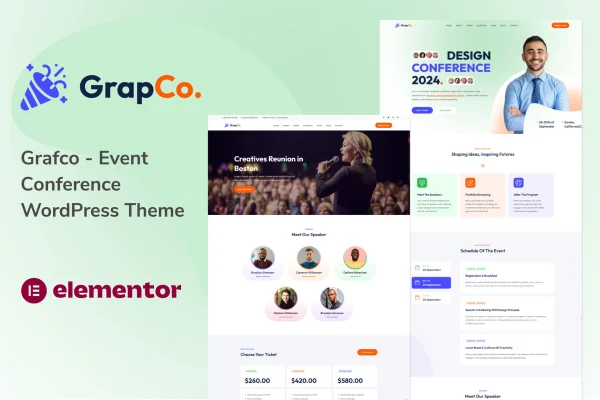
Grafco is a WordPress theme by wpoceans built for event and conference websites. It gives organizers ready layouts for presenting speakers, publishing agendas, taking registrations and counting down to the big day, so a single site can carry an event from first announcement to the doors opening.
- Version
- 1.0
- Released
- Aug 13, 2024
- Developer
- wpoceans
- Type
- WordPress theme
- Licence
- GPL
- Included in
- Every plan, or $3.99 on its own
What’s new in Grafco 1.0
Version 1.0 · Aug 13, 2024
Latest
What it does
Event organizers usually need the same set of pages: who is speaking, what happens when, where it takes place and how to sign up. Grafco brings these pieces together in one theme. Speaker profiles hold photos, bios and social links, while schedule and timeline layouts show session times and locations so attendees can plan their day. A countdown timer on the homepage keeps the event date front and center for visitors.
The theme suits small workshops, seminars and larger conferences alike. You can start from the one-click demo import, which loads sample content made for events, then adjust layouts, pick a color scheme or build your own palette to match your branding. Built-in registration forms with payment gateway compatibility handle ticket bookings, and the responsive design adapts pages to desktops, tablets and phones. Page builder support gives you room to rework templates as your event grows.
Best for
- Conference organizers publishing speakers, agendas and ticket sales
- Seminar and workshop hosts needing a simple event site
- Agencies building websites for event and conference clients
Features
Speaker profiles
Present keynote speakers and presenters with photos, biographies and social links, giving visitors a clear picture of who will be on stage at your event.
Event schedules and timelines
Display agendas with session timings and locations, so attendees can see the full program and plan which talks and sessions they want to attend.
Registration and ticketing forms
Collect sign-ups through built-in booking forms that work with payment gateways, letting attendees reserve tickets directly on your event website.
Homepage countdown timer
Show a live countdown to your event date on the homepage, giving returning visitors a quick reminder of how much time remains before it starts.
Customizable layouts
Choose from multiple pre-built templates and use page builder support to adjust the look of each page so it fits your brand and event style.
Multiple color schemes
Pick one of the included color palettes or create your own, making it simple to align the site with your event branding and visual identity.
One-click demo import
Import ready-made demo content designed for conferences and events, then replace the sample text and images with your own event details.
Responsive, cross-browser design
Pages adapt to desktops, tablets and smartphones and display consistently across major browsers, so attendees can check details on any device they use.
Questions about Grafco
Can I sell tickets for my conference with this theme?
Yes. Grafco includes built-in registration and booking forms with payment gateway compatibility, so attendees can sign up and book tickets on your site. You will want to confirm that your preferred payment provider fits your setup before launch.
Does it work for small events as well as large conferences?
It does. The theme is aimed at event organizers, conference planners and seminar hosts, and it fits anything from a small workshop to a large international conference. You simply use the sections your event needs, such as speakers, schedules or registration.
Can I change the colors to match my event branding?
Yes. You can choose from several included color schemes or create your own palette. Combined with the customizable layouts and page builder support, this lets you shape the site around your event's visual identity.
Is there demo content to start from?
Grafco offers a one-click demo import that loads ready-made content built for conferences and events. It gives you a working structure with speaker, schedule and registration pages that you can then edit with your own information.
Is Grafco free?
The code of Grafco is licensed under the GPL, so anyone may use, change and share it. GPL Feast is a paid service: a plan or a single purchase gives you the download and automatic updates. The developer's own support, licence key and online services are not included.
Which version of Grafco is this?
Version 1.0, released Aug 13, 2024. New versions appear here when the developer publishes them, and members get them as automatic updates.
How do I update Grafco?
Install the free GPL Feast Updater on your site and connect it with your API key. It installs new versions of Grafco automatically and keeps a backup, so you can roll back.