Theme
Updated
Hoteler
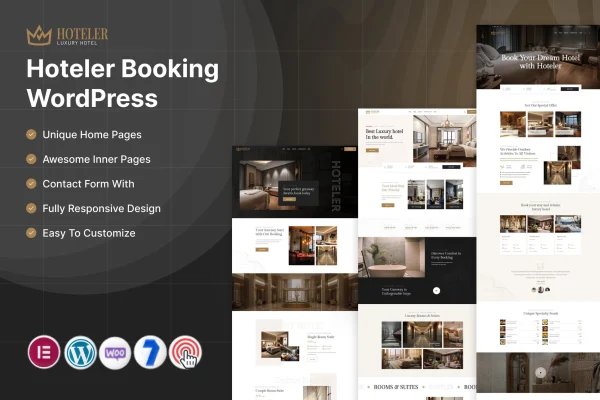
Hoteler is a WordPress theme by ThemeMascot made for hotels, resorts, bed and breakfasts and other accommodation providers. It pairs a clean, modern design with a booking system so guests can check room availability and reserve a stay directly on your site.
- Version
- 7.0
- Released
- Feb 11, 2025
- Developer
- ThemeMascot
- Type
- WordPress theme
- Licence
- GPL
- Included in
- Every plan, or $3.99 on its own
What’s new in Hoteler 7.0
Version 7.0 · Feb 11, 2025
Latest
What it does
Accommodation websites have two jobs. They need to present rooms and amenities clearly, and they need to let guests book without being sent somewhere else. This theme handles both in one place. Visitors can browse your rooms, look through image galleries, read about amenities, check availability and complete a reservation. On your side, bookings show up in the WordPress dashboard, where you can monitor, confirm and manage them alongside the rest of your site content.
The layouts are customizable, so you can adjust the look to match your property's style and brand without writing code. The design is responsive and adapts to desktops, tablets and smartphones. You can set up room types, rates and special offers and change them as your season shifts. The theme also works with popular multilingual plugins for international guests, and it supports a range of payment options so guests can pay as part of the booking.
Best for
- Hotels and resorts taking reservations on their own website
- Bed and breakfasts and small guesthouses
- Accommodation providers welcoming international guests
Features
Built-in booking system
Guests can check room availability and complete their reservations directly on your website, without leaving it to book through another service.
Reservation management in WordPress
Monitor, confirm and manage incoming bookings from the WordPress dashboard, so reservations sit in the same place where you manage your site.
Room and rate management
Create and update room types, rates and special offers, keeping the information guests see current as your availability and seasons change.
Customizable layouts
Flexible design options let you shape the site around your property's style and brand identity, with no coding required to make changes.
Responsive design
Pages adapt to desktops, tablets and smartphones, so guests can browse rooms and book from whatever device they happen to be using.
Payment gateway support
The theme supports various payment options, letting guests pay securely and conveniently as part of the booking process.
Multilingual compatibility
Works with popular multilingual plugins, so you can offer your content in multiple languages for guests traveling from other countries.
Galleries and amenity pages
Present your property through image galleries and detailed amenity descriptions that help guests picture their stay before they book.
Questions about Hoteler
Can guests book rooms directly on my site with this theme?
Yes. The theme includes a booking system that lets guests check room availability and make reservations on your website. You can then monitor, confirm and manage those bookings from the WordPress dashboard.
Can I set different rates and special offers for each room type?
Yes. The room and rate management tools let you create and update room types, set rates for them and add special offers. This keeps the details guests see accurate when your rates or offers change.
Does the theme work for guests who speak other languages?
The theme is compatible with popular multilingual plugins, so you can present your content in multiple languages. This suits properties that regularly host international visitors.
Will I need coding skills to change the design?
No. The customizable layouts give you flexible design options to match your property's style and brand without coding. The responsive design also means your changes display properly on desktops, tablets and phones.
Is Hoteler free?
The code of Hoteler is licensed under the GPL, so anyone may use, change and share it. GPL Feast is a paid service: a plan or a single purchase gives you the download and automatic updates. The developer's own support, licence key and online services are not included.
Which version of Hoteler is this?
Version 7.0, released Feb 11, 2025. New versions appear here when the developer publishes them, and members get them as automatic updates.
How do I update Hoteler?
Install the free GPL Feast Updater on your site and connect it with your API key. It installs new versions of Hoteler automatically and keeps a backup, so you can roll back.