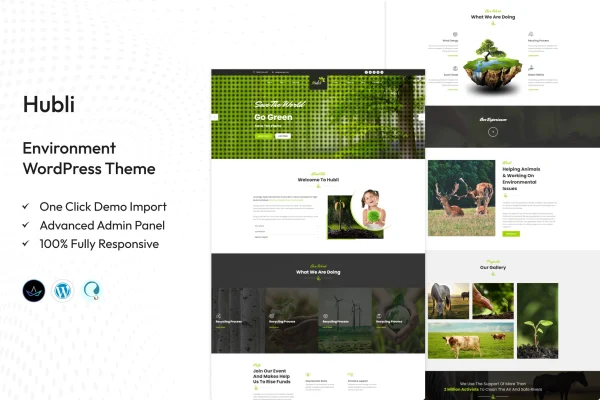
Theme
Updated
Hubli
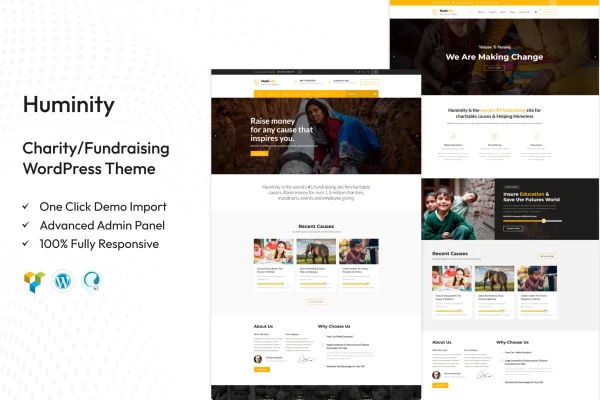
Hubli is a WordPress theme by TonaTheme built for environmental organizations, eco-friendly businesses and green initiatives. It gives you a clean, modern website with homepage layouts, a blog and project sections so you can present your sustainability work and share your campaigns.
- Version
- 2.2
- Released
- Aug 15, 2026
- Developer
- TonaTheme
- Type
- WordPress theme
- Licence
- GPL
- Included in
- Every plan, or $3.99 on its own
What’s new in Hubli 2.2
Version 2.2 · Aug 15, 2026
Latest
What it does
Environmental groups and green companies often need a site that explains their mission, shows the projects they run and keeps supporters informed. Hubli is designed around those needs. It includes several pre-built homepage layouts made for environmental and green business sites, so you start from a structure that already suits your cause. You then adjust the colors and typography to match your brand, without needing to write code.
The theme works with drag-and-drop page builders for editing pages, and its layout is responsive across desktops, tablets and phones. Built-in blog and news sections let you post updates, stories and campaign news. Featured project areas present your main initiatives, donation and fundraising support helps you collect contributions, and social media integration makes sharing easier. It fits conservation nonprofits, green product brands and environmental bloggers alike.
Best for
- Conservation and environmental nonprofits
- Eco-friendly product companies and green businesses
- Environmental blogs and awareness campaigns
Features
Environmental homepage layouts
Choose from multiple pre-built homepage layouts tailored to environmental organizations and green businesses, giving you a ready starting point for your site.
Page builder compatibility
Edit and arrange your pages with drag-and-drop page builder support, so you can customize layouts without writing any code.
Responsive design
The layout adapts to desktops, tablets and mobile phones, so visitors can read about your mission on whatever device they use.
Blog and news sections
Integrated blog and news areas let you publish updates, stories and details about your environmental campaigns for supporters to follow.
Featured project pages
Present your main initiatives and success stories in dedicated project sections that help visitors understand the work you do.
Donation and fundraising support
The theme supports donation and fundraising integration, making it easier to accept contributions toward your cause from your website.
Custom colors and typography
Adjust color schemes and fonts to match your brand identity, so the site reflects your organization's look and values.
Social media integration
Built-in social media integration helps visitors share your content and stay connected with your organization on their preferred networks.
Questions about Hubli
Can I accept donations on a site built with this theme?
Yes. The theme includes donation and fundraising integration support, so you can set up a way for visitors to contribute to your cause. This makes it a practical choice for nonprofits and campaigns that rely on supporter funding.
Do I need coding skills to customize the design?
No. You can change colors and typography through the customization options, and the theme is compatible with drag-and-drop page builders for editing page layouts. That lets you shape the site to your brand without touching code.
Is it only for nonprofits, or can a business use Hubli?
It suits both. Hubli was made for environmental organizations, eco-friendly businesses and green initiatives, and its homepage layouts cover environmental and green business themes. Environmental bloggers can also use its blog and news sections.
Will the site work well on phones?
Yes. The theme uses a fully responsive layout that adjusts to desktops, tablets and mobile devices, so your pages, projects and blog posts display properly on smaller screens.
Is Hubli free?
The code of Hubli is licensed under the GPL, so anyone may use, change and share it. GPL Feast is a paid service: a plan or a single purchase gives you the download and automatic updates. The developer's own support, licence key and online services are not included.
Which version of Hubli is this?
Version 2.2, released Aug 15, 2026. New versions appear here when the developer publishes them, and members get them as automatic updates.
How do I update Hubli?
Install the free GPL Feast Updater on your site and connect it with your API key. It installs new versions of Hubli automatically and keeps a backup, so you can roll back.