Theme
Updated
Imperio
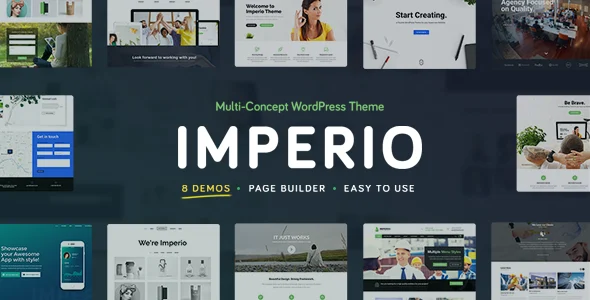
Imperio is a WordPress theme built for business, portfolio and photography websites. It gives you pre-built layouts, gallery styles and a drag-and-drop page builder, so you can put together a professional site without writing code.
- Version
- 2.2
- Type
- WordPress theme
- Licence
- GPL
- Included in
- Every plan, or $5.59 on its own
What’s new in Imperio 2.2
Version 2.2
Latest
What it does
Many small businesses, creatives and photographers need a site that presents their work well, and they don't want to hire a developer to build one. This theme starts you off with a set of pre-built templates you can adapt to your brand. From there you rearrange pages with the drag-and-drop page builder and adjust colors, fonts and layouts in the theme customizer, which shows changes in a real-time preview.
The theme fits sites where visuals carry the message. Portfolio and photography galleries come in several styles for presenting projects or photo sets. If you also want to sell products or services, it works with WooCommerce, so a shop can sit alongside your portfolio or company pages. The design is responsive and retina-ready, and the theme is translation ready with right-to-left script support for sites in other languages.
Best for
- Photographers presenting their work in galleries
- Creative professionals building an online portfolio
- Small businesses that want a site with an optional shop
Features
Pre-built layout options
Choose from a variety of pre-built templates to get a starting design quickly, then adjust it so the look matches your brand identity.
Drag-and-drop page builder
Build and rearrange page sections through a visual interface, so you can customize layouts without touching any code.
Portfolio and photography galleries
Present projects and photos using several gallery styles suited to creative portfolios, photography work and business case studies.
WooCommerce compatible
Set up an online store with WooCommerce and sell products or services directly from the same site that holds your portfolio or business pages.
Theme customizer with live preview
Change colors, fonts, layouts and other settings in the theme customizer and see each adjustment in a real-time preview before saving.
Responsive and retina-ready
Layouts adapt to screens from desktops to smartphones, and the design is prepared for high-resolution retina displays.
Translation ready with RTL
Translate the theme into other languages and run sites in right-to-left scripts for audiences who read that way.
Questions about Imperio
Do I need coding skills to build a site with Imperio?
No. The theme includes a drag-and-drop page builder for arranging page content and a theme customizer for colors, fonts and layouts with a real-time preview. You can start from one of the pre-built templates and adjust it from there.
Can I sell products with this theme?
Yes. The theme is compatible with WooCommerce, so you can add an online store and sell products or services directly from your website, alongside your portfolio, gallery or business pages.
Is it a good fit for a photography website?
Photography is one of its main uses. It includes portfolio and photography galleries in several styles, and its retina-ready design is prepared for high-resolution screens, which helps when images are the focus of the site.
Can I run a site in another language or in a right-to-left script?
Yes. The theme is translation ready, so you can translate it into other languages, and it supports right-to-left scripts for languages that read in that direction.
Is Imperio free?
The code of Imperio is licensed under the GPL, so anyone may use, change and share it. GPL Feast is a paid service: a plan or a single purchase gives you the download and automatic updates. The developer's own support, licence key and online services are not included.
Which version of Imperio is this?
Version 2.2. New versions appear here when the developer publishes them, and members get them as automatic updates.
How do I update Imperio?
Install the free GPL Feast Updater on your site and connect it with your API key. It installs new versions of Imperio automatically and keeps a backup, so you can roll back.
You might also like