Theme
Updated
Inotek
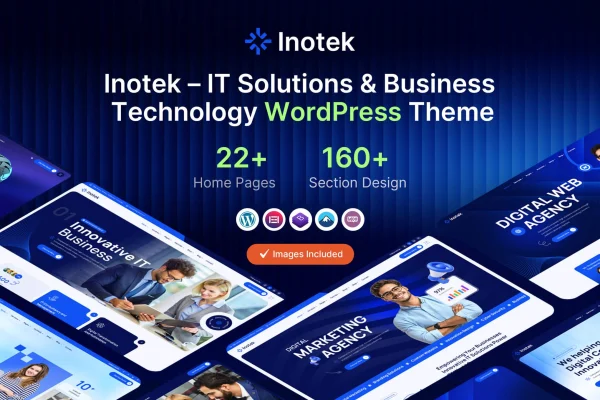
Inotek is an IT solution and business WordPress theme built for technology companies, startups and digital agencies. It gives you a clean, professional design with sections for services, portfolio projects and client testimonials, plus a drag and drop page builder so you can shape pages without writing code.
- Version
- 1.0.0
- Released
- Feb 11, 2025
- Developer
- Theme-vally
- Type
- WordPress theme
- Licence
- GPL
- Included in
- Every plan, or $3.99 on its own
What’s new in Inotek 1.0
Version 1.0 · May 12, 2015
Latest
- NewInitial release.
What it does
Tech firms and agencies usually need the same set of pages: a homepage that explains what they do, service descriptions, examples of past projects and proof from happy clients. This theme packages those pieces into a ready design. You can pick from multiple homepage layouts, then use the one-click demo import to load sample content and replace it with your own text, images and project details.
Day to day editing happens through a drag and drop page builder, so adding or rearranging sections does not require coding. The layout is responsive and retina ready, and you get control over the header, footer and typography to match your brand. The theme is also WooCommerce compatible, which means you can add a store for selling products or service packages alongside your company pages.
Best for
- IT service companies and managed service providers
- Tech startups building a company website
- Digital agencies presenting services and portfolio work
Features
Multiple homepage layouts
Choose from several homepage designs to find a starting point that fits your brand style and the kind of IT or business services you offer.
One-click demo import
Load the demo content in one step so your site starts with complete sample pages that you can edit instead of building from a blank screen.
Drag and drop page builder
Build and rearrange page sections visually, which lets you customize layouts and content without needing to write or edit any code.
Service and portfolio sections
Present your IT solutions and completed projects in dedicated sections so visitors can see what you offer and the work you have done.
Client testimonial section
Display customer feedback in a dedicated testimonial area, giving prospective clients a clear view of what past clients say about your business.
WooCommerce compatible
Set up an online store with WooCommerce to sell products or services directly from the same site that presents your company.
Custom header and footer
Adjust the header and footer areas to control your site navigation and the information shown at the bottom of every page.
Typography and responsive design
Pick fonts that suit your brand, with a responsive, retina ready layout that adapts to desktops, tablets and smartphones across major browsers.
Questions about Inotek
Can I build pages with this theme if I don't know how to code?
Yes. The theme includes a drag and drop page builder for creating and customizing pages, and the one-click demo import gives you finished sample pages to edit. Header, footer and typography settings are also adjustable without code.
Does Inotek work for selling products or services online?
The theme is WooCommerce compatible, so you can add an online store to sell products or service packages. This sits alongside the company pages, service sections and portfolio areas the theme already provides.
What sections are included for presenting my business?
There are dedicated areas for services, portfolio projects and client testimonials, along with multiple homepage layouts. Together these cover the main pages an IT company or agency typically needs to explain its offering.
Will the site look right on phones and different browsers?
The layout is fully responsive and retina ready, so it adjusts to screens from desktops to smartphones. The theme is also described as cross-browser compatible across major web browsers.
Is Inotek free?
The code of Inotek is licensed under the GPL, so anyone may use, change and share it. GPL Feast is a paid service: a plan or a single purchase gives you the download and automatic updates. The developer's own support, licence key and online services are not included.
Which version of Inotek is this?
Version 1.0.0, released Feb 11, 2025. New versions appear here when the developer publishes them, and members get them as automatic updates.
How do I update Inotek?
Install the free GPL Feast Updater on your site and connect it with your API key. It installs new versions of Inotek automatically and keeps a backup, so you can roll back.
You might also like