Theme
Updated
Ironex
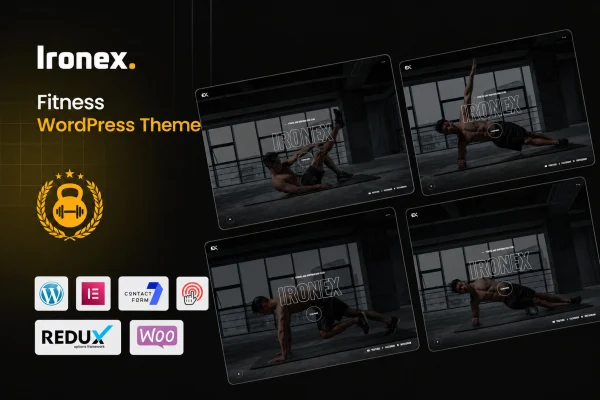
Ironex is a WordPress theme built for fitness businesses such as gyms, personal training services and fitness studios. It gives you ready-made sections for classes, schedules, trainers and client testimonials, so you can present your services clearly on a site that works on phones, tablets and desktops.
- Version
- 1.0
- Released
- Feb 11, 2025
- Developer
- shtheme
- Type
- WordPress theme
- Licence
- GPL
- Included in
- Every plan, or $3.99 on its own
What’s new in Ironex 1.0.0
Version 1.0.0 · Feb 24, 2026
Latest
- NewFirst release.
What it does
Fitness businesses need a website that answers a few practical questions quickly: what classes are offered, when they run, who teaches them and how to book. Ironex is designed around those needs. It includes areas for listing classes and training schedules, profiles for your trainers with bios and images, and a section for client testimonials and reviews. The layout is responsive, so visitors checking a timetable on their phone see the same content as someone browsing on a desktop.
You can start from ready-made demo content using the one-click demo import, then adjust it to fit your brand. The theme offers flexible color schemes, font choices and multiple homepage variations. If you want to sell fitness products, memberships or merchandise, Ironex is WooCommerce ready, and it supports popular scheduling plugins for appointment booking. That makes it a good fit for a boutique gym, an independent coach or a studio that wants one site for information, bookings and sales.
Best for
- Gyms and fitness centers listing classes and schedules
- Personal trainers presenting coaching services and bios
- Fitness studios selling memberships or merchandise online
Features
Class and schedule sections
List your fitness classes and training schedules in dedicated sections so visitors can see what you offer and when sessions take place.
Trainer profiles
Introduce your coaching team with individual profiles that include bios and images, giving potential clients a sense of who they will train with.
Testimonials and reviews
Display feedback from your clients in a built-in testimonials and reviews section that sits alongside your services and class information.
WooCommerce ready
Add an online store with WooCommerce to sell fitness products, memberships or merchandise directly from the same website as your gym or studio.
Appointment booking support
Ironex works with popular scheduling plugins, so you can let clients book appointments or sessions without leaving your site.
Customizable styles and layouts
Adjust color schemes and fonts, and choose from multiple homepage variations to match the look of your fitness brand.
One-click demo import
Import ready-made demo content in one step, then replace the text, images and details with your own to build your site faster.
Responsive design
Pages adapt to smartphones, tablets and desktops, so schedules, trainer profiles and services stay readable on any screen size.
Questions about Ironex
Can I show a weekly class timetable with this theme?
Yes. The theme includes class and schedule sections made for presenting fitness classes and training schedules, so visitors can see which sessions you run and when they take place before deciding to book.
Can I sell memberships or products on my gym website?
The theme is WooCommerce ready, which means you can add an online store to sell fitness products, memberships or merchandise. You will need the WooCommerce plugin to set up the store itself.
Does it handle client bookings?
Ironex supports popular scheduling plugins for appointment booking. You add the booking plugin of your choice, and the theme provides the support needed for clients to schedule sessions through your site.
Will my site look like the demo when I start?
You can import the ready-made demo content with one click, which gives you a starting layout. From there you can change colors, fonts and content, and pick from multiple homepage variations.
Is Ironex free?
The code of Ironex is licensed under the GPL, so anyone may use, change and share it. GPL Feast is a paid service: a plan or a single purchase gives you the download and automatic updates. The developer's own support, licence key and online services are not included.
Which version of Ironex is this?
Version 1.0, released Feb 11, 2025. New versions appear here when the developer publishes them, and members get them as automatic updates.
How do I update Ironex?
Install the free GPL Feast Updater on your site and connect it with your API key. It installs new versions of Ironex automatically and keeps a backup, so you can roll back.