Theme
Updated
Kimono
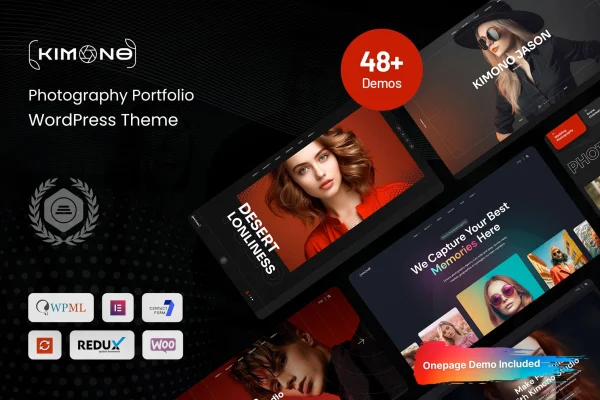
Kimono is a photography portfolio WordPress theme by Bravis-Themes. It gives photographers, artists and creatives a clean, modern layout that puts their images first, with gallery tools, layout customization and a built-in blog for sharing their work.
- Version
- 10.0.5
- Released
- Aug 8, 2026
- Developer
- Bravis-Themes
- Type
- WordPress theme
- Licence
- GPL
- Included in
- Every plan, or $3.99 on its own
What’s new in Kimono 10.0.5
Version 10.0.5 · Aug 8, 2026
Latest
What it does
A portfolio site lives or dies by how it presents images, and many general-purpose themes bury photos under busy layouts. Kimono uses a sleek, modern design that keeps attention on the work itself. Galleries come in several styles, and categorization options let you sort projects so visitors can browse by type of shoot, series or subject. The layout is responsive, so your images adapt to phones, tablets and desktop screens.
Getting started is simpler with the one-click demo import, which loads sample content you can then replace with your own photos and text. From there you can adjust colors, fonts and page structures, and pick from multiple header and footer options to match your brand. A built-in blog gives you space for behind-the-scenes stories or photography tips, and WooCommerce compatibility means you can add a store for prints, digital files or booked services.
Best for
- Professional photographers building a client-facing portfolio
- Artists and creatives presenting visual work online
- Photographers who want to sell prints through WooCommerce
Features
Gallery and portfolio management
Present images with several gallery styles and use categorization options to organize your projects so visitors can find specific types of work.
Customizable layouts
Change colors, fonts and page structures so the portfolio matches your personal style and brand identity without starting from a blank design.
One-click demo import
Import demo content in one step to get a working site layout quickly, then swap in your own images, text and pages.
Multiple header and footer options
Choose from several header and footer designs to set up navigation and give the site the look that suits your portfolio.
Integrated blog
Publish posts about your creative process, photography tips or project updates using a blog built to match the rest of the theme.
WooCommerce compatible
Works with WooCommerce, so you can set up an online store to sell prints, digital files or photography services from your site.
Responsive design
The layout adapts to phones, tablets and desktops, so your galleries and pages display properly on whatever screen visitors use.
Kimono older versions
- 10.0.4Feb 25, 2025
- 10.0.2Dec 6, 2024
Members and buyers of this product can download older versions.
Questions about Kimono
Can I sell my photos with this theme?
Yes. The theme is compatible with WooCommerce, so you can add an online store to your portfolio site. Photographers can use it to sell prints, digital files or photography services alongside their galleries.
How can I organize my portfolio?
Kimono includes gallery and portfolio management with several gallery styles and categorization options. You can group work into categories so visitors can browse by project type, subject or series instead of scrolling through one long page.
Do I have to build the site from scratch?
No. A one-click demo import loads sample content and layouts, giving you a finished starting point. You can then replace the demo images and text with your own and adjust colors, fonts and page structures.
Can I write blog posts as well as show galleries?
Yes. The theme has an integrated blog, so you can share your creative process, photography tips or news about recent projects. Posts sit within the same design as your portfolio pages.
Is Kimono free?
The code of Kimono is licensed under the GPL, so anyone may use, change and share it. GPL Feast is a paid service: a plan or a single purchase gives you the download and automatic updates. The developer's own support, licence key and online services are not included.
Which version of Kimono is this?
Version 10.0.5, released Aug 8, 2026. New versions appear here when the developer publishes them, and members get them as automatic updates.
How do I update Kimono?
Install the free GPL Feast Updater on your site and connect it with your API key. It installs new versions of Kimono automatically and keeps a backup, so you can roll back.