Theme
Updated
KnowBase
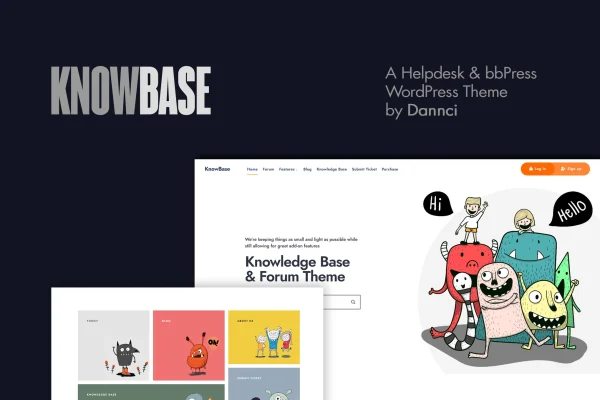
KnowBase is a WordPress theme by Dannci for building helpdesk, knowledge base and community forum websites. It works natively with the free bbPress plugin, so you can run support articles, FAQs and discussion boards from one site with a clean layout focused on readability.
- Version
- 2.1
- Released
- Aug 14, 2026
- Developer
- Dannci
- Type
- WordPress theme
- Licence
- GPL
- Included in
- Every plan, or $3.99 on its own
What’s new in KnowBase 2.1
Version 2.1
Latest
- NewAutomatic Elementor setup.
- NewBetter import.
- FixedAdmin panel translation.
- FixedDimension settings (theme.json).
- ImprovedRedux Framework inclusion inside the theme_setup function.
- ImprovedLanguage/translation file updated.
What it does
Support content tends to sprawl. Articles, FAQs, documentation and user questions end up scattered, and visitors struggle to find answers. This theme gives that material a structured home, with layouts tailored to articles, FAQs and documentation plus built-in FAQ templates. Because it supports bbPress natively, you can add a forum or bulletin board where customers ask questions and help each other, right alongside your written guides.
Customization runs through a Redux framework backend, where you can adjust layouts, colors, fonts and widgets without writing code. The theme also works with Elementor and Gutenberg, so you can build pages with whichever editor you prefer. Unlimited color schemes and Google Web Fonts help you match your brand, custom widgets add navigation and content blocks, and the responsive layout adapts to phones, tablets and desktops.
Best for
- Businesses running an online customer support center
- Software and product teams publishing documentation
- Organizations building a bbPress community forum
Features
Native bbPress support
Set up a forum or bulletin board with the free bbPress plugin so customers and community members can start discussions and reply to each other on your site.
Knowledge base layouts
A structured layout built for support articles, FAQs and documentation, with built-in FAQ templates to help organize common questions and answers.
Elementor and Gutenberg compatible
Design and edit pages with the Elementor page builder or the Gutenberg block editor, using drag and drop controls instead of code.
Redux framework options panel
Adjust layouts, colors, fonts and widgets from a theme options panel built on the Redux framework, without editing theme files.
Unlimited color schemes
Pick any color combination you want so the helpdesk or forum matches your brand identity and the rest of your company website.
Google Web Fonts
Choose typography from the Google Web Fonts library to keep long support articles and forum threads comfortable to read.
Custom widgets
Use the included custom widgets to display helpful content and add navigation aids in your sidebars and other widget areas.
Responsive design
The layout adjusts to different screen sizes, so visitors can browse articles and forum threads on phones, tablets and desktops.
Questions about KnowBase
Can I run a forum with this theme?
Yes. The theme supports bbPress natively, so after you add the free bbPress plugin you can set up forums or a bulletin board styled to match the rest of your helpdesk and knowledge base pages.
Does it work with Elementor?
It is compatible with both Elementor and Gutenberg. You can build and edit pages with either editor, and use the Redux based options panel for site-wide settings such as colors, fonts and layouts.
Is it suitable for FAQs and documentation?
Yes. The layout is structured for knowledge base content such as support articles, FAQs and documentation, and it includes built-in FAQ templates to help you organize common questions.
Can I change the colors and fonts to match my brand?
You can. The theme offers unlimited color schemes and access to Google Web Fonts, all adjustable from the theme options panel without touching code.
Is KnowBase free?
The code of KnowBase is licensed under the GPL, so anyone may use, change and share it. GPL Feast is a paid service: a plan or a single purchase gives you the download and automatic updates. The developer's own support, licence key and online services are not included.
Which version of KnowBase is this?
Version 2.1, released Aug 14, 2026. New versions appear here when the developer publishes them, and members get them as automatic updates.
How do I update KnowBase?
Install the free GPL Feast Updater on your site and connect it with your API key. It installs new versions of KnowBase automatically and keeps a backup, so you can roll back.
More from Dannci