Theme
Updated
Knowledge Base
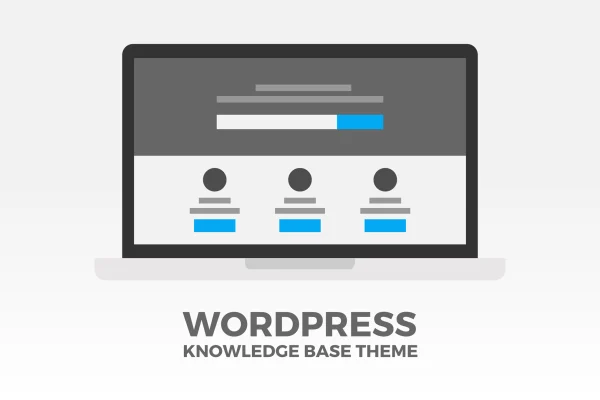
Knowledge Base is a WordPress theme by SUHETO for building a self-service support area. It gives you a structure for articles, categories and FAQs, plus live search, so visitors can look up answers to common questions without contacting your team.
- Version
- 4.3.2
- Developer
- SUHETO
- Type
- WordPress theme
- Licence
- GPL
- Included in
- Every plan, or $3.99 on its own
What’s new in Knowledge Base 4.3.2
Version 4.3.2
Latest
What it does
Support teams often answer the same questions again and again. This theme gives you a place to publish those answers as organized articles, grouped into categories that visitors can browse. You can build a customer knowledge base, a helpdesk area, a wiki for internal documentation or a straightforward FAQ section. Breadcrumb navigation shows readers where they are in the hierarchy, and a live search box with a placeholder you can customize returns results as they type.
Content management happens through drag and drop, so you can reorder articles and categories to match how your readers think about your product. Pages are built with Visual Composer, which means layouts can be adjusted without writing code. The theme also works with the Bootstrap framework and uses a responsive design so the help center reads well on desktops, tablets and phones. It fits product documentation, customer support centers and company wikis for businesses of different sizes.
Best for
- Businesses building a customer self-service help center
- Software and product teams publishing documentation
- Companies running an internal wiki for staff
Features
Drag and drop reordering
Rearrange articles and categories by dragging them into place, so the structure of your knowledge base follows the order that makes sense to readers.
Visual Composer page building
Build and adjust page layouts with the Visual Composer drag and drop builder, with no coding needed to change how your help pages look.
Live search
A real-time search field shows matching results as visitors type, and you can set your own placeholder text to guide what they search for.
Breadcrumb navigation
Breadcrumbs show visitors their location within the category hierarchy, making it easier to step back to a parent topic or browse related articles.
Accordion style FAQs
Create FAQ sections where answers expand and collapse in an accordion layout, and spread them across multiple pages when you have many questions.
Responsive layout
The design adapts to different screen sizes so your articles and FAQs remain readable on desktop computers, tablets and smartphones.
Bootstrap compatibility
The theme works with the Bootstrap framework, which helps if your site or team already relies on Bootstrap styles and components.
Questions about Knowledge Base
Can I use this theme for internal documentation instead of customer support?
Yes. The theme is described as suitable for internal company wikis and documentation as well as public support centers. You organize articles into categories the same way in either case, and reorder them by drag and drop.
How do visitors find the article they need?
They can browse categories, follow breadcrumb navigation through the hierarchy, or use the live search box. Search shows results in real time as they type, and you can change the placeholder text in the search field.
Do I need to know how to code to customize the pages?
No coding is required for page layouts. The theme integrates with Visual Composer, a drag and drop page builder, so you can arrange and adjust page content visually.
Can I add a FAQ section with expandable answers?
Yes. The theme includes accordion style FAQs, where each answer opens and closes under its question. You can create FAQ sections across multiple pages if your list of questions is long.
Is Knowledge Base free?
The code of Knowledge Base is licensed under the GPL, so anyone may use, change and share it. GPL Feast is a paid service: a plan or a single purchase gives you the download and automatic updates. The developer's own support, licence key and online services are not included.
Which version of Knowledge Base is this?
Version 4.3.2. New versions appear here when the developer publishes them, and members get them as automatic updates.
How do I update Knowledge Base?
Install the free GPL Feast Updater on your site and connect it with your API key. It installs new versions of Knowledge Base automatically and keeps a backup, so you can roll back.
You might also like