Theme
Updated
Larch
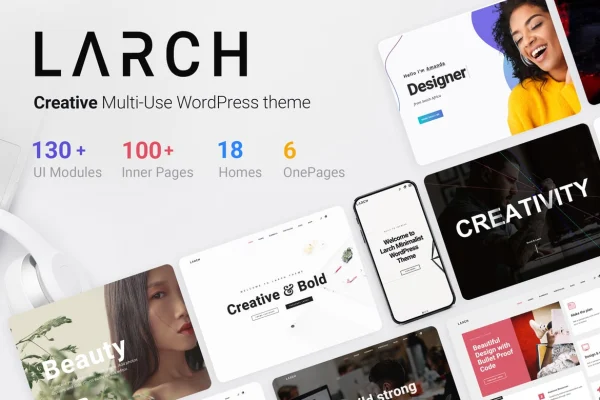
Larch is a WordPress theme with a clean, modern look built for creative professionals, architecture firms and businesses. It pairs a drag-and-drop page builder with ready-made layouts and a large settings panel, so you can build a polished site without writing code.
- Version
- 2.7
- Released
- Sep 16, 2026
- Developer
- Upper
- Type
- WordPress theme
- Licence
- GPL
- Included in
- Every plan, or $3.99 on its own
What’s new in Larch 2.7
Version 2.7 · Sep 16, 2026
Latest
What it does
Building a sophisticated site for a studio or small business often means choosing between a theme that looks good and one you can actually adjust. Larch aims to cover both. It ships with Visual Composer for frontend and backend drag-and-drop editing, plus pre-designed page layouts you can apply in one click and then adapt. The design is responsive and retina ready, so pages adjust to phones, tablets and large desktop monitors, and graphics stay sharp on high-resolution screens.
Larch fits portfolios, blogs, company sites and online stores. A built-in mega menu helps organize larger navigation structures, and WooCommerce support covers shop pages if you plan to sell products. You get access to over 800 Google Fonts and an admin panel with hundreds of settings for appearance and layout. The theme is also listed as compatible with WPBakery, WPML, Gravity Forms, Events Calendar Pro and Easy Digital Downloads, which helps if your site relies on any of those plugins.
Best for
- Architecture firms wanting a clean, sophisticated website
- Creative professionals building portfolios or blogs
- Small businesses running a WooCommerce store
Features
Visual Composer page builder
Build and edit pages with drag-and-drop tools on both the frontend and backend, with no coding needed to arrange content and sections.
One-click ready layouts
Apply pre-designed page layouts made for various business needs, then adjust them to fit your own content and brand.
Built-in mega menu
Set up a large, multi-column menu to organize complex navigation, which helps sites with many pages or product categories.
WooCommerce support
Design and run an online store with styling that matches the rest of your site, from product pages through checkout.
Over 800 Google Fonts
Choose from more than 800 Google Fonts to set a typographic style that suits your brand across headings and body text.
Admin panel with hundreds of settings
Control the look and behavior of your site through hundreds of configuration options, all adjustable without touching code.
Responsive and retina ready
Layouts adapt to screens from smartphones to large monitors, and high-resolution graphics stay crisp on modern displays.
Wide plugin compatibility
Works with WPBakery, WPML, Gravity Forms, Events Calendar Pro and Easy Digital Downloads, covering translation, forms, events and digital sales.
Larch older versions
- 2.6Aug 12
- 2.3.2Feb 10, 2024
Members and buyers of this product can download older versions.
Questions about Larch
Do I need coding skills to build a site with this theme?
No. Larch includes Visual Composer for drag-and-drop page building on the frontend and backend, one-click ready layouts, and an admin panel with hundreds of settings, so most design changes can be made without code.
Can I use it to run an online store?
Yes. The theme supports WooCommerce, giving shop and checkout pages a design consistent with the rest of your site. It is also listed as compatible with Easy Digital Downloads if you sell digital products.
Will it work for a multilingual site?
The theme is listed as compatible with WPML, a widely used plugin for translating WordPress sites, so you can build a multilingual version of your pages with it.
How much control do I get over fonts and navigation?
You can choose from over 800 Google Fonts for your typography, and the built-in mega menu lets you organize larger navigation structures into multi-column menus suited to sites with many pages.
Is Larch free?
The code of Larch is licensed under the GPL, so anyone may use, change and share it. GPL Feast is a paid service: a plan or a single purchase gives you the download and automatic updates. The developer's own support, licence key and online services are not included.
Which version of Larch is this?
Version 2.7, released Sep 16, 2026. New versions appear here when the developer publishes them, and members get them as automatic updates.
How do I update Larch?
Install the free GPL Feast Updater on your site and connect it with your API key. It installs new versions of Larch automatically and keeps a backup, so you can roll back.
You might also like