Theme
Updated
Logistify
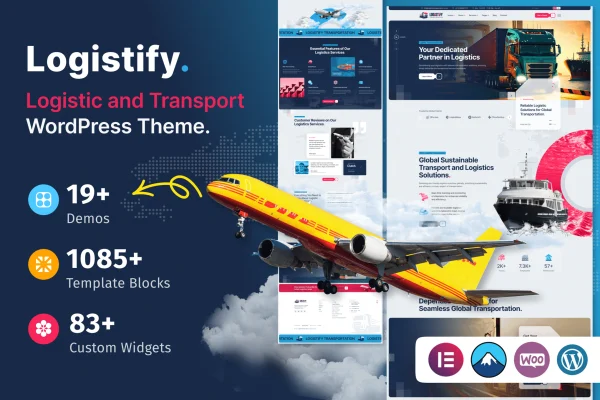
Logistify is a WordPress theme built for transportation and logistics businesses. It gives freight companies, courier services and delivery operators industry-specific layouts, service templates and inquiry forms so they can present what they offer and let clients get in touch.
- Version
- 1.0.1
- Released
- Feb 11, 2025
- Developer
- themexriver
- Type
- WordPress theme
- Licence
- GPL
- Included in
- Every plan, or $3.99 on its own
What’s new in Logistify 1.0.1
Version 1.0.1
Latest
- FixedBug fixes and improvements.
What it does
Logistics companies often end up with generic business themes that need heavy reworking before they suit freight or delivery services. This theme starts from the industry itself, with layouts and sections planned for transportation businesses. Service templates let you describe freight options, delivery types and operational capabilities, while booking and inquiry forms give clients a direct way to request a quote or ask about a shipment.
Customization happens through the theme customizer and drag-and-drop page builders, so you can adjust pages without writing code. Multiple header and footer styles help you match your brand, and responsive layouts adapt to desktops, tablets and phones. The theme also works with WooCommerce if you want to sell logistics-related products or services, and it is translation ready with WPML compatibility for multilingual sites.
Best for
- Freight and trucking companies
- Courier and parcel delivery services
- Agencies building sites for logistics clients
Features
Industry-specific layouts
Layouts and sections are designed for transportation and logistics companies, giving freight and delivery services a structure that fits how they present their work.
Service templates
Ready-made templates help you describe freight services, delivery options and operational capabilities in a clear, organized way on your site.
Booking and inquiry forms
Customizable contact and request forms let clients send service requests or questions directly, making it simpler to handle bookings and inquiries.
Customizer and page builders
Use the theme customizer and drag-and-drop page builders to personalize layouts, content and styling without needing any coding skills.
Header and footer styles
Choose from multiple header and footer designs to shape your brand identity and set up navigation that suits your site structure.
Responsive layouts
Pages adapt to desktops, tablets and smartphones, so visitors can read about your services and submit forms on whatever device they use.
WooCommerce compatibility
The theme works with WooCommerce, letting you set up an online store to sell logistics-related products or services from your website.
Multilingual ready
Translation ready with WPML compatibility, so you can build a multilingual site for clients who speak different languages.
Questions about Logistify
Can clients request a quote or booking through the site?
Yes. The theme includes customizable booking and inquiry forms, so visitors can send service requests or questions directly from your pages. You can adjust the forms to collect the details your team needs.
Do I need to know how to code to customize it?
No. Logistify uses the theme customizer along with drag-and-drop page builders, so you can change layouts, content and styling visually. Multiple header and footer styles also give you design options without touching code.
Can I sell products or services with this theme?
The theme is compatible with WooCommerce, which means you can add an online store to sell logistics-related products or services alongside your regular service pages.
Does it support websites in more than one language?
Yes. The theme is translation ready and compatible with WPML, so you can create a multilingual version of your site for clients in different regions.
Is Logistify free?
The code of Logistify is licensed under the GPL, so anyone may use, change and share it. GPL Feast is a paid service: a plan or a single purchase gives you the download and automatic updates. The developer's own support, licence key and online services are not included.
Which version of Logistify is this?
Version 1.0.1, released Feb 11, 2025. New versions appear here when the developer publishes them, and members get them as automatic updates.
How do I update Logistify?
Install the free GPL Feast Updater on your site and connect it with your API key. It installs new versions of Logistify automatically and keeps a backup, so you can roll back.