Theme
Updated
Magnitude
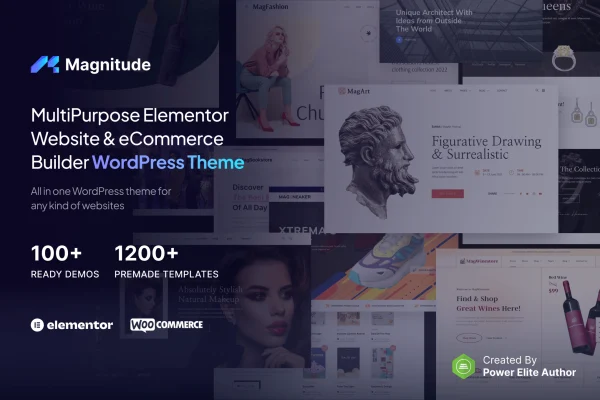
Magnitude is a multi-purpose WordPress theme by jegtheme, made for people who build their pages with Elementor. It gives you ready-to-import demo sites, font and color controls and WooCommerce compatibility, so you can set up a business site, portfolio, blog or shop on one theme.
- Version
- 1.0.2
- Released
- Dec 16, 2024
- Developer
- jegtheme
- Type
- WordPress theme
- Licence
- GPL
- Included in
- Every plan, or $3.99 on its own
What’s new in Magnitude 1.0.2
Version 1.0.2
Latest
- FixedCannot Import the Demo due to the WordPress 6.6 update
What it does
Many site owners and freelancers need one theme that can handle different kinds of projects without learning a new setup each time. This theme covers business, agency, portfolio, blogging and eCommerce sites from a single base. You start from one of the pre-built demo sites, import it and then adjust the content and layout to fit your project. Pages are edited visually with the Elementor drag-and-drop builder, so you can change sections and layouts without writing code.
Styling is handled through typography and color options, which let you match fonts and colors to a brand. The layout is responsive, so pages adapt to desktops, tablets and phones. If you plan to sell products, the theme works with WooCommerce for building an online store. It is also translation ready with right-to-left language support, and it includes widget areas plus custom widgets for adding extra content to your pages.
Best for
- Freelancers and agencies building varied client sites with Elementor
- Small businesses and creatives wanting a portfolio or company site
- Store owners setting up a WooCommerce shop
Features
Elementor page building
Build and edit pages visually with the Elementor drag-and-drop builder, changing layouts and content in real time without touching code.
Pre-built demo sites
Import one of the included demo sites as a starting point, then customize the pages to suit your own project and content.
Multi-purpose layouts
Use the same theme for business, agency, portfolio, blogging and eCommerce websites instead of switching themes for each project type.
Typography and color controls
Adjust fonts, colors and styles across the site so the design lines up with your brand identity.
WooCommerce compatibility
Create and manage an online store inside your site using the WooCommerce plugin, alongside your regular pages and posts.
Responsive design
Layouts adapt to different screen sizes, so your pages display properly on desktops, tablets and smartphones.
Translation and RTL support
The theme is translation ready and supports right-to-left languages, which helps when building multilingual websites.
Widget areas and custom widgets
Place content in the theme's widget areas and use the custom widgets included with the theme to add extra functionality.
Magnitude older versions
- 1.0.1Nov 3, 20241 new, 1 fix
Members and buyers of this product can download older versions.
Questions about Magnitude
Do I need to know how to code to use this theme?
No. The theme is designed around the Elementor drag-and-drop page builder, so you can build and change pages visually. Fonts, colors and styles are adjusted through the theme's options rather than by editing code.
Can I use it to run an online store?
Yes. The theme is compatible with WooCommerce, so you can create and manage an online store within your site. You can combine shop pages with business, portfolio or blog content on the same website.
Does Magnitude come with starter designs?
It includes a selection of pre-built demo sites that you can import and then customize. They give you a starting layout for your project, which you can edit in Elementor to fit your content and brand.
Will it work for a site in a right-to-left language?
Yes. The theme is translation ready and includes right-to-left language support, so it can be used for multilingual websites and for sites written in languages such as Arabic or Hebrew.
Is Magnitude free?
The code of Magnitude is licensed under the GPL, so anyone may use, change and share it. GPL Feast is a paid service: a plan or a single purchase gives you the download and automatic updates. The developer's own support, licence key and online services are not included.
Which version of Magnitude is this?
Version 1.0.2, released Dec 16, 2024. New versions appear here when the developer publishes them, and members get them as automatic updates.
How do I update Magnitude?
Install the free GPL Feast Updater on your site and connect it with your API key. It installs new versions of Magnitude automatically and keeps a backup, so you can roll back.