Theme
Updated
Miami
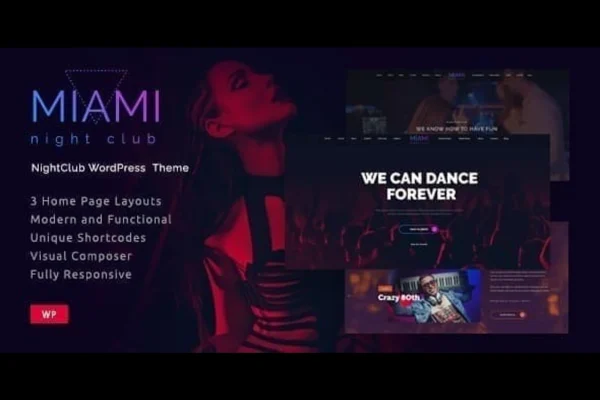
Miami | Night Club is a WordPress theme built for nightclubs, concert venues, festivals and party promoters. It gives you a bold, festive design with sections for events, artist and DJ profiles, slideshows and media such as video backgrounds and DJ mixes.
- Version
- 1.4.0
- Released
- Aug 25, 2026
- Developer
- fox-themes
- Type
- WordPress theme
- Licence
- GPL
- Included in
- Every plan, or $3.99 on its own
What’s new in Miami 1.4.0
Version 1.4.0 · Aug 25, 2026
Latest
- RemovedSupport for the Contact Form DB plugin.
What it does
Nightlife businesses need a website that feels like the venue and still tells people what is on and who is playing. This theme is designed around that job. Its festive, colorful look suits clubs, DJs, musicians and event organizers, and it includes dedicated sections for available and upcoming events so visitors can find dates and details quickly. Performers get their own profile pages with bios, photos and multimedia content.
The theme leans on media to set the mood. You can add photos, videos and DJ mixes, run video backgrounds behind your content and use several slideshow elements to feature upcoming nights. Pages can be built and edited with Gutenberg or Visual Composer, so you can adjust layouts with a drag and drop editor. The layout is responsive and retina ready, so it adapts to phones, tablets and high resolution screens, and documentation is included to help with setup and customization.
Best for
- Nightclubs, lounges and party venues
- DJs, musicians and touring performers
- Concert and festival organizers promoting events
Features
Festive nightlife design
A bold, energetic visual style made for nightclubs, concerts, festivals and party venues, with colors and effects that match the entertainment scene.
Event information sections
Dedicated sections let you list available and upcoming events with detailed information, so visitors can see what is happening at your venue.
Artist and DJ profiles
Give each performer a dedicated page with a bio, photos and multimedia content, useful for clubs with resident DJs or rotating lineups.
Multimedia content support
Add photos, videos and DJ mixes to your pages to present artists and events and give visitors a sense of the music before they arrive.
Video backgrounds
Place video behind page sections to create a moving backdrop that brings the atmosphere of your nights onto the screen.
Multiple slideshow elements
Use several slideshow options to rotate upcoming events and featured content on your home page or other key areas of the site.
Gutenberg and Visual Composer
Build and customize pages with either the Gutenberg block editor or Visual Composer, using drag and drop editing to arrange your layouts.
Responsive and retina ready
Layouts adapt to different devices and screen sizes, and graphics are prepared for high resolution retina displays.
Miami older versions
- 1.3.9Oct 19, 20233 improvements, 1 fix
Members and buyers of this product can download older versions.
Questions about Miami
Can I list upcoming events with this theme?
Yes. The theme includes dedicated sections for available and upcoming events where you can add detailed information, and you can feature upcoming nights in its slideshow elements to draw attention to them.
Which page builders does it work with?
The theme is compatible with Gutenberg, the default WordPress block editor, and with Visual Composer. Both let you build and customize pages using drag and drop editing, which helps beginners and developers alike.
Can I add DJ mixes and videos to my site?
Yes. The theme supports media-rich content, including photos, videos and DJ mixes. You can also use video backgrounds on sections and give artists their own profile pages with multimedia content.
Will the site look right on phones?
The theme is fully responsive, so layouts adjust to different devices and screen sizes. It is also retina ready, meaning graphics are prepared for high resolution displays.
Is Miami free?
The code of Miami is licensed under the GPL, so anyone may use, change and share it. GPL Feast is a paid service: a plan or a single purchase gives you the download and automatic updates. The developer's own support, licence key and online services are not included.
Which version of Miami is this?
Version 1.4.0, released Aug 25, 2026. New versions appear here when the developer publishes them, and members get them as automatic updates.
How do I update Miami?
Install the free GPL Feast Updater on your site and connect it with your API key. It installs new versions of Miami automatically and keeps a backup, so you can roll back.
More from fox-themes