Theme
Updated
Mibooz
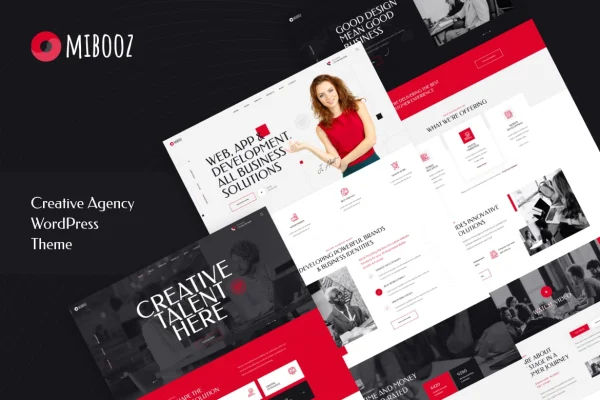
Mibooz is a WordPress theme by Layerdrops built for creative agencies, freelancers and digital marketing teams. It gives you ready-made layouts for presenting your services, portfolio and team, and it works with Elementor so you can adjust pages without writing code.
- Version
- 1.1
- Released
- Dec 1, 2021
- Developer
- Layerdrops
- Type
- WordPress theme
- Licence
- GPL
- Included in
- Every plan, or $3.99 on its own
What’s new in Mibooz 1.1
Version 1.1 · Dec 1, 2021
Latest
- NewChild Theme
What it does
Agency websites need to present projects, explain services and make it easy for clients to get in touch. Building all of that from a blank theme takes time. This theme starts you off with three home page versions and 12 inner pages, including About, Services, Portfolio, Blog and Contact. You can import the demo content and then swap in your own text, images and projects, which gives you a working structure from the first day.
The theme is built on the Bootstrap 5 framework with W3C-validated, semantic code, and its layouts respond to desktops, tablets and phones. You can change colors, fonts and layouts in the live customizer and watch the changes as you make them. It supports Elementor Page Builder, Kirki Customizer, Contact Form 7 and MailChimp for WP. That makes it a good fit for web design studios, portfolio agencies and other creative businesses that want a polished site they can manage themselves.
Best for
- Creative and design agencies presenting services and projects
- Freelancers building a professional portfolio site
- Digital marketing teams needing a clean agency website
Features
Three home page versions
Pick from three distinct home layouts and choose the one that best matches your agency's style and the message you want visitors to see first.
Twelve ready inner pages
Use 12 prebuilt inner pages, including About, Services, Portfolio, Blog and Contact, so you can fill in content without designing each section from scratch.
One-click demo import
Import the demo content in one step to reproduce the sample site, then replace the placeholder text and images with your own material.
Live customizer options
Preview changes to colors, fonts and layouts in real time, so you can match the site to your brand before you publish anything.
Unlimited color choices
Set your site's color scheme with the backend color picker and apply your agency's brand colors across the whole theme.
CSS3 animations
Add subtle CSS3 animations to content blocks to give pages some movement and visual flow as visitors scroll through your work.
Bootstrap 5 foundation
The theme runs on the Bootstrap 5 framework with clean, W3C-validated code and well-commented CSS and JavaScript files for easier custom changes.
Third-party plugin support
Works with Elementor Page Builder, Kirki Customizer, Contact Form 7 and MailChimp for WP for page editing, contact forms and newsletter signups.
Questions about Mibooz
Can I edit the pages without knowing how to code?
Yes. The theme supports Elementor Page Builder for editing page layouts, and the live customizer lets you change colors, fonts and layouts while previewing the results. Developers who want deeper changes can work with the well-commented CSS and JavaScript files.
What pages come with the theme?
You get three home page versions plus 12 inner pages. These include About, Services, Portfolio, Blog and Contact pages, giving you the main sections an agency or freelance portfolio site usually needs.
Will the site look right on phones and tablets?
The layouts are fully responsive and adapt to desktops, tablets and smartphones. The theme is also built for cross-browser compatibility, so the design should stay consistent across modern browsers.
Can I add a contact form and newsletter signup?
Yes. The theme supports Contact Form 7 for contact forms and MailChimp for WP for email list signups, so you can collect inquiries and subscribers from your agency site.
Is Mibooz free?
The code of Mibooz is licensed under the GPL, so anyone may use, change and share it. GPL Feast is a paid service: a plan or a single purchase gives you the download and automatic updates. The developer's own support, licence key and online services are not included.
Which version of Mibooz is this?
Version 1.1, released Dec 1, 2021. New versions appear here when the developer publishes them, and members get them as automatic updates.
How do I update Mibooz?
Install the free GPL Feast Updater on your site and connect it with your API key. It installs new versions of Mibooz automatically and keeps a backup, so you can roll back.