Theme
Updated
Minimog
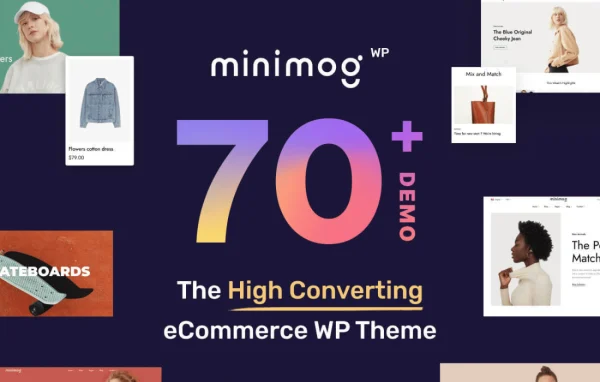
Minimog is an eCommerce theme for WordPress built to run online stores on WooCommerce. It gives store owners a mobile-friendly design, drag-and-drop page layouts and a set of shopping tools such as product quick views and urgency timers, so you can build a polished shop without writing code.
- Version
- 4.5.4
- Released
- Oct 6, 2026
- Type
- WordPress theme
- Requires
- WooCommerce
- Licence
- GPL
- Included in
- Every plan, or $3.99 on its own
What’s new in Minimog 4.5.4
Version 4.5.4 · Oct 6, 2026
Latest
- FixedWPC Product Bundles 8.7.0 or newer: with the plugin's Edit link setting on, the cart showed two Edit links under a bundle made only of variable products. The plugin prints that link itself since 8.7.0; the theme now adds its own only for the older versions that leave it out.
- FixedWPC Product Bundles: with the Variations selector set to WPC Variations Radio Buttons and that plugin active, a bundle holding a variable product stopped its page with a fatal error, because the theme called the plugin class by a name PHP could not find. The class is called by its full name now.
- FixedElementor Product Bundle widget: bundled products marked optional showed no quantity field, so the customer could neither change their quantity nor leave them out. The widget still read a product setting WPC Product Bundles stopped using once optional moved onto each bundled item. The field is back, as on the product page, and a product that cannot be bought shows it disabled. Developers: the widget now runs the plugin's woosb_products_class filter and woosb_under_item action, as the product page does.
- FixedWPC Smart Wishlist 6.2.0: the new rename button, the Primary / Default / Followed / Collabable labels and the field that adds a wishlist from the "Choose a wishlist" popup had no styling, since the theme replaces the plugin's stylesheet. The rename button showed as a large black button beside the wishlist name on the wishlist page, and the labels ran into each other. They now follow the theme's look; the rename button shows when the name is hovered, and stays visible on touch screens. On phones the Manage wishlists popup puts \"set default\" and \"delete\" under each wishlist name, where they had run past the edge of the popup.
- FixedConditional Discounts for WooCommerce 2.31 or newer: the products the Elementor Product Grid Tabs widget loads for its second and later tabs, and the pages the Elementor Product Grid widget adds with Load more or infinite scroll, showed the undiscounted price and no sale badge, while the same products carried the discount everywhere else on the page. Those requests went through WordPress's admin-ajax endpoint, where the plugin has not applied its discounts since 2.31; they now go through WooCommerce's front-end AJAX endpoint, as the cart drawer's requests do. Developers: the get_product_tabs and product_infinite_load actions are registered on wc-ajax as well as on admin-ajax.php, and the widget scripts use the wc-ajax endpoint wherever the theme's WooCommerce script is on the page.
- FixedQuantity discount cards on a variable product: clearing the chosen variation left the last variation's cards on the page, on the product page and in quick view alike. The cards now go away with the selection and come back once a variation is chosen.
- FixedConditional Discounts for WooCommerce 2.28.3: every product page stopped with a fatal error (Class \"O_Utils\" not found), because the theme read the quantity pricing rules through a plugin helper that exists only from 2.29. The theme reads the setting itself now, on every version of the plugin.
- ImprovedWPC Product Bundles plugin v.8.7.3; WPC Smart Compare plugin v.6.7.0; WPC Smart Wishlist plugin v.6.2.0; Tested up with Conditional Discounts for WooCommerce 2.32.3
What it does
Setting up an online store means getting a lot of pages right: the home page, product grids, product pages, the cart and checkout. This theme handles that work on top of WooCommerce, which it requires. You start from a pre-built demo with a one-click import, then adjust the layouts with a drag-and-drop builder. Headers and footers come in several styles that you can customize to match your brand, and the design is responsive, so the shop adapts to phones and tablets as well as desktops.
The theme is aimed at entrepreneurs and business owners who want a store that looks finished and still leaves room for their own changes. It works with WooCommerce extensions for different product types, payment gateways and shipping options. Shopping features such as quick views, urgency timers and checkout buttons are built in, and the code includes schema support. It also styles common add-ons like product bundles, wishlists and product comparison so they fit the rest of the store's look.
Best for
- Small business owners launching a WooCommerce store
- Fashion, lifestyle or general retail shops wanting a clean look
- Freelancers and agencies building online stores for clients
Features
Responsive mobile design
Store pages adapt to smartphones and tablets, so customers can browse products, view details and check out comfortably on smaller screens.
Drag-and-drop page layouts
Build and rearrange store pages with a visual drag-and-drop builder, creating custom layouts without editing code, which suits beginners and experienced builders.
One-click demo import
Import a pre-built demo in one step to get a complete store structure in place, then swap in your own products, content and branding.
Multiple header and footer styles
Pick from several header and footer styles and customize them so the top and bottom of every page match your brand identity.
Built-in shopping tools
Product quick views, urgency timers and checkout buttons are included in the theme, giving shoppers faster ways to look at items and move toward purchase.
WooCommerce extension compatibility
Works with WooCommerce extensions to support a range of product types, payment gateways and shipping options for different kinds of stores.
Styled bundles and wishlists
Product bundle, wishlist and comparison add-ons are styled to follow the theme's design, including wishlist popups that fit properly on phone screens.
Minimog older versions
- 4.5.3Sep 222 new, 4 improvements, 5 fixes
- 4.5.2Sep 152 new, 8 fixes
- 4.5.1Sep 121 new, 9 improvements, 9 fixes
- 4.5.0Sep 4
- 4.4.0Aug 27
- 4.3.1Aug 26
- 4.3.0Aug 24
- 4.2.1Aug 18
- 4.1.8Aug 10
- 4.1.7Aug 5
Members and buyers of this product can download older versions.
114 older versions in all. If you need one that is not listed, ask support.
Questions about Minimog
Do I need WooCommerce to use this theme?
Yes. The theme is built for WooCommerce and requires it. All of the store features, including product pages, quick views, the cart and checkout styling, rely on WooCommerce being active on your WordPress site.
Can I customize the layouts without coding?
Yes. The theme includes a drag-and-drop builder for creating and adjusting page layouts visually. You can also choose from multiple header and footer styles and start from a pre-built demo, then change content and design to suit your brand.
Does it work with wishlist and product bundle plugins?
The theme includes styling for product bundle, wishlist and product comparison add-ons so they match its own look. Wishlist buttons, labels and popups are styled for desktop and phone screens, and bundled products display properly on product pages and in the cart.
Is Minimog free?
The code of Minimog is licensed under the GPL, so anyone may use, change and share it. GPL Feast is a paid service: a plan or a single purchase gives you the download and automatic updates. The developer's own support, licence key and online services are not included.
Which version of Minimog is this?
Version 4.5.4, released Oct 6, 2026. New versions appear here when the developer publishes them, and members get them as automatic updates.
How do I update Minimog?
Install the free GPL Feast Updater on your site and connect it with your API key. It installs new versions of Minimog automatically and keeps a backup, so you can roll back.
What does Minimog need?
Minimog needs WooCommerce installed and active.
You might also like