Theme
Updated
Minimy
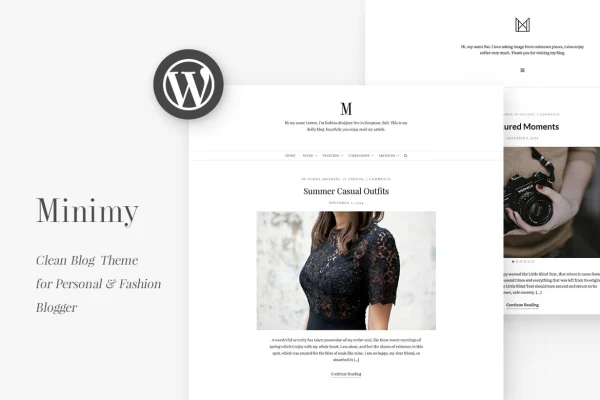
Minimy is a minimal WordPress blog theme by jegtheme, made for personal and fashion bloggers. It puts readability first, with two global layouts, flexible navigation and simple Customizer controls so your posts stay at the center of the page.
- Version
- 1.2.1
- Released
- Aug 2, 2019
- Developer
- jegtheme
- Type
- WordPress theme
- Licence
- GPL
- Included in
- Every plan, or $3.99 on its own
What’s new in Minimy 1.2.1
Version 1.2.1 · Aug 2, 2019
Latest
- ImprovedUse .on()
- FixedEscape string
What it does
Many blog themes pile on widgets, sliders and extras that pull attention away from the writing. Minimy takes the opposite approach. It trims the feature set down to what a blog needs and keeps the design clean, so readers can focus on your posts. The theme comes with two global schemas: a Man Layout suited to personal storytelling and a Woman Layout aimed at fashion content. You can pick the one that fits your voice and audience and switch if your blog changes direction.
Setup and styling happen in the WordPress Customizer, where you can adjust colors, layouts and display elements without writing code. You choose between a side menu or a top menu, and between fullwidth or sidebar blog layouts. Most elements can be hidden or shown, and you can pick from over 600 Google Fonts for your typography. The design is responsive and retina ready, it supports post formats, and it is translation ready for blogs written in other languages.
Best for
- Personal bloggers who write stories and reflections
- Fashion and style bloggers sharing looks and trends
- Writers who want a minimal, distraction-free blog design
Features
Two global layout schemas
Choose the Man Layout for personal storytelling or the Woman Layout for fashion-focused content, each with its own tailored style for a different blogging niche.
Side or top menu
Place your main navigation along the side or across the top of the page, with support for WordPress dropdown menus for nested links.
Fullwidth and sidebar layouts
Display your blog posts in a fullwidth layout for a clean reading view, or add a sidebar when you want extra space for other content.
Over 600 Google Fonts
Pick typography from a library of more than 600 Google Fonts to give your blog a reading style that matches your personality.
Customizer-based settings
Adjust colors, layouts and display elements through the WordPress Customizer, with a live preview and no coding needed.
Show or hide elements
Turn most theme elements on or off so your pages show only what you want, keeping the look as minimal as you like.
Footer social icons
Add social media icons to the footer so readers can find and follow your profiles on other networks.
Responsive and translation ready
The layout adapts to phones, tablets and desktops, looks sharp on retina screens, and can be translated into other languages.
Questions about Minimy
What is the difference between the two layouts?
Minimy includes two global schemas. The Man Layout is styled for personal storytelling blogs, while the Woman Layout is styled for fashion-forward content. Both share the same clean, content-focused approach, so you can choose the one that suits your voice and audience.
Can I change fonts and colors without coding?
Yes. The theme uses the WordPress Customizer for its settings, so you can adjust colors, layouts and display elements from a visual panel. You can also choose from over 600 Google Fonts to set your typography.
Does the theme work on mobile devices?
Yes. The design is fully responsive, so your blog adapts to phones, tablets and desktop screens. It is also retina ready, which keeps images and interface elements sharp on high-resolution displays.
Can I run my blog in a language other than English?
Yes. Minimy is translation ready, so you can translate the theme's text strings and publish your blog in other languages for readers around the world.
Is Minimy free?
The code of Minimy is licensed under the GPL, so anyone may use, change and share it. GPL Feast is a paid service: a plan or a single purchase gives you the download and automatic updates. The developer's own support, licence key and online services are not included.
Which version of Minimy is this?
Version 1.2.1, released Aug 2, 2019. New versions appear here when the developer publishes them, and members get them as automatic updates.
How do I update Minimy?
Install the free GPL Feast Updater on your site and connect it with your API key. It installs new versions of Minimy automatically and keeps a backup, so you can roll back.