Theme
Updated
Mojito
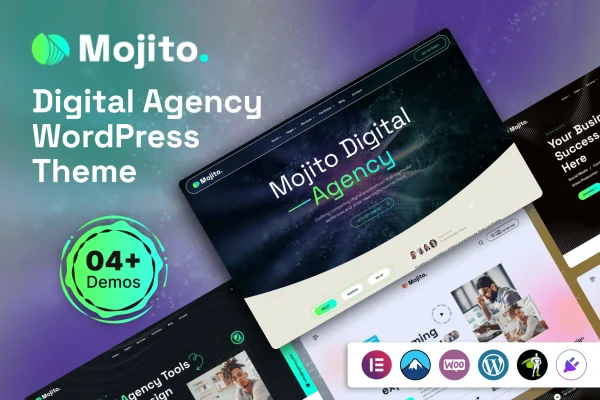
Mojito is a WordPress theme built for digital agency websites. It gives you pre-built homepages and portfolio styles, a drag-and-drop builder for editing layouts, and tools for presenting your services and past projects in a clean, modern design.
- Version
- 1.0.0
- Released
- Feb 11, 2025
- Developer
- themexriver
- Type
- WordPress theme
- Licence
- GPL
- Included in
- Every plan, or $3.99 on its own
What’s new in Mojito 1.0.0
Version 1.0.0
Latest
- NewInitial release of Mojito theme.
What it does
Agencies need a site that explains their services clearly and puts their best work in front of potential clients. Building that from scratch takes time and usually some coding. Mojito handles much of that groundwork with ready-made homepage and portfolio layouts you can adapt to your own brand. A drag-and-drop builder lets you rearrange and edit sections without writing code, so you can shape pages around your services, team and case studies.
The theme is responsive, so layouts adjust to desktops, tablets and phones. Portfolio management is built in for displaying finished projects, and pre-built contact forms give visitors a direct way to reach you. If your agency sells products or packaged services, the theme works with WooCommerce so you can add a store. It is also translation ready and supports right-to-left languages, which helps if you serve clients in other languages or regions.
Best for
- Digital and creative agencies presenting services and portfolios
- Freelancers building client-facing studio or agency websites
- Agencies needing multilingual or right-to-left language sites
Features
Multiple pre-built layouts
Choose from several ready-made homepage designs and portfolio styles as a starting point, then adjust them to match your agency's brand and content.
Drag-and-drop page building
Build and modify page layouts by dragging sections into place, so you can make changes to your site without any coding skills.
Integrated portfolio management
Display your agency's completed projects in dedicated portfolio layouts, giving prospective clients a clear view of the work you have done.
Responsive design
Layouts adapt to different screen sizes, so your pages display properly for visitors on desktops, tablets and smartphones.
Customizable contact forms
Pre-built contact forms are included and can be customized, giving potential clients a simple way to send inquiries straight from your site.
WooCommerce compatible
Add an online store with WooCommerce if your agency offers products or services that clients can buy directly on your website.
Translation ready with RTL support
The theme can be translated into other languages and supports right-to-left scripts, making it suitable for multilingual or international agency sites.
Questions about Mojito
Do I need coding skills to customize this theme?
No. The theme includes a drag-and-drop builder for creating and editing layouts, and the pre-built homepages and portfolio styles give you a starting point. You can rearrange sections and change content without writing code.
Can I display my agency's past projects?
Yes. Mojito includes integrated portfolio management along with several portfolio styles, so you can present completed projects in organized layouts that help visitors understand the kind of work your agency does.
Can I sell services or products with Mojito?
The theme is compatible with WooCommerce, so you can add an online store to your agency site. This is useful if you offer packaged services, digital products or other items that clients can purchase directly.
Will it work for a site in Arabic or another right-to-left language?
Yes. The theme is translation ready and includes right-to-left language support, so you can run your agency site in languages such as Arabic or Hebrew, or translate it for clients in other regions.
Is Mojito free?
The code of Mojito is licensed under the GPL, so anyone may use, change and share it. GPL Feast is a paid service: a plan or a single purchase gives you the download and automatic updates. The developer's own support, licence key and online services are not included.
Which version of Mojito is this?
Version 1.0.0, released Feb 11, 2025. New versions appear here when the developer publishes them, and members get them as automatic updates.
How do I update Mojito?
Install the free GPL Feast Updater on your site and connect it with your API key. It installs new versions of Mojito automatically and keeps a backup, so you can roll back.