Theme
Updated
Multio
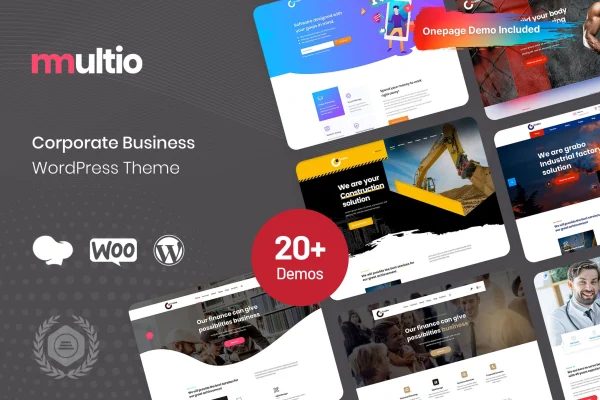
Multio is a WordPress theme built for corporate and business websites. It gives companies, startups and consultancies a clean, modern design with customizable layouts and built-in sections for presenting services, projects and team members.
- Version
- 1.1.3
- Released
- Aug 8, 2026
- Developer
- Case-Themes
- Type
- WordPress theme
- Licence
- GPL
- Included in
- Every plan, or $3.99 on its own
What’s new in Multio 1.1.3
Version 1.1.3 · Aug 8, 2026
Latest
What it does
Most business sites need the same core pieces: a page for services, a place to show finished work, and a way to introduce the people behind the company. Multio packages those into one theme so you start from a professional base. A one-click demo import loads pre-made content, which gives you a working structure to edit instead of a blank page, and the layouts can be adjusted to match your brand without writing code.
Day-to-day styling happens in the theme options panel, where you manage colors, fonts, headers and other parts of the look. The design is responsive, so pages adapt from desktop screens to smartphones, and it is built to display consistently across popular browsers. WPML compatibility means you can translate the site if you serve clients in more than one language. It suits corporate firms, startups and consulting agencies that want a polished, credible site.
Best for
- Corporate firms needing a professional company website
- Startups presenting their services and founding team
- Consulting agencies displaying projects and staff profiles
Features
Customizable layouts
Adjust the layouts to match your brand's style without coding knowledge, so the site reflects your company rather than a generic template.
Portfolio section
Present completed projects in an organized way so potential clients can see examples of the work your business has delivered.
Team member profiles
Introduce leadership and staff with dedicated profiles that help visitors put faces and roles to the company behind the site.
One-click demo import
Load pre-made demo content in one step to get a complete starting structure that you can then edit with your own text and images.
Theme options panel
Control colors, fonts, headers and more from a central options panel, giving you broad control over the site's look and feel.
Responsive design
Pages adapt to different screen sizes, from desktop monitors down to smartphones, so visitors get a consistent experience on any device.
WPML compatible
Works with WPML, so you can translate your pages and offer the site in multiple languages for clients in different regions.
Cross-browser display
Built to keep appearance and behavior consistent across popular web browsers, so visitors see the same design wherever they browse.
Multio older versions
- 1.1.2Oct 15, 2024
Members and buyers of this product can download older versions.
Questions about Multio
Can I change the design to match my brand without coding?
Yes. The layouts are customizable without coding knowledge, and the theme options panel lets you manage colors, fonts, headers and other visual settings so the site fits your brand identity.
Does Multio include a way to show past projects and our team?
It does. The theme includes a portfolio section for highlighting completed projects and team member profiles for introducing your leadership and staff, both useful for building credibility with prospective clients.
Can I translate my site into other languages?
Yes. The theme is compatible with WPML, so you can use that plugin to translate your content and run a multilingual business site for audiences in different countries.
Is there a quick way to get a starting site set up?
The theme offers a one-click demo import that loads pre-made demo content. You get a ready structure with sample pages, then replace the text and images with your own business details.
Is Multio free?
The code of Multio is licensed under the GPL, so anyone may use, change and share it. GPL Feast is a paid service: a plan or a single purchase gives you the download and automatic updates. The developer's own support, licence key and online services are not included.
Which version of Multio is this?
Version 1.1.3, released Aug 8, 2026. New versions appear here when the developer publishes them, and members get them as automatic updates.
How do I update Multio?
Install the free GPL Feast Updater on your site and connect it with your API key. It installs new versions of Multio automatically and keeps a backup, so you can roll back.