Theme
Updated
Muzilla
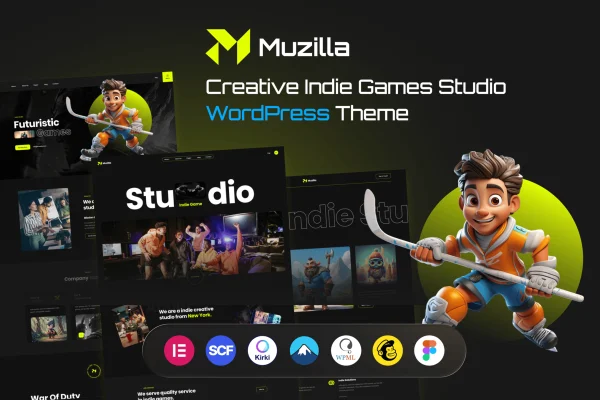
Muzilla is a WordPress theme built for game studios and creative agencies. It gives you dedicated sections for presenting games, demos and portfolio projects, along with responsive layouts, a one-click demo import and support for drag and drop page builders.
- Version
- 1.0
- Released
- Nov 22, 2023
- Developer
- alithemes
- Type
- WordPress theme
- Licence
- GPL
- Included in
- Every plan, or $3.99 on its own
What’s new in Muzilla 1.0
Version 1.0 · Nov 22, 2023
Latest
- NewInitial release
What it does
Game studios need a site that can present titles, trailers and past work in one place, and most general themes leave that to custom work. This theme is designed around that job. It includes a customizable game display area with interactive galleries and multimedia support, plus portfolio management for organizing projects you want clients and collaborators to see. It suits indie developers presenting a single release as well as larger studios with a catalog of games.
Setup starts with a one-click demo import, so your site matches the demo and you can begin editing right away. From there, you can build custom pages with a compatible drag and drop page builder, choose from multiple header and footer styles, and adjust typography and colors to fit your brand. Layouts respond to desktops, tablets and phones. If you plan to sell games, merchandise or digital goods, the theme is WooCommerce ready.
Best for
- Indie game developers presenting their titles
- Game studios with a catalog of games
- Creative agencies building a project portfolio
Features
Customizable game display
Present your games with interactive galleries and multimedia support, giving each title a dedicated space with images and media visitors can browse.
Portfolio management
Organize your projects and display them in a portfolio so potential clients and collaborators can review the work your studio has done.
One-click demo import
Import the demo content in one step so your site matches the demo layout, then replace the content with your own games and projects.
Page builder compatibility
Build and edit custom pages with a compatible drag and drop page builder, without writing code to arrange sections and content.
Header and footer styles
Choose from multiple header and footer styles to set up navigation and page framing that matches your studio or agency brand.
Typography and color options
Adjust fonts and colors across the site to fine-tune its look and match the visual style of your games or brand.
Responsive layouts
Pages adapt to desktops, tablets and smartphones, so your games and portfolio display properly on whatever screen visitors use.
WooCommerce ready
Add a WooCommerce store to sell games, merchandise or digital products directly from the same site that presents your work.
Questions about Muzilla
Can I sell my games or merch with this theme?
Yes. The theme is WooCommerce ready, so you can add a WooCommerce store to sell games, merchandise or digital products. Your shop can sit alongside the game galleries and portfolio pages on the same site.
Do I need coding skills to build pages?
No coding is needed for page layouts. The theme works with drag and drop page builders, and the one-click demo import gives you a ready starting point. You can also change headers, footers, fonts and colors through the theme options.
Is Muzilla only for game studios?
It is designed for game studios, but creative agencies are also a target audience. The portfolio management features let any creative team organize and display projects, while the game sections are there if you need them.
How do I present individual games on the site?
The theme includes a customizable game display area with interactive galleries and multimedia support. You can add images and media for each title so visitors can explore your games, demos and related content.
Is Muzilla free?
The code of Muzilla is licensed under the GPL, so anyone may use, change and share it. GPL Feast is a paid service: a plan or a single purchase gives you the download and automatic updates. The developer's own support, licence key and online services are not included.
Which version of Muzilla is this?
Version 1.0, released Nov 22, 2023. New versions appear here when the developer publishes them, and members get them as automatic updates.
How do I update Muzilla?
Install the free GPL Feast Updater on your site and connect it with your API key. It installs new versions of Muzilla automatically and keeps a backup, so you can roll back.
You might also like