Theme
Updated
MyKorse
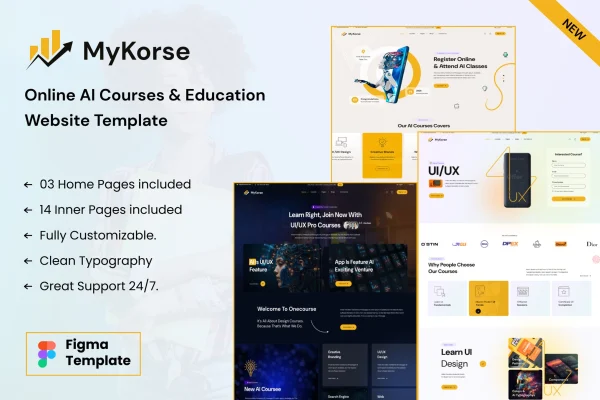
MyKorse by BuddhaThemes is a WordPress theme built for online education and learning management system (LMS) websites. It gives instructors and institutions a way to create courses, manage student enrollments and track learner progress from one site.
- Version
- 1.0.8
- Released
- Feb 11, 2025
- Developer
- BuddhaThemes
- Type
- WordPress theme
- Licence
- GPL
- Included in
- Every plan, or $3.99 on its own
What’s new in MyKorse 1.0.8
Version 1.0.8
Latest
- FixedLMS plugin XSS issue and CSRF issue
- ImprovedCompatible with latest WordPress Version
- ImprovedCompatible with latest Elementor Version
- FixedOCDI demo import issue.
What it does
Running courses online usually means juggling lesson content, student signups, quizzes and payments across several tools. This theme pulls those jobs into a single WordPress site designed for teaching. You can build courses from lessons, assignments and quizzes, add multimedia to keep material engaging, and handle student registrations with built-in management tools. Reports on learner achievement help you see how students are doing and where a course could improve.
The theme suits individual instructors as well as larger educational organizations. Layouts, color schemes and typography can be adjusted to match your branding, and the design is responsive across desktops, tablets and phones. Course payments can run through supported payment gateways, and the theme works with popular plugins such as WooCommerce and BuddyPress. Multilingual and right-to-left script support helps if you teach learners in different languages.
Best for
- Independent instructors selling online courses
- Schools and training institutions moving classes online
- Course creators who need quizzes and progress reports
Features
Course builder
Create and organize courses made up of lessons, assignments and quizzes, with support for multimedia content inside your lessons.
Student enrollment management
Handle student registrations and keep track of enrolled learners using the built-in management tools included with the theme.
Progress tracking and reports
Monitor learner achievement and generate detailed reports so you can evaluate student performance and judge how well each course is working.
Quizzes and assessments
Add interactive quizzes and assessments that give students instant feedback, helping reinforce what they have learned in each lesson.
Payment gateway support
Accept payments for your courses through supported payment gateways, so you can sell your educational offerings directly from your site.
Customizable layouts and styles
Adjust layout options, color schemes and typography controls so the look of your learning site fits your brand.
Plugin compatibility
Extend your site with popular WordPress plugins, including WooCommerce for selling and BuddyPress for community features among students.
Multilingual and RTL ready
Run your site in multiple languages and display right-to-left scripts, which helps when teaching a global or non-English audience.
Questions about MyKorse
Can I sell my courses with this theme?
Yes. The theme supports multiple payment gateways for course payments, and it works with WooCommerce, so you can charge students for access to your courses directly from your own site.
Does it include quizzes and student tracking?
It does. You can add interactive quizzes and assessments with instant feedback, and the progress tracking tools let you monitor learner achievement and generate detailed reports on performance.
Will my course site work on phones and tablets?
Yes. The design is fully responsive, so students can view lessons and take quizzes on desktops, tablets and smartphones without you building separate layouts for each device.
Can I build a site in a language other than English?
The theme includes multilingual compatibility and right-to-left script support, so you can run a learning site in other languages, including ones written right to left.
Is MyKorse free?
The code of MyKorse is licensed under the GPL, so anyone may use, change and share it. GPL Feast is a paid service: a plan or a single purchase gives you the download and automatic updates. The developer's own support, licence key and online services are not included.
Which version of MyKorse is this?
Version 1.0.8, released Feb 11, 2025. New versions appear here when the developer publishes them, and members get them as automatic updates.
How do I update MyKorse?
Install the free GPL Feast Updater on your site and connect it with your API key. It installs new versions of MyKorse automatically and keeps a backup, so you can roll back.