Theme
Updated
Myour
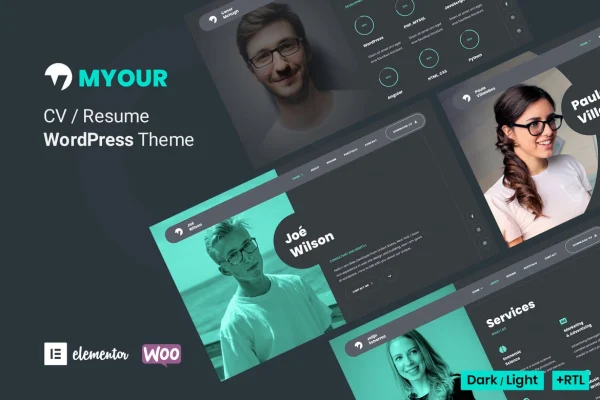
Myour is a personal CV and resume WordPress theme by bslthemes, built around the Elementor page builder. It gives developers, designers, freelancers, artists and photographers a clean, minimal way to present their skills, career history and work on one site.
- Version
- 1.7.0
- Released
- Aug 17, 2026
- Developer
- bslthemes
- Type
- WordPress theme
- Licence
- GPL
- Included in
- Every plan, or $3.99 on its own
What’s new in Myour 1.7.0
Version 1.7.0 · Aug 17, 2026
Latest
What it does
A personal site needs to cover a lot of ground: who you are, what you can do, where you have worked and what you have made. Myour brings those pieces together in one theme. You can build a CV, a portfolio, testimonials and pricing sections, then arrange them as a single scrolling page or spread them across multiple pages. The design is minimal, with a dark mode and a light mode so you can pick the look that fits your personal brand.
Editing happens in Elementor's visual drag and drop builder, so you can change layouts and content without writing code. A one click demo import loads the pre-built layouts as a starting point. From there you can choose among more than 5 home page backgrounds, set up a filterable portfolio and add skill graphs and a resume timeline. The theme is responsive and retina ready, supports RTL languages and works with WPML and Elementor Pro.
Best for
- Freelancers who want a combined portfolio and resume site
- Developers, designers and programmers building a personal brand
- Artists and photographers presenting media-rich work
Features
One page or multi page
Choose a single scrolling layout or a multi page structure, depending on how much content you have and how you want visitors to move through it.
Dark and light modes
Switch between a dark design and a light design to match your personal style and the kind of work you present.
Home page background variants
Pick from more than 5 home page backgrounds, including gradient, video, circle and slider options, to set the tone of your first screen.
Lightbox portfolio variants
Use 6+ lightbox types for projects: image, gallery, media, iframe for YouTube and Vimeo, audio for SoundCloud, and external link.
Filterable portfolio
Portfolio filters let visitors sort your projects by category, so they can find the type of work they care about quickly.
Skills graphs and timeline
Display skills with percent bars, dotted bars or circular graphs, and lay out your career history in a chronological resume timeline.
Testimonials and pricing carousels
Present client feedback and your service packages in carousels, giving visitors a clear picture of what you offer.
Multilingual and RTL ready
The theme supports right-to-left languages and works with WPML, so you can run your CV site in more than one language.
Myour older versions
- 1.5.7Sep 2, 2025
- 1.5.1Feb 10, 2024
- 1.3.9Apr 29, 2023
Members and buyers of this product can download older versions.
Questions about Myour
Do I need to know how to code to customize this theme?
No. Layouts and content are edited in Elementor's visual drag and drop builder. You can also start from the pre-built demo layouts using the one click import, then swap in your own text, images and projects.
Can I show videos and audio in my portfolio?
Yes. The portfolio offers 6+ lightbox variants, including iframe embeds for YouTube and Vimeo, audio from SoundCloud, image, gallery, media and link items, so different types of work can sit side by side.
Can I build a multilingual CV site with it?
Yes. Myour is compatible with WPML for multilingual sites, and it includes RTL support so the site can be translated into right-to-left languages.
Does it work with Elementor Pro?
Yes. The theme is built on Elementor and is compatible with Elementor Pro, so you can use the extra features of Elementor Pro alongside the theme's own layouts.
Is Myour free?
The code of Myour is licensed under the GPL, so anyone may use, change and share it. GPL Feast is a paid service: a plan or a single purchase gives you the download and automatic updates. The developer's own support, licence key and online services are not included.
Which version of Myour is this?
Version 1.7.0, released Aug 17, 2026. New versions appear here when the developer publishes them, and members get them as automatic updates.
How do I update Myour?
Install the free GPL Feast Updater on your site and connect it with your API key. It installs new versions of Myour automatically and keeps a backup, so you can roll back.
More from bslthemes