Theme
Updated
Namos
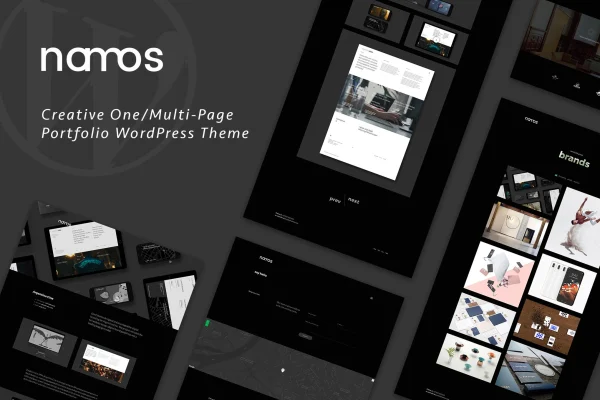
Namos is a portfolio WordPress theme by OceanThemes that works for both one-page and multi-page sites. It is built for photographers, designers, freelancers and agencies who want to present their work, services or products, with WPBakery Page Builder handling the layout work.
- Version
- 1.2.1
- Released
- Sep 1, 2026
- Developer
- OceanThemes
- Type
- WordPress theme
- Licence
- GPL
- Included in
- Every plan, or $3.99 on its own
What’s new in Namos 1.2.2
Version 1.2.2 · Dec 9, 2023
Latest
- ImprovedTheme compatible with WordPress 6.x
- ImprovedWPBakery Page Builder latest version 7.0
- ImprovedPage scroll to id Version: 1.6.8
- FixedFix menu One Page scroll
What it does
Building a portfolio site often means choosing between a single scrolling page and a full multi-page structure. This theme supports both, so you can start with one long page that scrolls between sections or spread your projects, services and blog across separate pages. It comes with six different designs and demo content that you can bring in with a one-click importer, which gives you a finished starting point to edit instead of a blank screen.
Page building runs through WPBakery Page Builder, with more than 19 custom elements for drag-and-drop layouts that need no coding. Styling is handled in the live WordPress Customizer, where you can pick any color scheme and preview changes as you make them. Projects can be shown in masonry or grid layouts, and visual touches such as animated image pieces, menu letter effects and tooltip shapes add motion. The layouts are responsive and retina ready, and a POT file is included for translation.
Best for
- Photographers, videographers and designers presenting their portfolios
- Freelancers who want a one-page personal site
- Creative agencies needing multi-page portfolio and service sites
Features
Six different designs
Choose from six distinct demo designs, each with its own look, so you can match the site to your creative style or the type of project.
WPBakery with custom elements
Build pages by drag and drop in WPBakery Page Builder, using more than 19 custom elements made for this theme, with no coding required.
Live Customizer styling
Adjust styling in the WordPress Customizer and see changes in real time, including unlimited color schemes to fit your brand palette.
One-click demo import
Import the demo layouts and content in one step, then replace the sample text and images with your own projects and details.
Masonry and grid portfolios
Display your work in masonry or grid portfolio layouts, giving you flexible options for photos, design pieces and other project types.
Animated visual effects
Add motion with animated image pieces, menu letter effects, letter background effects, tooltip shapes and other animations built into the theme.
Responsive and retina ready
Layouts adapt to desktops, tablets and phones, and the theme is retina ready so graphics stay sharp on high-resolution screens.
Translation ready
A POT file is included, so you can translate the theme's text and run your portfolio in other languages.
Questions about Namos
Can I use this theme for a single scrolling page?
Yes. The theme supports one-page layouts where the menu scrolls to sections on the same page, and it also supports multi-page sites if you prefer separate pages for projects, services and other content.
Which page builder does Namos use?
It works with WPBakery Page Builder (formerly Visual Composer). The theme adds more than 19 custom elements to WPBakery, so you can build and rearrange page layouts by drag and drop without writing code.
How can I display my projects?
Portfolio items can be shown in masonry or grid layouts. You can pair these with the theme's visual effects, such as animated image pieces and tooltip shapes, to give your project pages some movement.
Can I change the colors to match my brand?
Yes. The live WordPress Customizer lets you set unlimited color schemes and preview each change in real time before you publish it, so you can match your existing brand colors.
Is Namos free?
The code of Namos is licensed under the GPL, so anyone may use, change and share it. GPL Feast is a paid service: a plan or a single purchase gives you the download and automatic updates. The developer's own support, licence key and online services are not included.
Which version of Namos is this?
Version 1.2.1, released Sep 1, 2026. New versions appear here when the developer publishes them, and members get them as automatic updates.
How do I update Namos?
Install the free GPL Feast Updater on your site and connect it with your API key. It installs new versions of Namos automatically and keeps a backup, so you can roll back.
More from OceanThemes