Theme
Updated
Nestify
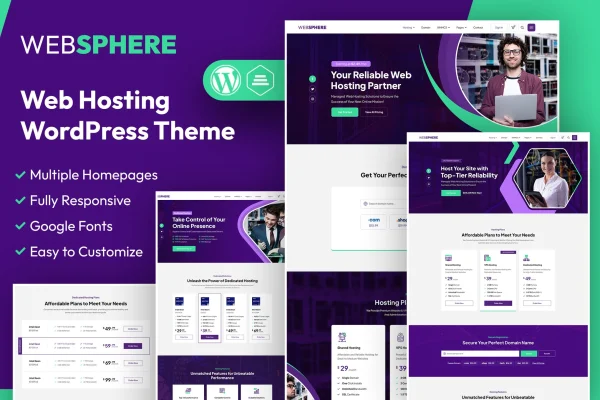
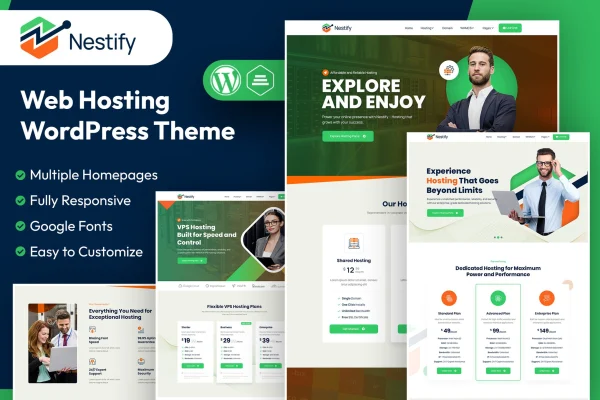
Nestify is a WordPress theme built for web hosting companies and digital service providers. It connects with WHMCS so billing, account management and support can sit alongside your WordPress content, and it includes domain search, homepage layouts and a knowledge base.
- Version
- 1.1
- Released
- Feb 11, 2025
- Developer
- designingmedia
- Type
- WordPress theme
- Licence
- GPL
- Included in
- Every plan, or $3.99 on its own
What’s new in Nestify 1.1
Version 1.1 · Feb 11, 2025
Latest
What it does
Running a hosting business usually means juggling two systems: a marketing site and a billing platform. Nestify brings them closer together by integrating WHMCS with WordPress, so customers can handle billing, accounts and support requests from within your site. A domain search and ordering system lets visitors look up and register domains, which is a core part of most hosting storefronts. The design is clean and modern, with responsive, retina ready layouts that adapt to phones, tablets and desktops.
Getting started is handled through a one-click demo import that sets up a working site you can then adjust. Multiple pre-built homepage templates with drag-and-drop editing give you options for how the front page looks. An integrated blog and knowledge base let you publish articles and help documentation, so customers can find answers on their own. Multilingual and RTL support makes the theme usable for sites in several languages or in right-to-left scripts. It suits new hosting businesses as well as existing ones moving to a new site.
Best for
- Web hosting companies using WHMCS for billing
- Domain resellers and digital service providers
- Hosting startups building their first website
Features
WHMCS integration
Connects WHMCS with WordPress so billing, account management and customer support are handled directly within your hosting website.
Domain search and ordering
Includes a domain search and ordering system that lets customers look up available domains and register them from your site.
Customizable homepage layouts
Offers multiple pre-built homepage templates with drag-and-drop editing, so you can pick a starting layout and adjust it to your brand.
Responsive and retina ready
Layouts adapt to different devices and screen sizes, and graphics are prepared for high resolution retina displays.
Blog and knowledge base
Built-in blog and knowledge base sections let you publish articles, guides and help resources that customers can browse on their own.
Multilingual and RTL support
Works with multiple languages and supports right-to-left scripts, which helps when your hosting customers read in languages such as Arabic or Hebrew.
One-click demo import
Imports the demo content in one step, giving you a working site to edit instead of building every page from scratch.
Questions about Nestify
Does this theme work with WHMCS?
Yes. The theme is designed around WHMCS integration, so billing, account management and support functions can be handled within your WordPress site. You will need your own WHMCS setup to use these features.
Can customers search for and order domains on my site?
Yes. Nestify includes a domain search and ordering system that lets visitors check domain availability and register domains, which covers a standard part of a hosting storefront.
Can I build a help center with it?
The theme includes an integrated knowledge base alongside its blog. You can publish help articles and support documentation there, giving customers a place to find answers before contacting your team.
Will it work for a site in a right-to-left language?
Yes. The theme supports multiple languages and right-to-left scripts, so it can be used for hosting sites aimed at audiences reading Arabic, Hebrew or other RTL languages.
Is Nestify free?
The code of Nestify is licensed under the GPL, so anyone may use, change and share it. GPL Feast is a paid service: a plan or a single purchase gives you the download and automatic updates. The developer's own support, licence key and online services are not included.
Which version of Nestify is this?
Version 1.1, released Feb 11, 2025. New versions appear here when the developer publishes them, and members get them as automatic updates.
How do I update Nestify?
Install the free GPL Feast Updater on your site and connect it with your API key. It installs new versions of Nestify automatically and keeps a backup, so you can roll back.