Theme
Updated
Nestnet
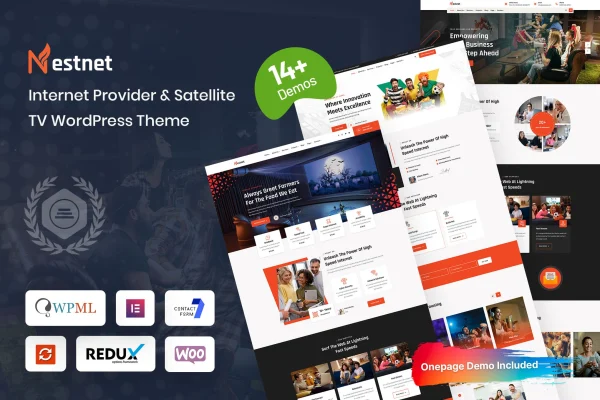
Nestnet is a WordPress theme by Bravis-Themes built for internet service providers, satellite TV companies and other telecommunications businesses. It gives you layouts made for presenting plans, packages and service areas, along with tools for handling customer inquiries and subscriptions.
- Version
- 1.0.1
- Released
- Aug 8, 2026
- Developer
- Bravis-Themes
- Type
- WordPress theme
- Licence
- GPL
- Included in
- Every plan, or $3.99 on its own
What’s new in Nestnet 1.0.1
Version 1.0.1 · Aug 8, 2026
Latest
What it does
Telecom companies have specific things to explain on their websites: which plans they offer, what each package includes, where service is available and how customers can get in touch. General purpose themes leave you to build all of that from scratch. This theme comes with an industry-specific design and content structure, so pages for high-speed internet, fiber optic connectivity or satellite television already have a sensible place for pricing, coverage and contact details.
You can start from pre-built demo content with a one-click import, then adjust colors, fonts and layouts in the theme customizer without writing code. Pricing tables let visitors compare internet and TV packages side by side, and coverage maps show the areas you serve. The layout is responsive and retina ready, and the theme works with WooCommerce if you want to sell devices, subscription add-ons or accessories alongside your service plans.
Best for
- Internet service providers and fiber broadband companies
- Satellite TV companies presenting channel packages
- Telecom businesses selling devices or add-ons online
Features
Telecom-focused layouts
Layouts and content structure are designed around internet providers and satellite TV services, giving plans, packages and service areas a clear place on the site.
Customizable pricing tables
Display your internet and TV packages in pricing tables so visitors can compare plans side by side and pick the one that suits them.
Service coverage maps
Show the regions where your internet or satellite TV service is available, so potential customers can check coverage before reaching out.
Contact and support forms
Built-in forms let customers send inquiries and support requests directly through your website instead of hunting for an email address or phone number.
Subscription management integration
Integrated subscription handling helps you manage customer plans and renewals from the same site where those plans are presented.
One-click demo import
Import the pre-built demo content in one step to get a working site structure, then replace the sample text and images with your own.
Theme customizer options
Change colors, fonts and layouts through the theme customizer, so you can match your brand without any coding knowledge.
WooCommerce compatibility
Works with WooCommerce, letting you sell routers, devices, subscription add-ons or accessories through an online shop on the same site.
Nestnet older versions
- 1.0.0Feb 25, 2025
- 1.0.0Oct 10, 2024
Members and buyers of this product can download older versions.
Questions about Nestnet
Can I show different internet and TV plans for comparison?
Yes. The theme includes customizable pricing tables made for internet and TV packages. You can list each plan with its details so visitors can compare options side by side and see which package fits their needs.
Is there a way to show where my service is available?
The theme includes service coverage maps that let you display the areas where your internet or satellite TV service reaches. This helps potential customers confirm availability before they contact you or choose a plan.
Can I sell equipment like routers or accessories with this theme?
Nestnet is compatible with WooCommerce, so you can set up a shop for devices, subscription add-ons or accessories. Your products can sit on the same site as your service plans and coverage information.
Do I need coding skills to change the design?
No. You can start with the one-click demo import and then adjust colors, fonts and layouts through the theme customizer. These changes are made through settings, without editing code.
Is Nestnet free?
The code of Nestnet is licensed under the GPL, so anyone may use, change and share it. GPL Feast is a paid service: a plan or a single purchase gives you the download and automatic updates. The developer's own support, licence key and online services are not included.
Which version of Nestnet is this?
Version 1.0.1, released Aug 8, 2026. New versions appear here when the developer publishes them, and members get them as automatic updates.
How do I update Nestnet?
Install the free GPL Feast Updater on your site and connect it with your API key. It installs new versions of Nestnet automatically and keeps a backup, so you can roll back.