Theme
Updated
Netlink
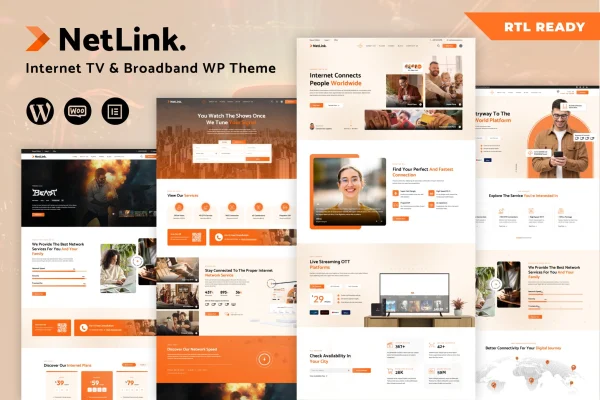
Netlink is a WordPress theme built for broadband TV and internet service providers. It gives cable operators, ISPs and TV package sellers a clean, modern website where they can present plans, pricing and service details. Pages are customized with a drag and drop builder, so no coding is needed.
- Version
- 1.1.2
- Released
- Feb 11, 2025
- Developer
- designthemes
- Type
- WordPress theme
- Licence
- GPL
- Included in
- Every plan, or $3.99 on its own
What’s new in Netlink 1.1.2
Version 1.1.2
Latest
- FixedDirectory addon plugin XSS issue and CSRF issue
- ImprovedCompatible with latest WordPress Version
- ImprovedCompatible with latest Elementor Version
What it does
Internet and TV providers need a site that explains plans clearly and makes it easy for people to get in touch. Netlink is designed around that job. It includes service and pricing table modules for broadband plans and TV bundles, contact forms for customer inquiries, and pre-built demo content with sample data so you start from a finished layout instead of a blank page.
The theme works with a drag and drop page builder and appears to be built around Elementor, so you can rearrange layouts and content sections to match your brand. It is responsive across desktop, tablet and mobile. WooCommerce compatibility lets you sell equipment, subscriptions or merchandise, and WPML support with translation-ready files suits providers serving customers in more than one language.
Best for
- Broadband and internet service providers
- Cable TV operators and TV package distributors
- Agencies building websites for telecom clients
Features
Pricing tables for plans
Service and pricing table modules lay out broadband plans and TV packages side by side so visitors can compare options and pick the one that fits.
Drag and drop page building
Customize pages and layouts visually with a drag and drop builder, adjusting sections and content to match your brand without writing code.
Pre-built demo content
Ready-made templates and sample data give you a complete starting site that you can edit with your own services, coverage details and contact information.
Responsive layout
The design adapts to desktop, tablet and mobile screens, so customers can browse plans and packages comfortably on whatever device they use.
WooCommerce store support
The theme is compatible with WooCommerce, letting you add an online store for selling equipment such as routers, subscriptions or branded merchandise.
Contact and inquiry forms
Customizable contact forms work with popular form plugins, giving visitors a simple way to ask about service availability, plans or installation appointments.
Multilingual ready
WPML support and translation-ready files let you run the site in several languages for providers with a diverse customer base.
Questions about Netlink
Can I display my internet plans and TV bundles with prices?
Yes. Netlink includes service and pricing table modules made for this purpose. You can list broadband plans and TV packages with their features and prices, which helps visitors compare options before contacting you or signing up.
Do I need coding skills to customize the theme?
No. Pages and layouts are edited with a drag and drop page builder, and the demo content gives you ready-made templates to start from. You can change text, images, sections and layouts visually while keeping the overall design consistent.
Can I sell routers or other equipment on my site?
Yes. The theme is compatible with WooCommerce, so you can add an online store to sell equipment, subscriptions or merchandise directly from the same website that presents your service plans.
Will the theme work for a site in more than one language?
Yes. It supports WPML and comes with translation-ready files, so you can offer your plans, pricing and contact pages in several languages for customers who speak different languages.
Is Netlink free?
The code of Netlink is licensed under the GPL, so anyone may use, change and share it. GPL Feast is a paid service: a plan or a single purchase gives you the download and automatic updates. The developer's own support, licence key and online services are not included.
Which version of Netlink is this?
Version 1.1.2, released Feb 11, 2025. New versions appear here when the developer publishes them, and members get them as automatic updates.
How do I update Netlink?
Install the free GPL Feast Updater on your site and connect it with your API key. It installs new versions of Netlink automatically and keeps a backup, so you can roll back.