Theme
Updated
Nosei
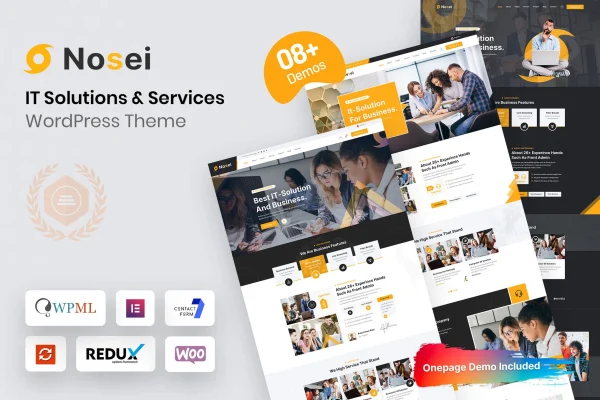
Nosei is a WordPress theme built for IT solutions and service providers. It gives tech businesses a clean, modern layout for presenting their services, with pre-built demos, theme settings and drag-and-drop page building so the site can be shaped without writing code.
- Version
- 1.0.5
- Released
- Jan 21, 2026
- Developer
- Bravis-Themes
- Type
- WordPress theme
- Licence
- GPL
- Included in
- Every plan, or $3.99 on its own
What’s new in Nosei 1.0.5
Version 1.0.5 · Jan 21, 2026
Latest
What it does
IT companies and consultants need a website that explains their services clearly and gives potential clients an easy way to get in touch. Starting from a blank theme means building every page and section by hand. This theme starts you off with multiple pre-built demos made for IT services and solutions businesses, so you can import a ready-made layout and replace the placeholder content with your own services, team details and company information.
Customization runs through the theme settings and drag-and-drop page builders, which lets you adjust layouts and design choices without touching code. The responsive layout adapts to desktops, tablets and phones. Integrated contact forms give visitors a direct way to reach you, blog layouts give you a place for articles and company news, and WooCommerce compatibility means you can add a shop if you decide to sell products or services online.
Best for
- IT solutions companies and managed service providers
- Tech startups needing a professional company website
- Independent IT consultants presenting their services
Features
Tech-focused modern design
A clean, professional look suited to IT companies, giving service pages and company information a tidy presentation that fits the technology sector.
Multiple pre-built demos
Ready-made templates designed for IT services and solutions businesses give you a starting layout to import and adapt instead of building pages from scratch.
Responsive layout
Pages adjust to fit desktops, tablets and smartphones, so visitors can browse your services and contact details comfortably on any screen size.
Drag-and-drop customization
Theme settings and drag-and-drop page builders let you change layouts, sections and styling without needing to write or edit any code.
Integrated contact forms
Built-in contact forms give potential clients a direct way to send inquiries through your site, helping you collect leads in one place.
WooCommerce compatible
The theme works with WooCommerce, so you can add online selling if you want to offer products or service packages through your website.
Blog layouts
Dedicated blog templates give you a structured place to publish industry insights, company updates and technical articles for your audience.
Documentation included
Detailed guides walk you through building and maintaining your website, which helps when you are setting up demos or adjusting theme settings.
Nosei older versions
- 1.0.4Oct 10, 2024
Members and buyers of this product can download older versions.
Questions about Nosei
Can I customize this theme without coding experience?
Yes. The theme includes theme settings along with drag-and-drop page builders, so you can change layouts, sections and design details visually. This makes it practical for business owners or freelancers who want to adjust the site without editing code.
Does Nosei come with demo content I can start from?
It includes multiple pre-built demos made for IT services and solutions businesses. You can use one as the base for your site and then replace the sample text and images with your own services, branding and company details.
Can I sell services or products with this theme?
The theme is compatible with WooCommerce, so you can add a store to your site. That lets you sell products or service packages online alongside your regular service pages, contact forms and blog.
Will the site work well on phones and tablets?
Yes. The theme uses a fully responsive layout that adapts to desktops, tablets and smartphones, so your service pages, blog posts and contact forms remain readable and usable on smaller screens.
Is Nosei free?
The code of Nosei is licensed under the GPL, so anyone may use, change and share it. GPL Feast is a paid service: a plan or a single purchase gives you the download and automatic updates. The developer's own support, licence key and online services are not included.
Which version of Nosei is this?
Version 1.0.5, released Jan 21, 2026. New versions appear here when the developer publishes them, and members get them as automatic updates.
How do I update Nosei?
Install the free GPL Feast Updater on your site and connect it with your API key. It installs new versions of Nosei automatically and keeps a backup, so you can roll back.