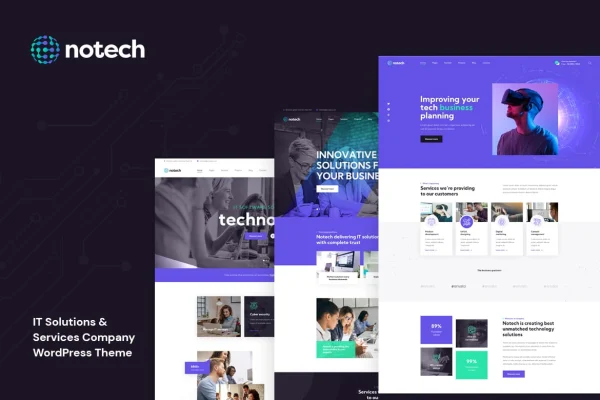
Theme
Updated
Notech
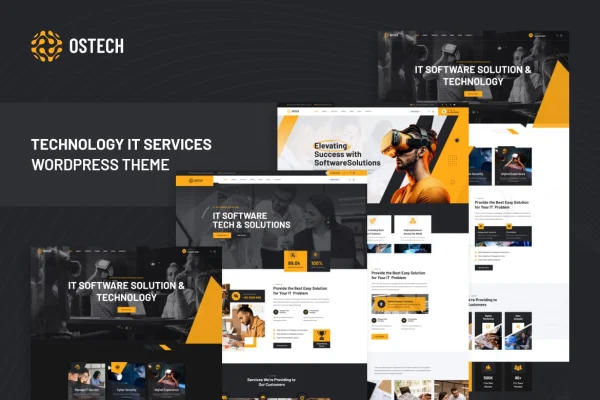
Notech is a WordPress theme by Layerdrops built for IT solutions providers, technology firms, startups and freelance tech professionals. It gives you a modern, responsive site with page templates for services, portfolio, blog and contact pages, plus demo content to start from.
- Version
- 1.1
- Released
- Mar 4, 2023
- Developer
- Layerdrops
- Type
- WordPress theme
- Licence
- GPL
- Included in
- Every plan, or $3.99 on its own
What’s new in Notech 1.1
Version 1.1 · Mar 4, 2023
Latest
- NewWoocommerce Support Added
- NewShop Pages Added (Shop, Products, Cart, Checkout)
- NewRTL Compatibility Added
- NewBoxed Mode Added
- NewServices Pages Added (Services 03 & 04)
- FixedMinor Bug Fixes
What it does
Tech businesses often need a site that explains their services clearly, displays past work and shows what clients have said. This theme is designed around that need. Whether your focus is software development, IT consulting or managed services, it includes page templates for services, portfolio, blog and contact pages, along with space for client testimonials. Pre-built demo content lets you begin with a complete IT solutions layout and swap in your own text and images.
Customization happens through an options panel where you can adjust colors, fonts, layouts and content to match your brand, with no coding required. Headers, footers and typography can be tailored as well. The layouts are responsive and adapt to desktop, tablet and mobile screens, and the theme is built for consistent display across major browsers. It works with WPBakery Page Builder and Contact Form 7, and it is translation ready and WPML compatible for multilingual sites.
Best for
- IT consulting and managed services companies
- Software development firms and tech startups
- Freelance IT professionals presenting services and portfolio work
Features
Pages for IT businesses
Includes page templates for services, portfolio, blog and contact pages, designed for companies that sell technology services and want to present their offerings clearly.
Pre-built demo content
Import the demo content to get a complete IT solutions website structure in place, then replace the sample text and images with your own.
Options panel customization
Change colors, fonts, layouts and content from an options panel so the site matches your brand identity without writing any code.
Custom headers and footers
Adjust headers, footers and typography choices to shape the look of every page and keep your branding consistent across the site.
Responsive layouts
Pages adapt to desktop, tablet and mobile screens, so visitors get a readable, well-arranged layout on whatever device they use.
Page builder and forms
Works with WPBakery Page Builder for editing page layouts and Contact Form 7 for adding contact and inquiry forms to your site.
Multilingual site support
The theme is translation ready and WPML compatible, so you can build a site in more than one language for international clients.
Questions about Notech
What kind of business is this theme designed for?
It is built for IT solutions providers, technology firms, startups and freelancers. Typical uses include software development, IT consulting and managed services, with pages for services, portfolio work, client testimonials, a blog and contact details.
Which page builder does Notech work with?
The theme integrates with WPBakery Page Builder for editing page layouts. It also works with Contact Form 7, so you can add contact and inquiry forms to your pages.
Can I change the design without coding?
Yes. An options panel lets you personalize colors, fonts, layouts and content. You can also customize headers, footers and typography, all without needing to edit code.
Can I build a multilingual site with Notech?
Yes. The theme is translation ready and compatible with WPML, which means you can create a website in multiple languages to reach clients in different regions.
Is Notech free?
The code of Notech is licensed under the GPL, so anyone may use, change and share it. GPL Feast is a paid service: a plan or a single purchase gives you the download and automatic updates. The developer's own support, licence key and online services are not included.
Which version of Notech is this?
Version 1.1, released Mar 4, 2023. New versions appear here when the developer publishes them, and members get them as automatic updates.
How do I update Notech?
Install the free GPL Feast Updater on your site and connect it with your API key. It installs new versions of Notech automatically and keeps a backup, so you can roll back.