Theme
Updated
Ocoee
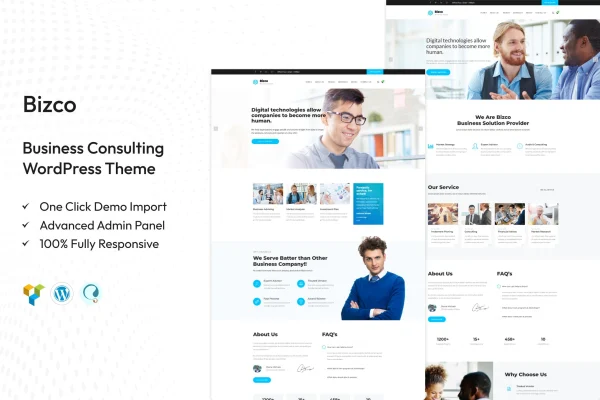
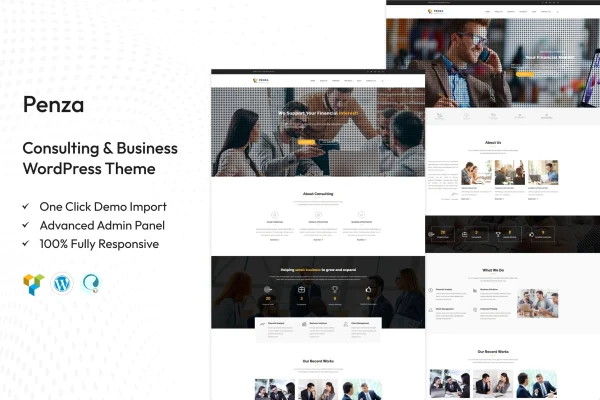
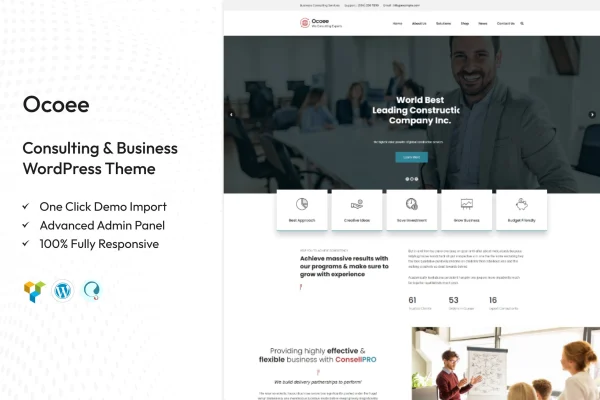
Ocoee is a WordPress theme built for consulting and business websites. It gives consultants, agencies and startups a clean, professional layout with demo content, flexible styling options and dedicated sections for services, portfolios and client testimonials.
- Version
- 2.0
- Released
- Aug 15, 2026
- Developer
- TonaTheme
- Type
- WordPress theme
- Licence
- GPL
- Included in
- Every plan, or $3.99 on its own
What’s new in Ocoee 2.0
Version 2.0 · Aug 15, 2026
Latest
What it does
Consulting firms and small businesses usually need the same things from a website: a clear way to present services, a place to show past work, and room for client testimonials that build trust. Ocoee covers that ground with ready layouts for portfolios and services, so you can organize your offer without designing every page from scratch. The responsive design adapts to desktops, tablets and phones, and the theme is built to display consistently across major browsers.
You can start from pre-built demo content using the one-click import, then adjust it to match your brand. A theme options panel handles settings, typography and visual elements without coding, and you can pick from multiple header styles, color schemes and font options. Ocoee works with Elementor, WooCommerce, Contact Form 7 and WPML, which lets you build pages visually, add a shop, collect inquiries or run a multilingual site.
Best for
- Consulting firms presenting services and expertise
- Business agencies with portfolios and client testimonials
- Startups needing a professional company website
Features
One-click demo import
Import pre-built demo content in one step, then replace the text and images with your own to get a working business site in place quickly.
Multiple header styles
Choose from several header styles, along with color schemes and font options, to shape the look of the site around your brand identity.
Theme options panel
Configure site settings, typography and visual elements from a central panel, with no need to edit code to make design changes.
Portfolio and services layouts
Dedicated sections let you present your services, past projects and client testimonials in an organized way that suits consulting and agency work.
Responsive design
Layouts adjust to different screen sizes, so pages read well on desktops, tablets and smartphones without separate mobile setup.
Popular plugin compatibility
Works with Elementor for page building, WooCommerce for selling, Contact Form 7 for forms and WPML for translating your site into other languages.
Cross-browser compatibility
The theme is built to look and behave consistently across all major browsers, so visitors get the same experience wherever they browse.
Documentation included
Written guides walk you through setting up and maintaining the site, which helps if you are building without a developer.
Questions about Ocoee
Can I build pages with Elementor using this theme?
Yes. Ocoee is compatible with Elementor, so you can edit and build pages visually. It also works with WooCommerce, Contact Form 7 and WPML if you need a shop, contact forms or multilingual content.
Do I need coding skills to customize the design?
No. The theme options panel lets you change settings, typography and visual elements without code. You can also switch between multiple header styles, color schemes and font options to match your brand.
Can I show my past projects and client feedback?
Yes. Ocoee includes portfolio and services layouts with sections for your work, projects and client testimonials, which suits consultants and agencies that want to present results and build trust with new clients.
Will my site look right on phones?
The theme uses a responsive design that adapts to different screen sizes, from desktops to smartphones. It is also built for consistent display across all major browsers.
Is Ocoee free?
The code of Ocoee is licensed under the GPL, so anyone may use, change and share it. GPL Feast is a paid service: a plan or a single purchase gives you the download and automatic updates. The developer's own support, licence key and online services are not included.
Which version of Ocoee is this?
Version 2.0, released Aug 15, 2026. New versions appear here when the developer publishes them, and members get them as automatic updates.
How do I update Ocoee?
Install the free GPL Feast Updater on your site and connect it with your API key. It installs new versions of Ocoee automatically and keeps a backup, so you can roll back.