Theme
Updated
Ogami Theme
Ogami Theme is a WordPress theme by ApusTheme built for organic stores, bakeries and other food-related shops. It pairs WooCommerce store features with a clean, responsive layout, so owners can set up and style an online shop without writing code.
- Version
- 1.66
- Released
- Aug 17, 2026
- Developer
- ApusTheme
- Type
- WordPress theme
- Licence
- GPL
- Included in
- Every plan, or $3.99 on its own
What’s new in Ogami Theme 1.61
Version 1.61 · Oct 1, 2025
Latest
- ImprovedUpdate Theme Security
What it does
Food and organic product shops need a storefront that presents fresh goods clearly and makes browsing simple. This theme is designed around that kind of business, whether you sell bakery items, vegetables, organic groceries or even makeup products. It works with WooCommerce and includes store components such as product sliders, quick view and filters, along with blog sections for sharing recipes, news or product stories.
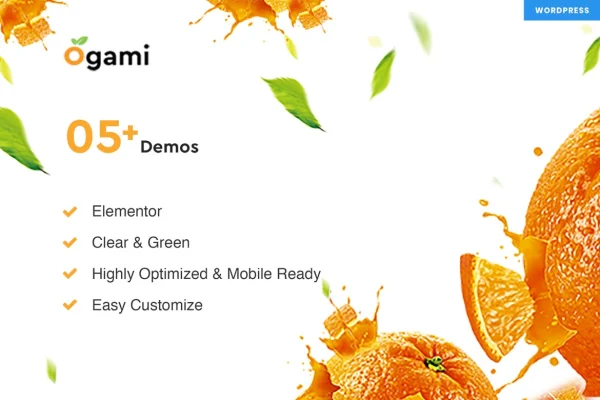
Customization runs through a theme options panel where you can turn features on and adjust them. You can pick from more than 5 homepage layouts, 5 header styles and 5 footer styles, and use a sticky menu to keep navigation in reach. Google Fonts support lets you set typography to match your brand. The layout is responsive and retina ready, built on the Bootstrap framework, and WPML support means you can run the store in more than one language.
Best for
- Organic grocery and natural food stores
- Bakeries selling baked goods online
- Small food or beauty shops using WooCommerce
Features
Multiple homepage layouts
Choose from more than 5 homepage designs to set the look of your storefront, each suited to organic, bakery or food-focused shops.
Header and footer styles
Pick from 5 header styles and 5 footer styles, including a sticky menu that keeps navigation visible as visitors scroll through the page.
WooCommerce store components
Works with WooCommerce and adds shop elements such as product sliders, quick view and product filters to help customers browse and buy.
Responsive and retina ready
The layout adapts to desktops, tablets and smartphones, and is prepared for high-resolution screens so product images and text stay sharp.
Google Fonts typography
Change site fonts using Google Fonts from the theme settings, with no coding needed, to keep your brand's typography consistent.
Multilingual with WPML
WPML support lets you translate your store and serve customers in several languages from the same WordPress site.
Theme options panel
A central control panel lets you switch features on or off and adjust settings to shape how your site looks and behaves.
Blog sections
Built-in blog sections give you space to publish recipes, product news or articles alongside your shop pages.
Ogami Theme older versions
- 1.61Sep 30, 2025
- 1.60Aug 24, 20251 improvement
- 1.58Jul 9, 20251 improvement
- 1.45Feb 3, 20241 improvement
- 1.43Jun 15, 2023
Members and buyers of this product can download older versions.
Questions about Ogami Theme
Does Ogami Theme work with WooCommerce?
Yes. The theme is built for WooCommerce stores and includes shop features such as product sliders, quick view, product filters and checkout pages, so it suits shops selling organic goods, bakery items and similar products.
Can I change the layout without coding?
Yes. The theme options panel lets you adjust features and settings, and you can choose from more than 5 homepage layouts, 5 header styles and 5 footer styles. Fonts can also be changed through Google Fonts support.
Will my store look right on phones and tablets?
The theme is fully responsive, so the layout adjusts to desktops, tablets and smartphones. It is also retina ready, which keeps images and text crisp on high-resolution displays.
Can I run my shop in more than one language?
Yes. The theme supports WPML, which lets you translate your pages and products so customers can shop in different languages on the same site.
Is Ogami Theme free?
The code of Ogami Theme is licensed under the GPL, so anyone may use, change and share it. GPL Feast is a paid service: a plan or a single purchase gives you the download and automatic updates. The developer's own support, licence key and online services are not included.
Which version of Ogami Theme is this?
Version 1.66, released Aug 17, 2026. New versions appear here when the developer publishes them, and members get them as automatic updates.
How do I update Ogami Theme?
Install the free GPL Feast Updater on your site and connect it with your API key. It installs new versions of Ogami Theme automatically and keeps a backup, so you can roll back.