Theme
Updated
Ogency
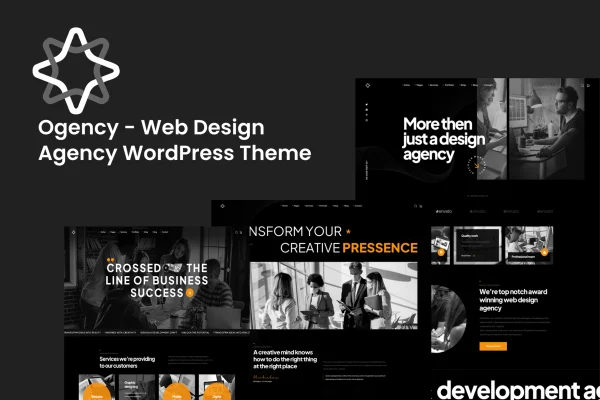
Ogency is a WordPress theme built for web design agencies and freelance designers. It gives you pre-built templates, portfolio layouts and page builder support so you can present your services, past projects and client testimonials on a responsive agency website.
- Version
- 1.0
- Released
- May 12, 2015
- Developer
- bracketweb
- Type
- WordPress theme
- Licence
- GPL
- Included in
- Every plan, or $3.99 on its own
What’s new in Ogency 1.0
Version 1.0 · May 12, 2015
Latest
- NewInitial release
What it does
An agency website has to present services, past work and client feedback in a clear, professional way, and building that from a blank theme takes time. Ogency starts you off with multiple pre-built templates aimed at web design agencies, which you can choose from and then adjust to match your brand. It works with a drag-and-drop page builder, so you can edit pages visually without writing code, which helps beginners as well as experienced designers.
The theme covers the parts of an agency site that clients look at most. Portfolio gallery layouts display your projects, and multiple header and footer styles let you shape navigation and branding across the site. Layouts adapt to desktops, tablets and phones. Ogency is translation and RTL ready for sites in other languages, and it is compatible with WooCommerce if you want to sell services or digital products directly from your site.
Best for
- Web design agencies presenting services and client work
- Freelance designers building a portfolio website
- Agencies selling design services or digital products online
Features
Pre-built customizable templates
Choose from multiple pre-built templates and modify them to fit your agency's brand identity, giving you a starting point for each page instead of a blank layout.
Drag-and-drop page builder support
The theme integrates with a drag-and-drop page builder, so you can design and edit professional pages visually without any coding knowledge.
Portfolio gallery layouts
Present your design projects in gallery layouts that let potential clients browse your past work and see the kind of results your agency delivers.
Multiple header and footer styles
Pick from several header and footer styles to customize your site's navigation and footer areas and keep your branding consistent across pages.
Responsive design
Layouts adjust to desktops, tablets and smartphones, so your services, portfolio and testimonials remain readable on whatever device a visitor uses.
Translation and RTL ready
Ogency supports translation into multiple languages and right-to-left text, which suits agencies serving clients in different regions or languages.
WooCommerce compatibility
Works with WooCommerce, so you can add a shop to your agency site and sell services or digital products directly to clients.
Questions about Ogency
Can I build pages without knowing how to code?
Yes. The theme integrates with a drag-and-drop page builder, so you can create and edit pages visually. Combined with the pre-built templates, this lets beginners put together a professional agency site without writing code.
Does the theme include a way to display my portfolio?
It does. Ogency includes portfolio gallery layouts for presenting your projects, and its layouts also cover services and client testimonials, which are the main sections most agency sites need.
Can I sell services or products with this theme?
Ogency is compatible with WooCommerce, so you can add e-commerce to your site and sell services or digital products directly from it alongside your regular agency pages.
Will it work for a site in a language other than English?
Yes. The theme is translation ready and supports right-to-left text, so you can run your agency website in other languages, including those written right to left.
Is Ogency free?
The code of Ogency is licensed under the GPL, so anyone may use, change and share it. GPL Feast is a paid service: a plan or a single purchase gives you the download and automatic updates. The developer's own support, licence key and online services are not included.
Which version of Ogency is this?
Version 1.0, released May 12, 2015. New versions appear here when the developer publishes them, and members get them as automatic updates.
How do I update Ogency?
Install the free GPL Feast Updater on your site and connect it with your API key. It installs new versions of Ogency automatically and keeps a backup, so you can roll back.